

Best Retail Store POS Systems: 9 Smart Checks Before You Buy
The best retail store POS systems should match the way your business operates. Before comparing subscriptions or signing a contract, use these nine checks to understand what a shortlisted solution can actually do.
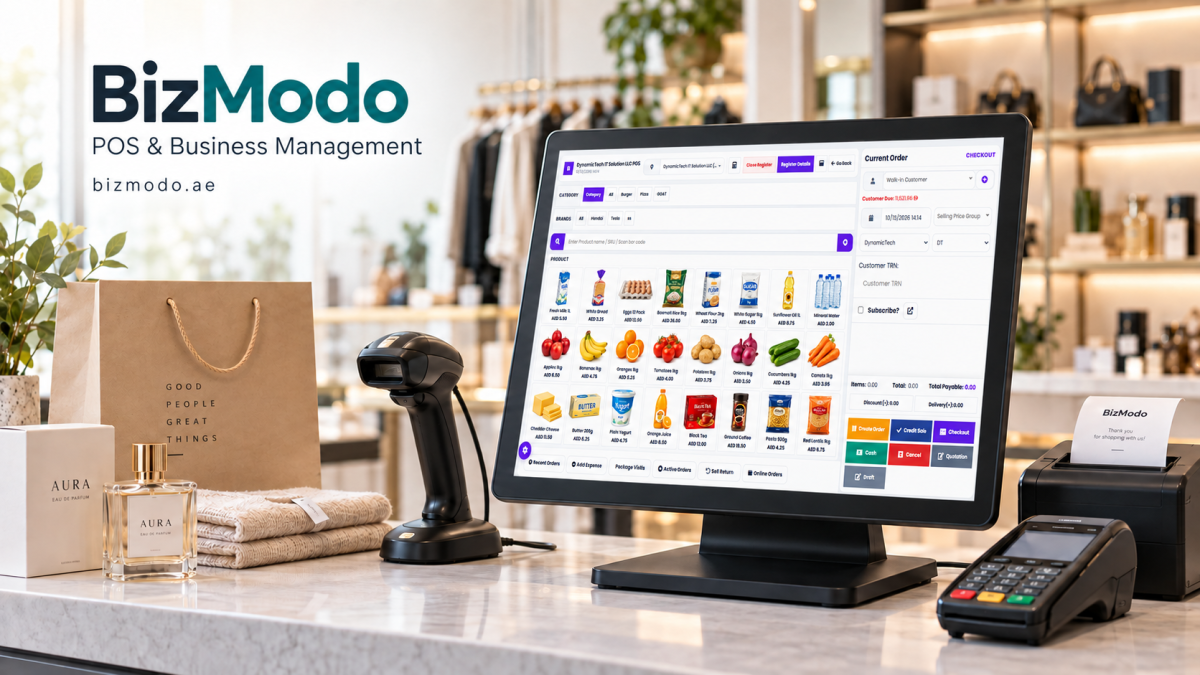
A customer reaches the counter with three items. One barcode will not scan, a promotional price is missing, and the cashier needs a manager to approve an exchange. Meanwhile, another customer asks whether a different branch has a particular size in stock.
These everyday moments reveal more about a point of sale system than a polished sales presentation ever could.
For UAE retailers, choosing a POS system means deciding how sales, stock, staff and reporting will work together. A system that processes a straightforward transaction may still struggle with the situations your team handles every day.
The best retail store POS systems should match the way your business operates. Before comparing subscriptions or signing a contract, use these nine checks to understand what a shortlisted solution can actually do.
How to Compare the Best Retail Store POS Systems
Start with a short description of your shop: what you sell, how many product variations you carry, how many locations you operate, and whether customers also order online.
A clothing boutique may prioritise sizes, colours and exchanges. An electronics shop may need serial-number records and warranty references. A gift retailer may need bundles and seasonal promotions.
Turn those requirements into a demonstration checklist. Ask every supplier to complete the same tasks using sample products from your business. This makes comparisons more useful than simply counting features.
1. Test Checkout Beyond a Simple Sale
Scanning an item and accepting payment is only the starting point. Your demonstration should also include a missing barcode, a discount, an incorrect item and a customer who changes their mind halfway through the transaction.
Check whether staff can find products quickly, correct mistakes and understand the final amount without navigating several screens.
Ask the supplier to demonstrate the payment methods your shop intends to accept. Confirm which payment terminals connect directly to the POS and which require staff to enter amounts separately. A payment method appearing on the screen does not necessarily mean the payment itself is integrated.
2. Follow Stock Through the Entire Transaction
A stock figure is useful only when you understand how it changes.
Ask the supplier to receive a delivery, sell an item, process a return and record damaged stock. Watch what happens to the available quantity after each action.
For products with variations, check individual sizes and colours. A record showing ten shirts is not enough if nobody can tell how many are available in medium blue.
Also ask how stock counts and adjustments are recorded. Managers should be able to investigate a discrepancy instead of repeatedly correcting the same unexplained difference.
3. Make Returns and Exchanges Part of the Demo
Returns deserve their own test because they affect sales records, stock and customer service at the same time.
Use a realistic example: a customer returns one item from a discounted purchase and exchanges it for a more expensive product.
Can staff find the original transaction? Is the price difference clear? Can they choose whether the returned item goes back into saleable stock?
Ask about manager approvals and the transaction history. Your store policy should determine who can authorise exceptions, while the system should make those decisions traceable.
4. Check Branch Transfers and Stock Visibility
If you operate multiple stores, ask to see inventory separately for each location.
Next, demonstrate a transfer from one branch to another. Establish when stock leaves the sending location, how it appears while in transit, and when the receiving branch confirms it has arrived.
For UAE businesses researching options, BizModo’s retail store POS solution describes inventory tracking, barcode generation and stock transfers between branches. Retailers can use those listed capabilities as a starting point for a demonstration based on their own products and locations.
The important question is whether the demonstrated workflow matches your actual receiving and transfer procedures.
5. Ask Reports to Answer Real Questions
A dashboard can look impressive without helping you decide what to do tomorrow.
Choose several questions before the demo:
- Which products are selling fastest at each branch?
- Which items have stock available but few recent sales?
- How much was refunded or discounted during a shift?
- Do recorded payments match the closing totals?
- Can sales and stock records be exported for further review?
Ask the supplier to find the answers on screen. If profitability reports matter to your business, establish where product costs come from and how missing or outdated costs affect the results.
Clear definitions matter as much as attractive charts. Your team should understand what each report includes and excludes.
6. Confirm Integration Details in Writing
“Connects with your business tools” is too vague to base a purchase on.
List the exact accounting software, online store, payment provider and devices you use. Ask which connections are included, which require another subscription, and which depend on custom development.
For online sales, test what happens when a product sells in the shop while an online order is being placed. Ask how updates, cancellations and refunds move between systems, and what happens when a connection fails.
Get the agreed scope in writing, including responsibility for setup and ongoing support. A promised connection is only useful when the required data moves correctly between the systems involved.
7. Review Staff Access and Service Interruptions
A cashier, store manager and business owner may need different levels of access.
Ask the supplier to demonstrate separate user accounts and permissions for refunds, price changes, stock adjustments and report access. Check whether sensitive actions leave a record showing who performed them.
Then discuss interruptions. What can staff do if the internet connection drops? Are there limits on offline sales? What happens when connectivity returns?
Do not assume that offline POS access also means card payments will work offline. Confirm the behaviour of the software and payment terminal separately, along with backup, recovery and support arrangements.
8. Compare the Full Cost of Ownership
The advertised subscription is only one part of the budget.
Request an itemised quote covering software, registers, additional branches, hardware, installation, data import, staff training and support. Include any paid integrations or optional modules your workflow requires.
Compare suppliers over the same period and with the same number of users and locations. Ask about renewal terms, cancellation conditions and the cost of adding another store.
Also establish how you can export your products, customers, sales and stock records if you later move to another system. Understand the format, any charges and how long access remains available after cancellation.
9. Plan the Move Before Choosing a Launch Date
Even suitable software needs a practical rollout plan.
Review product names, barcodes, variations and opening stock before importing them. Test a small sample first so errors can be corrected before they affect the full catalogue.
Ask the supplier to produce sample receipts, invoices and refunds using your intended settings. Have the person responsible for your accounts review the configuration and outputs before launch.
Staff training should include exceptions as well as ordinary sales: exchanges, missing products, cancelled transactions and closing a shift. Agree who will provide support during the first trading days and how urgent issues will be handled.
Choose the System That Works on a Busy Day
The best retail store POS systems earn their place through everyday use: a cashier can complete a difficult exchange, a manager can explain a stock difference, and an owner can understand the closing figures.
Build your shortlist around those outcomes. Test the same scenarios with every supplier, compare complete costs and confirm important commitments in writing.
For retailers considering BizModo, a useful next step is to request a demonstration built around their own product catalogue, branch structure and checkout requirements. A clear demonstration can reveal far more than a long feature list.

Hi, I’m Freya Parker, an automotive expert focused on helping car owners make smarter decisions when selling their vehicles. I specialise in breaking down the car-selling process in a simple, practical way from understanding your car’s real value to reading market trends and spotting the right time to sell. My goal is to give you clear, honest guidance so you can confidently get the best possible price for your car without confusion or stress. Whether you’re selling for the first time or just want a better deal, I’m here to make the process straightforward, transparent, and rewarding













Comments (0)