

Hat Digitizing Services That Make Cap Logos Stitch Clean
Hat Digitizing Services from ZDigitizing prepare your logo for caps. See what we need from you, how we set stitches, and how to avoid puckering and gaps.
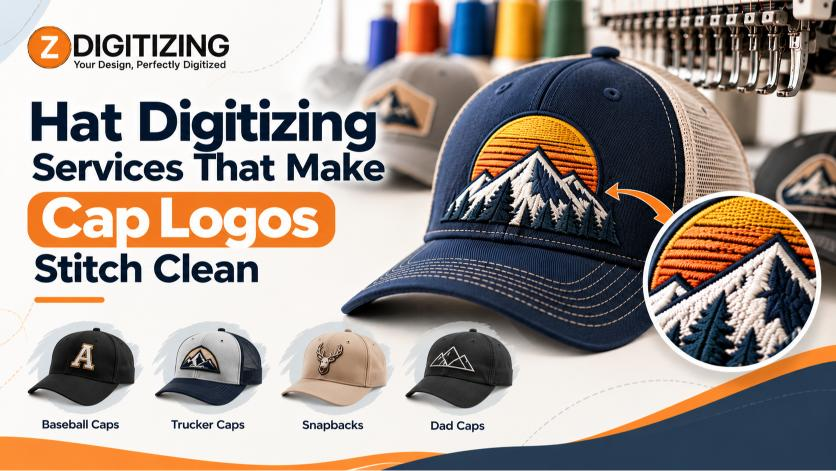
Hat Digitizing Services decide whether your cap logo stitches crisply or comes off the machine with gaps, ripples, and fuzzy lettering. A design that looks fine on a polo often fails on a hat because the file was never built for a curved, seamed crown. With Professional Hat Digitizing Services, we rebuild your artwork around the cap itself, so every stitch lands where you want it.
We wrote this guide to explain what cap digitizing involves, what we need from you, and where designs usually go wrong. You will also find direct answers to common questions at the end.
What Do Hat Digitizing Services Include?
Hat digitizing services turn a logo or text design into a machine-readable embroidery file made specifically for caps. The file tells the embroidery machine where each stitch goes, which direction it runs, how dense it is, and in what order the colors sew.
A cap file is not a shirt file scaled down. It accounts for the cap's shape, its seams, and the stiffness of its front panel. Without those adjustments, even a clean logo can pucker or distort.
In practice, the work covers:
-
Choosing satin, fill, and run stitches
-
Setting stitch direction and density for cap fabric
-
Adding underlay so the design stays stable
-
Applying pull compensation to offset fabric shift
-
Sequencing colors to reduce trims and thread changes
-
Exporting the right machine format, such as DST, PES, or EXP
Why a Cap Is Harder to Stitch Than a Shirt
Caps push back on thread in ways flat garments do not. Four factors matter most:
-
Curved crown: The design wraps around a rounded surface, so stitch angles must follow the shape.
-
Center seam: A thick seam can deflect the needle and break fine detail.
-
Structured front: Buckram or firm panels resist dense stitching and can cause puckering.
-
Limited hooping area: Caps are stitched on a cap frame, so the usable design area is smaller than on a flat garment.
Because of these limits, small text and thin outlines often need to be simplified or thickened. We adjust spacing and line weight so your design stays readable after stitching.
How We Digitize a Hat Design, Step by Step
Here is the general process we follow when we prepare a cap design:
-
Review the artwork. We check your logo for clarity, color count, and tiny details that may not survive stitching.
-
Plan the placement. We consider front center, side, or back-of-cap placement and the space available.
-
Build the stitch map. We assign stitch types, set direction, and add underlay.
-
Set density and pull compensation. We tune both for the cap fabric and the chosen technique.
-
Sequence the colors. We order the stitching to reduce jumps and thread changes.
-
Export the file. We prepare the file in a format your machine reads.
This is the gap between Professional Hat Digitizing Services and automatic conversion software. An auto-converter reads pixels. A digitizer decides how thread should behave on a curved, seamed surface.
What Should You Send Us for a Hat File?
Better source files lead to better stitch files. When you send your artwork, include:
-
The cleanest version of your logo, ideally a vector file such as AI, EPS, or SVG
-
A PNG or JPG if you have no vector file
-
The stitched width and height you want
-
The cap style and fabric, such as twill, mesh, or structured cotton
-
Thread colors or Pantone references if color matching matters
-
Your machine's file format
If your logo exists only as a low-resolution image, our Vector Art Service can rebuild it first. If you simply need to convert an image to an embroidery file, we can handle that as well.
Flat Embroidery or 3D Puff for Your Cap
Most cap designs use one of two approaches.
Flat embroidery is the standard choice for logos and text on baseball caps, trucker hats, and dad hats. It handles multi-color designs well when the sizing is sensible.
3D puff embroidery places foam under the stitches to raise the design off the cap. It works best with bold shapes and thick lettering, and it needs its own file setup. Our 3D Puff Embroidery Digitizing service covers that work.
For front-panel logos, our Cap Logo Digitizing service applies the same cap-specific methods. If you are unsure which technique suits your design, reviewing the artwork together is the quickest way to decide.
Mistakes That Ruin Cap Embroidery
Most failed caps trace back to the file. Watch for these problems:
-
Text that is too small. Tiny letters collapse into blobs on a textured surface.
-
Excess density. Heavy stitching on a stiff panel causes puckering and thread breaks.
-
Ignoring the center seam. Elements that cross the seam can skip or distort.
-
Weak underlay. Without stable underlay, the design looks uneven.
-
Reusing a shirt file. Flat-garment settings rarely survive a curved, structured cap.
-
Hairline details. Thin lines often disappear after stitching.
Fixing these during digitizing costs far less than finding them after a run of finished hats.
When a Professional Digitizer Is Worth It
A simple, bold, one-color shape may need little help. Professional digitizing becomes more valuable when your project includes:
-
Small text or fine detail
-
Multiple colors or gradients that must be simplified
-
Puff embroidery
-
A brand logo that must look consistent across hats, jackets, and shirts
-
A bulk order, where one file error repeats on every cap
In those cases, Professional Hat Digitizing Services reduce test stitching and wasted caps. If the same logo also goes on other garments, our Logo Digitizing service helps keep it consistent across products.
Start Your Cap Project With the Right File
The best cap embroidery starts with clean artwork, realistic sizing, a suitable technique, and a stitch plan designed for the crown and seam. Good hat digitizing services handle those details before your machine ever runs.
If you have a hat project coming up, ZDigitizing can review your artwork and prepare it for embroidery. Send us your logo, tell us the cap style and size, and we will help you get a file that stitches cleanly.
Frequently Asked Questions
What are hat digitizing services?
They convert a logo or design into an embroidery file made for caps. The file sets stitch types, density, direction, and color order for curved, seamed, and structured surfaces, so the design stitches cleanly instead of puckering, blurring, or shifting.
What file format do I need for hat embroidery?
It depends on your machine. Common formats include DST, PES, EXP, and JEF. Tell us which machine you use, and we will prepare the file in a format it reads. Vector artwork helps, since cleaner source files make digitizing easier.
Can you digitize a low-quality logo for a hat?
In many cases, yes. A low-resolution image may need cleanup or recreation first, because fuzzy edges lead to unclear stitching. We can rebuild it through our Vector Art Service, then digitize it for your cap.
Why does my logo look different on a hat than on a shirt?
Caps have a curved crown, a center seam, and a stiffer front panel, so thread behaves differently. Small text and fine lines often need simplifying. A file made for flat fabric rarely stitches well on a hat without adjustments.
Can you digitize 3D puff designs for caps?
Yes. We offer 3D Puff Embroidery Digitizing for designs that work with raised foam. Bold shapes and thick lettering give the best results, since thin details do not hold up well under puff stitching.












Comments (0)