

Excel Shopping List and Digital Budget Planner Guide
Use an excel shopping list and digital budget planner to organize groceries, track spending, save money, and simplify your shopping routine.
Excel Shopping List and Digital Budget Planner Guide
Excel Shopping List and Digital Budget Planner Guide
Use an excel shopping list and digital budget planner to organize groceries, track spending, save money, and simplify your shopping routine.
Have you ever visited a supermarket for a few essentials and returned home with a full cart of unexpected purchases? It happens to the best of us! The good news is that an excel shopping list and a digital budget planner can help you shop more efficiently while keeping your finances under control.
These simple digital tools make it easier to organize shopping items, estimate costs, track expenses, and avoid unnecessary purchases. Whether you are managing household groceries, planning monthly shopping, or trying to save money, combining these tools can make everyday budgeting much easier.
What Is an Excel Shopping List?
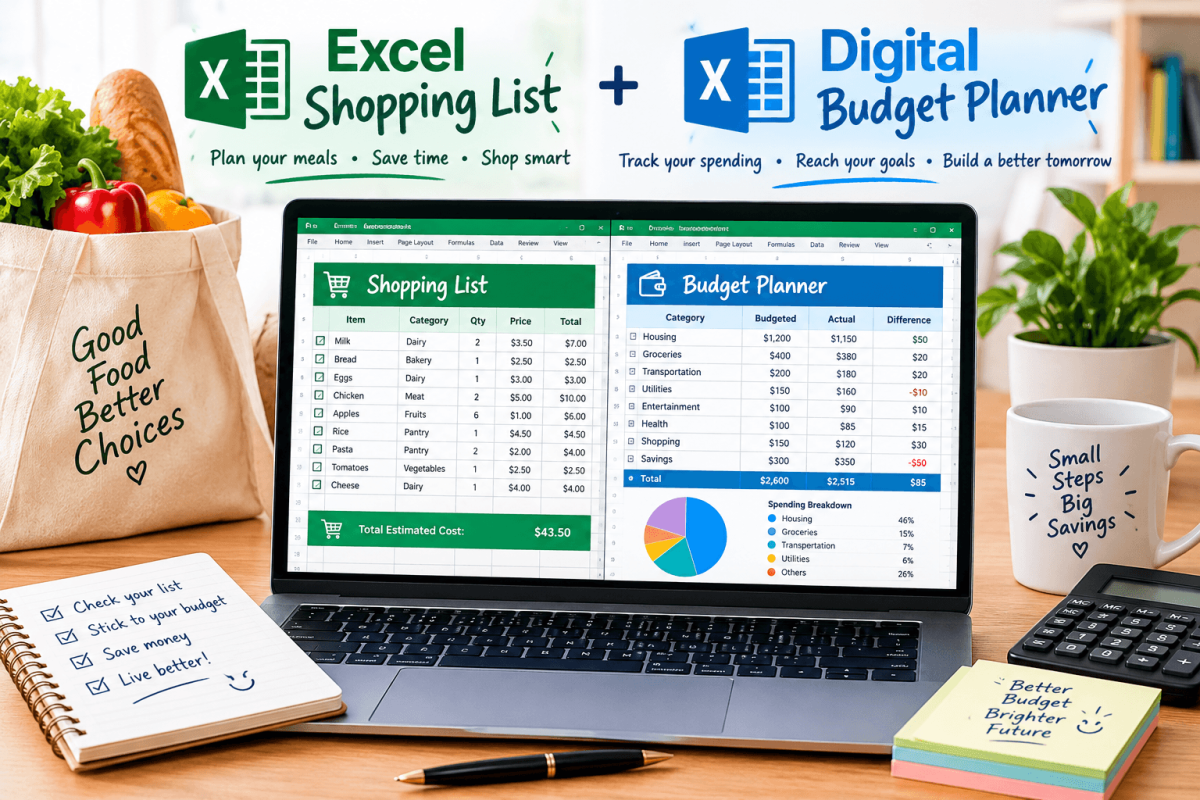
An excel shopping list is a spreadsheet that helps you organize the items you need to purchase. Instead of writing everything on paper, you can create categories, add estimated prices, record quantities, and check off items as you buy them.
For example, your shopping list might include groceries, cleaning supplies, personal care products, and household essentials. You can also add columns for item names, quantities, prices, and total costs.
The best part is that you can customize your list whenever your shopping needs change. No more forgetting milk while somehow remembering three different snacks!
Why Use a Digital Budget Planner?
A digital budget planner helps you manage your money by organizing income, expenses, savings, and spending limits in one place.
You can use it to set a weekly grocery budget, plan monthly household expenses, and monitor how much money remains after shopping. This makes it easier to understand your spending habits and identify opportunities to save.
For example, if your monthly grocery budget is $300, your planner can help you record purchases and compare your actual spending with your target.
Benefits of Combining an Excel Shopping List With a Digital Budget Planner
Using both tools creates a practical system for managing shopping and finances. Your excel shopping list tells you what to buy, while your digital budget planner helps you decide how much you can afford to spend.
Here are some important benefits:
-
Better organization: Keep all your shopping items in one place.
-
Budget control: Set spending limits before visiting a store.
-
Less overspending: Focus on essential items instead of impulse purchases.
-
Improved planning: Prepare shopping lists according to your weekly or monthly needs.
-
Easy expense tracking: Compare estimated costs with actual spending.
-
More savings: Identify unnecessary purchases and adjust future budgets.
Together, these tools can make shopping less stressful and your financial goals more achievable.
How to Create an Effective Excel Shopping List
Creating an excel shopping list is simple, even if you are not an Excel expert.
Start by opening a spreadsheet and creating columns for the item name, category, quantity, estimated price, actual price, and purchase status.
Next, divide your items into categories such as groceries, household supplies, toiletries, and personal items. Add estimated prices to calculate your expected shopping total.
You can also use checkboxes or a status column to mark items as purchased. If you want to make your spreadsheet more useful, add formulas to calculate the total estimated cost automatically.
A well-organized list helps you shop with a plan instead of wandering through every aisle.
Set a Realistic Shopping Budget
A shopping list works best when it is connected to a realistic budget. Before shopping, review your available money and decide how much you can comfortably spend.
Your digital budget planner can separate essential expenses from optional purchases. For example, groceries and cleaning supplies may be necessities, while extra decorations or snacks may be flexible expenses.
Compare your planned spending with your actual purchases after each shopping trip. If you consistently exceed your budget, adjust your list, compare prices, or reduce nonessential items.
Remember, a budget is not about eliminating every treat. It is about enjoying your money without losing control of it!
Track Shopping Expenses Automatically
One useful feature of Excel is its ability to perform calculations automatically. With simple formulas, you can calculate shopping totals and compare your spending against your budget.
For example, multiply the quantity of an item by its unit price to estimate its total cost. Then add the costs of all items to calculate your expected shopping bill.
After shopping, enter the actual prices to see whether you stayed within your planned limit.
You can also transfer the final total to your digital budget planner, making it easier to maintain an accurate record of your monthly expenses.
Tips for Saving Money During Shopping
Even a detailed shopping list cannot guarantee savings unless you use it wisely. A few practical habits can make a meaningful difference.
-
Check your kitchen cupboards before buying groceries.
-
Compare prices between stores when practical.
-
Look for discounts on items you already need.
-
Avoid shopping when you are hungry.
-
Plan meals before preparing your grocery list.
-
Review previous shopping expenses to identify waste.
-
Set a spending limit and stick to it.
These small changes can help you make better purchasing decisions without sacrificing the items your household genuinely needs.
Make Your Shopping Routine Easier With Digital Tools
Consistency is the secret to making an excel shopping list and digital budget planner work effectively. Update your list whenever you run out of essentials, review your budget before shopping, and record expenses afterward.
You can create separate spreadsheets for groceries, household supplies, school items, or monthly purchases. Alternatively, keep everything in one workbook with different tabs for each category.
Over time, your records can reveal spending patterns and help you plan more accurately. You will know which items you purchase regularly, how much they typically cost, and where you may be able to save.
Conclusion: Organize Your Shopping and Take Control of Your Budget
An excel shopping list and a digital budget planner are useful tools for anyone who wants to organize purchases, control spending, and improve money management. By combining a clear shopping list with a realistic budget, you can avoid unnecessary purchases and make better financial decisions.
Start with a simple spreadsheet, set achievable spending limits, and review your expenses regularly. With a little planning, shopping can become more organized, affordable, and enjoyable.

post blogging













Comments (0)