

How to Keep Your WordPress Website Secure, Fast, and Reliable


Your WordPress website is an important part of your online business. It helps you attract visitors, showcase your services, build customer trust, and generate leads. However, launching a website is only the first step. Keeping it secure, fast, and functional requires regular attention.
This is where WordPress maintenance services become valuable. From software updates and backups to security monitoring and performance improvements, regular maintenance helps keep your website running smoothly.
At wp1click, we understand the importance of a well-maintained website. Whether you run a business website, an online store, or a blog, following the right maintenance practices can help protect your online presence and support long-term growth.
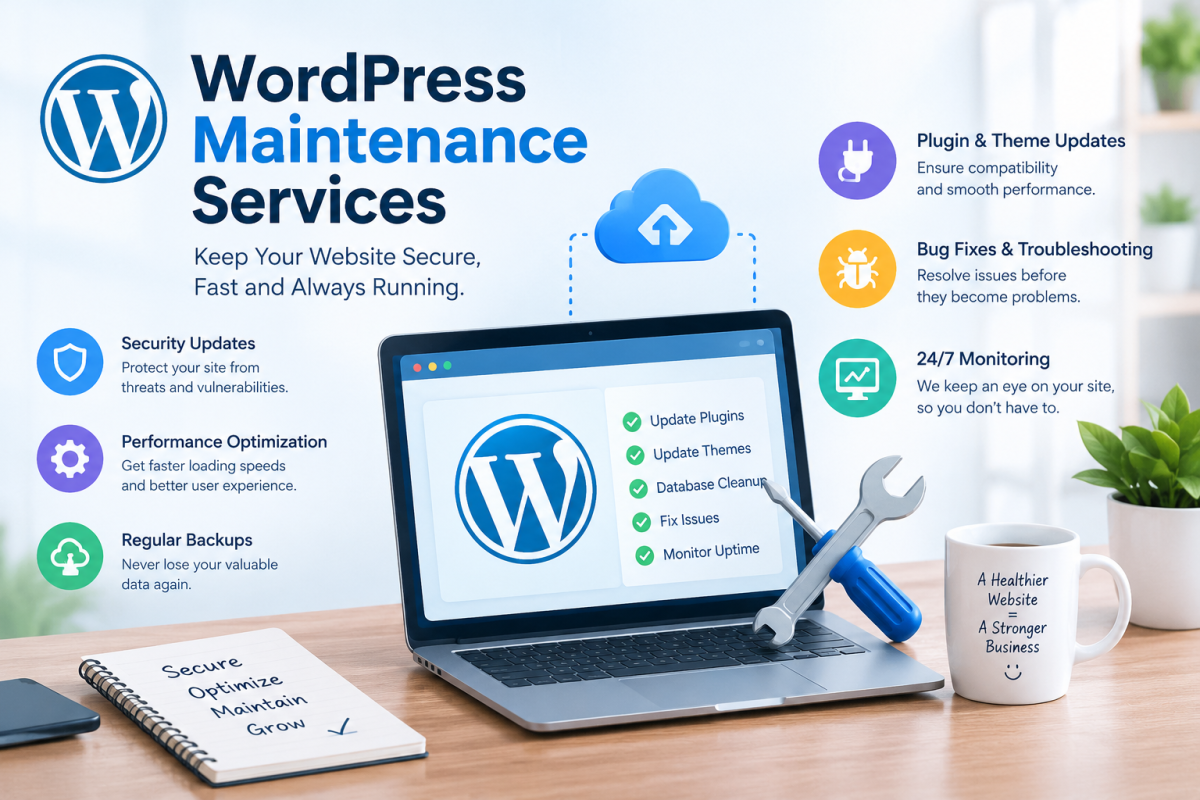
In this guide, you will learn why website maintenance matters, which tasks deserve attention, and how to choose the right maintenance approach for your business.
What Is WordPress Website Maintenance?
WordPress website maintenance involves the ongoing tasks required to keep your website secure, updated, accessible, and performing properly.
Over time, websites can develop technical issues because of outdated plugins, software incompatibilities, unnecessary database data, or changing security threats. Regular maintenance helps identify these problems and address them before they affect your visitors.
Common maintenance tasks include:
-
Updating WordPress core software, themes, and plugins.
-
Creating regular website backups.
-
Monitoring security risks and suspicious activity.
-
Checking website speed and functionality.
-
Fixing broken links and technical errors.
-
Optimizing the database when necessary.
-
Monitoring uptime and website availability.
A consistent maintenance routine helps you manage your website more confidently while reducing the likelihood of preventable problems.
Why Is Regular Website Maintenance Important?
A website that works properly today may experience issues tomorrow if it is neglected. Regular maintenance helps protect your website investment and provides a better experience for visitors.
1. Strengthen WordPress Website Security
WordPress website security should be a priority for every website owner. Outdated software, weak passwords, vulnerable plugins, and improper access permissions can expose websites to potential threats.
Routine security maintenance can include vulnerability checks, software updates, malware scanning, access control reviews, and backup verification.
Although no security measure can guarantee complete protection, taking preventive steps can reduce common risks and help you respond more effectively to unexpected incidents.
2. Improve Website Loading Speed
Website speed affects how visitors interact with your content. Slow pages can frustrate users, increase abandonment, and make it harder for potential customers to explore your services.
WordPress speed optimization focuses on identifying and resolving factors that slow down your website. These may include oversized images, excessive plugins, inefficient caching, and poor hosting performance.
Depending on your website's needs, optimization may involve image compression, browser caching, database improvements, and reviewing unnecessary scripts.
A faster website creates a smoother browsing experience and can support your overall SEO strategy.
3. Keep Your Website Updated and Backed Up
WordPress updates and backups are essential parts of a dependable maintenance routine.
Software updates may include security fixes, bug resolutions, and compatibility improvements. However, updates can occasionally introduce conflicts, so it is important to maintain recent backups and test significant changes when possible.
Backups provide a recovery option if your website experiences data loss, accidental changes, or technical failures.
For websites that publish content frequently or process customer orders, backups should be scheduled according to how often important data changes.
4. Reduce Unexpected Technical Problems
Broken contact forms, missing images, malfunctioning navigation, and checkout errors can interrupt the customer journey.
Regular testing helps identify these issues before they cause unnecessary frustration. Website owners should pay particular attention to features that directly affect leads, sales, and customer communication.
Professional WordPress support and maintenance can also help troubleshoot plugin conflicts, investigate errors, and restore affected functionality.
What Do Professional WordPress Maintenance Services Include?
Professional WordPress maintenance services typically combine routine technical tasks with ongoing monitoring and troubleshooting.
The exact scope depends on the provider and the needs of your website.
|
Maintenance task |
Main benefit |
|
Software and plugin updates |
Helps address vulnerabilities and compatibility issues |
|
Website backups |
Supports recovery after data loss or website failures |
|
Security monitoring |
Helps identify suspicious activity |
|
Performance optimization |
Helps improve loading speed and responsiveness |
|
Uptime monitoring |
Helps detect website availability problems |
|
Functionality testing |
Checks that important website features work |
|
Technical troubleshooting |
Helps resolve errors and plugin conflicts |
|
Maintenance reporting |
Keeps you informed about completed work |
Before choosing a provider, check whether emergency support, malware removal, website restoration, and development work are included in the plan or billed separately.
WordPress Support and Maintenance: Why Both Matter
Updates and backups are important, but some website problems require additional technical knowledge.
WordPress support and maintenance combines routine website care with assistance when something goes wrong. Depending on the service, support may cover troubleshooting, broken layouts, plugin compatibility issues, configuration problems, and other technical concerns.
For example, an update may cause a conflict between two plugins. Maintenance procedures can help reduce the risk, while technical support can help identify the cause and resolve the issue.
This combination is particularly useful for business websites that depend on reliable contact forms, appointment bookings, customer accounts, or eCommerce functionality.
When comparing providers, ask how support requests are handled, whether response times are defined, and which types of technical fixes are covered.
How to Choose the Right WordPress Maintenance Plans
Different websites have different maintenance requirements. A personal blog may need a straightforward maintenance routine, while a busy online store may require more frequent checks and faster technical assistance.
The right WordPress maintenance plans should match your website's complexity, business goals, and available budget.
Consider these factors before making a decision.
Review the Included Services
Check whether the plan includes updates, backups, security monitoring, speed checks, and technical support. Do not assume that every provider offers the same features.
Check Backup and Recovery Options
Ask how frequently backups are created, where they are stored, how long they are retained, and whether restoration assistance is available.
Understand the Support Process
Find out how you can request assistance and whether urgent website issues receive priority. Clear communication can make a significant difference when problems affect your business.
Compare Value Rather Than Price Alone
A low-cost plan may be suitable for a simple website, but a business-critical website may need more comprehensive protection and support.
Evaluate what each plan offers instead of selecting an option based exclusively on its monthly price.
DIY Maintenance vs. Professional Website Maintenance
Should you manage your WordPress website yourself or work with a professional provider?
The best option depends on your technical skills, available time, and the importance of your website to your business.
Managing Maintenance Yourself
DIY maintenance can work well if you understand WordPress and have time to perform updates, verify backups, monitor security, and check website functionality.
However, you must maintain a consistent schedule and be prepared to troubleshoot unexpected issues.
Choosing Professional Maintenance
Professional maintenance may be more suitable if your website generates leads, processes orders, or supports important business operations.
A maintenance provider can help organize routine tasks, identify technical problems, and reduce the time you spend managing website administration.
For many businesses, the goal is simple: keep the website dependable while focusing on customers and growth.
How Often Should You Maintain Your WordPress Website?
Website maintenance is an ongoing responsibility. Different tasks require different schedules based on your website's activity and risk level.
-
Daily or continuous: Monitor uptime and review important security alerts where appropriate.
-
Regularly: Review software updates and apply critical security fixes promptly using suitable testing and recovery procedures.
-
Weekly or according to content activity: Verify that backups are running successfully and that important website features remain functional.
-
Monthly: Review website speed, technical errors, plugin usage, and general performance.
-
Periodically: Test the backup restoration process and review user permissions.
These are general guidelines rather than fixed requirements. Websites with frequent transactions or rapidly changing content may require more intensive monitoring.
Common Website Maintenance Mistakes to Avoid
Even website owners who understand maintenance can overlook important details.
Avoid these common mistakes:
-
Updating plugins and themes without a recovery plan.
-
Assuming backups work without testing restoration.
-
Installing unnecessary or poorly maintained plugins.
-
Ignoring website speed and mobile usability.
-
Delaying action when security alerts appear.
-
Forgetting to test contact forms and checkout processes.
-
Waiting for a major website failure before arranging technical support.
A proactive maintenance routine helps reduce avoidable problems and makes website management more predictable.
Why Choose wp1click for Your Website Maintenance Needs?
Keeping a WordPress website healthy requires consistency, attention to detail, and an understanding of common technical risks.
At wp1click, our aim is to help website owners understand the importance of maintaining their online presence and making informed decisions about website care.
When evaluating maintenance support, look for a solution that fits your website's needs, clearly explains its services, and provides an appropriate level of technical assistance.
Whether your priority is improving website reliability, addressing security concerns, or reducing the time spent on routine maintenance, a structured approach can help you manage your website more effectively.
Visit the wp1click homepage to learn more about the brand.
You can also explore our WordPress maintenance services page for more information relevant to your website maintenance needs.
Frequently Asked Questions
1. What are WordPress maintenance services?
WordPress maintenance services help keep a website updated, secure, and functional. They commonly include software updates, backups, security monitoring, performance checks, and technical troubleshooting.
2. How does WordPress website maintenance improve security?
Regular maintenance helps address known software vulnerabilities, identify suspicious activity, review access permissions, and maintain reliable backups. These practices reduce avoidable risks but cannot guarantee complete security.
3. Why is WordPress speed optimization important?
WordPress speed optimization helps reduce unnecessary loading delays and improve the browsing experience. It may involve image compression, caching, database improvements, and identifying inefficient plugins or scripts.
4. How often should WordPress updates and backups be performed?
Updates should be reviewed regularly, with critical security fixes addressed promptly. Backup frequency should reflect how often your website changes. An active online store generally needs a more frequent backup strategy than a static website.
5. What is included in WordPress support and maintenance?
Depending on the provider, services may include routine updates, backups, security monitoring, performance checks, troubleshooting, and assistance with website errors. Always confirm the exact scope of support before purchasing a plan.
6. How do I choose the right WordPress maintenance plans?
Compare included services, backup policies, security practices, technical support, response times, and pricing. Select a plan that reflects your website's complexity and business requirements.
7. Can WordPress maintenance help with SEO?
Yes. Maintenance can help address technical issues involving website speed, broken pages, and availability. These improvements can support your SEO efforts, although rankings also depend on content quality, search intent, competition, and other factors.
Conclusion
A healthy WordPress website needs more than a good design and valuable content. It also requires regular updates, reliable backups, appropriate security measures, and ongoing performance checks.
Investing in WordPress maintenance services can help you manage technical risks, reduce avoidable disruptions, and provide visitors with a more dependable online experience.
By following consistent WordPress website maintenance practices and choosing the right support approach, you can spend less time worrying about technical problems and more time developing your business.
Ready to take better care of your website? Visit wp1click and explore the resources available to help you make informed decisions about maintaining your WordPress website.










Comments (0)