

HSN Code Search Online for GST Billing and Tax Compliance
The TaxCaller HSN Code Finder helps users search for HSN and SAC codes online, making it easier to identify relevant product and service classifications. Whether you are a business owner, retailer, manufacturer, wholesaler, accountant, or GST consultant, an online HSN search tool can simplify your day-to-day tax compliance work.
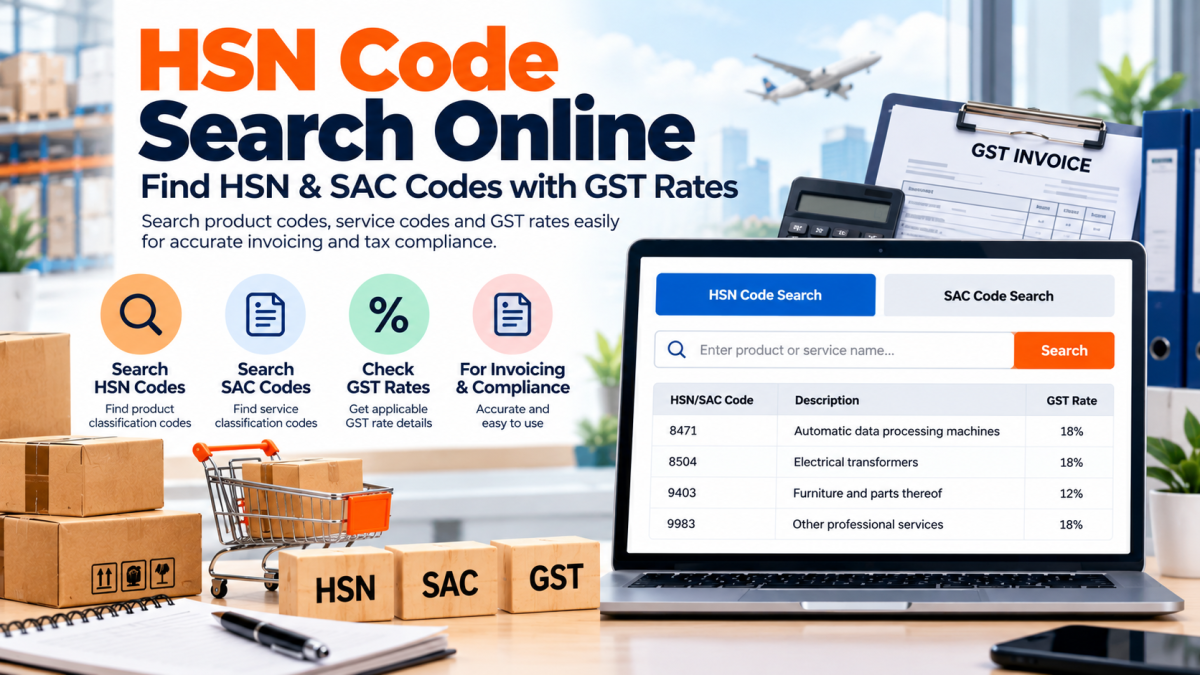
The correct HSN Code for a product in India is derived from the GST invoicing and taxation system. Businesses need to ensure correct classification of the product to prepare GST bills and invoices, keep books, file returns, and charge correct rate of GST. The SAC code is to services what the HSN code is to goods.
What is HSN Code in GST?
HSN stands for the Harmonized System of Nomenclature. HSN is a systematic classification of different goods for tax and trade purposes.
HSN codes help in classifying goods under GST. Accurate classification is crucial for GST invoicing and taxation.
For example, if a business supplies electronics, textiles, machinery, furniture, food products, etc., the correct HSN code should be known before preparing invoices.
Always check the classification against the description, composition, use of the product, and the tariff provisions.
Why Is HSN Code Searching Important for Businesses?
HSN code search maintains consistency in business records and reduces classification errors.
The foremost advantages are:
- GST invoice accuracy: Correctly classify the product on the invoice, as applicable.
- Verify GST rate:Verify the GST rate against the relevant official notifications.
- Improved accounting: Standardize descriptions and classification of products.
- Easier compliance: Help with GST returns and paperwork.
- Reduce billing errors: Eliminate the need to maintain old or incorrect product codes.
- More streamlined business processes: Ease product identification for accounting and invoice departments.
- Time-saving: An online HSN Code Finder is faster than scanning multiple lengthy classifications.
Searching Online for an HSN Code
Here are some steps to get the correct HSN code:
Step 1: Identify the Product
List the exact name and description of the product. Write down the material and composition, function and usage (if available).
Step 2: Search for HSN Code
Go to an online HSN Code Finder and type in the name of your product or relevant keywords.
Step 3. Verify the correct classification as follows:
Read the descriptions closely. A given product may fall under various classifications depending on features.
Step 4. Check GST rate
Compare the current rate with the latest official notifications on GST classification and related provisions.
Step 5. Incorporate confirmed information in invoicing
If the classification is verified, record it in product databases as well on invoices and accounting records where relevant.
Search results are just a starting point. The final decision will be dictated by statutory provisions and the product.
What Is a SAC Code?
SAC means Services Accounting Code. It is used for the classification of services under GST.
Businesses rendered with professional services, consultancy, information technology service, advertisement, maintenance, transport, etc., need to select the SAC code (carefully stated in the invoice) and comply with GST.
The SAC code search will help you identify the appropriate service class based on the service provided.
Choosing between HSN and SAC depends on the nature of the transaction (goods or services) and the GST classification required.
Selecting the Appropriate GST Rate
Looking up a code and verifying the GST rate are two different but related activities. The same product description doesn't mean the same tax rate.
However, always make sure before applying a GST rate:
1. Check for the correct HSN or SAC code.
2. Check the current GST rate notification.
3. Look for any exemptions/special provisions/conditions that may apply.
4. Determine what CGST and SGST or IGST (as the case may be) would apply on the transaction.
5. Keep the classification records for future reference.
6. GST rates and classification rules are subject to change. Businesses need to check the status before they generate invoices or returns.
Who can use online HSN code finder?
There are various user types who can benefit from an HSN/SAC code search tool online.
Business owners: Search for product codes for accurate invoicing and accounting.
Manufacturers: Review product codes for product billing and recordkeeping.
Wholesalers and retailers: Search goods sold codes.
E-commerce sellers: Find product details and generate GST tax invoices.
Accountants/GST consultants: Perform classification research for invoicing and tax compliance for their clients.
Service providers: Search for SAC codes related to the services you provide.
Common Mistakes During HSN Code Search
Sorting incorrectly may lead to billing or tax issues. Avoid these common errors:
- Choosing a code based solely on a popular product name.
- Not considering differences in composition, material, or purpose.
- Confusing HSN codes for products with SAC codes for services.
- Assuming the same products will always have the same code.
- Using an outdated GST rate by not referencing the current notifications.
- Copying a code from another invoice without determining if it is applicable.
- Using an Internet search instead of reading laws.
- Verification process is thorough and ensures better GST records for businesses.
TaxCaller HSN and SAC Code Searcher
TaxCaller is an online tool for those needing to search for HSN and SAC codes to use in their GST work.
Search for applicable product or service classifications using the TaxCaller HSN Code Finder. When you locate the relevant description, jot down the GST rate as assigned to it, to be used for business compliance.
Having a correct classification record will help in organizing invoicing, accounting, and GST-related procedures.
Frequently Asked Questions
1. What is HSN Code Finder?
An HSN Code Finder is an online database used to search for HSN Codes of products. It allows you to search for possible classifications by entering a product name or keywords.
2. Is it possible to search for HSN code using product name?
Yes. Start with a product name/key words. But you need to cross-check the final code with the full product description and the relevant classification rules.
3. How does GST rate relate to HSN code?
While the HSN code is the product classification, the GST rate is the rate of tax to be levied under the relevant GST law provisions. The proper code is adequate to determine the tax treatment, but not the sole one.
4. May I Use a GST Invoicing HSN Code Finder?
An HSN Code Finder can assist you in finding a potentially suitable classification for an invoice. However, it's best to verify the correct code and invoicing details before using it.
5. Where can I look up SAC code online?
Search for the description of the service. You should also verify and accept the corresponding classification under the GST for billing purposes.
6. Do GST rates and HSN codes vary?
Yes, there can be changes in GST rates and classification. Refer to the latest notifications and the applicable legislations.
7. Who Needs an HSN and SAC Code Search Tool?
An online code search would be pretty handy for e-commerce sellers, wholesalers, retailers, manufacturers, GST practitioners, service providers, and people who hold accounts.
HSN and SAC classification are very important for GST billing and compliance in India. Accurate identification of the code, verification of the description, and checking the current GST rate can help businesses keep better records and avoid unnecessary errors.
Common point of HSN & SAC codes in online GST compliance at HSN Code Finder by TaxCaller.

file your income tax return online in India with this simple guide. Explore ITR forms, required documents, tax regimes, deductions, e-filing steps, e-verification, and refund tracking with ITR Filing Online.









Comments (0)