

Shopify Checkout Customization: What Store Owners Should Know
Learn how Shopify checkout customization works, what checkout extensibility changes, and how store owners can improve conversions without slowing down checkout.
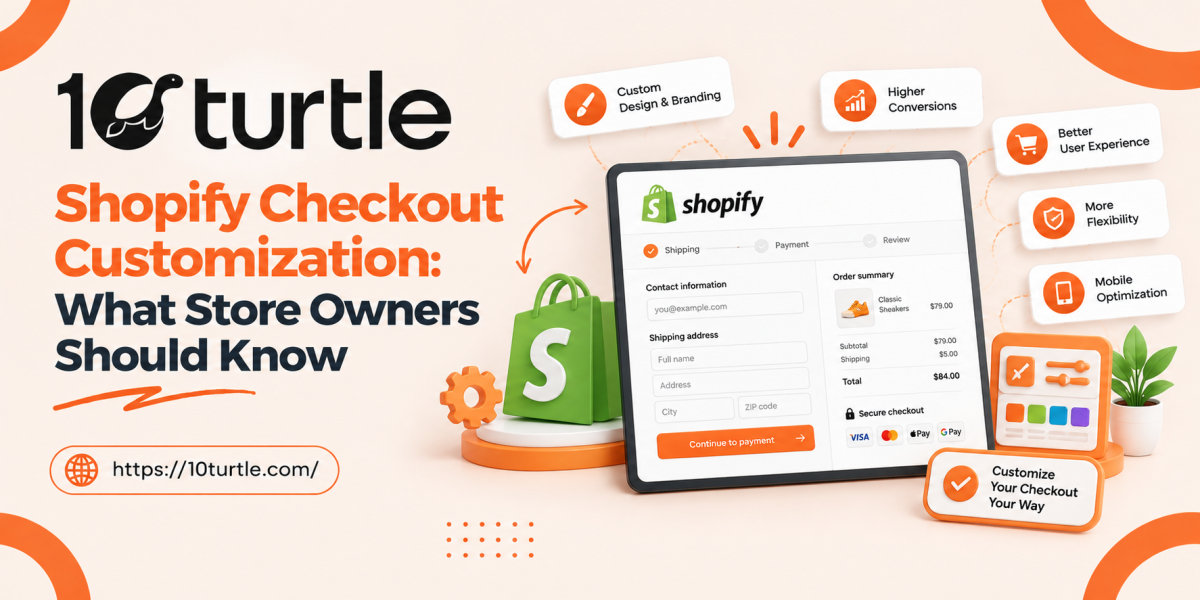
Checkout is where a browsing session turns into revenue, and it is also where many US shoppers give up. A slow page, a confusing form or a lack of trust signals can cost you a sale you already earned. That is why Shopify checkout customization has become a priority for growing brands.
The way Shopify handles checkout has also changed. The old approach of editing code directly has been replaced by a safer, upgrade-friendly model. This guide explains what that means, what you can change, and how to plan customizations that improve results without creating maintenance problems.
Understanding How Shopify Checkout Works Today
For years, advanced merchants edited a theme file called checkout.liquid to change their checkout. It offered freedom, but it also caused broken updates, slower pages and security concerns. Shopify has retired that method in favor of checkout extensibility, a framework that lets you add features through supported tools rather than raw code edits.
Checkout extensibility rests on three building blocks:
- Checkout Editor: a visual tool for branding and layout changes.
- Checkout UI extensions: small apps that add custom elements at defined points in the checkout.
- Shopify Functions: backend logic for things like discounts, delivery options and payment rules.
Because every change sits inside Shopify's framework, your checkout stays compatible with platform updates and keeps its speed and security.
Why Checkout Customization Matters for Businesses
Key Benefits
A well-planned checkout can help you:
- Reinforce your brand. Matching fonts, colors and your logo makes the final step feel like part of your store, which builds trust when the customer is about to enter payment details.
- Increase average order value. Post-purchase offers, add-ons and free-shipping progress messages can encourage larger baskets.
- Reduce friction. Removing unnecessary fields and showing clear delivery information helps shoppers finish faster.
- Collect useful information. Custom fields can capture gift messages, delivery instructions or B2B purchase order numbers.
Common Business Use Cases
Store owners typically customize checkout to support:
- Subscription and loyalty offers, such as showing reward points or membership savings.
- B2B ordering, including net terms, company details and purchase order fields.
- Regional needs, such as showing state-specific tax notices or delivery timelines for US customers.
- Trust building, with guarantees, return policy summaries and security badges near the payment step.
- Conversion tracking, using customer events and pixels rather than old script injections.
Important Factors to Consider Before You Customize
What Your Plan Allows
Access is not identical for every store. Shopify Plus merchants get the broadest set of options, including UI extensions on the core checkout steps and deeper branding controls. Stores on other plans have a narrower set of options, and Shopify adjusts availability over time. Check Shopify's current documentation for your plan before you commit to a design.
Cost and Implementation
Costs vary widely. A branding refresh through the Checkout Editor may need only a few hours. A custom UI extension, such as a tiered upsell or a B2B field set, requires development and testing. When budgeting, account for:
- Discovery and design
- Development and quality assurance
- App fees, if you use a prebuilt solution
- Ongoing maintenance as Shopify's APIs evolve
Many stores find that a ready-made app covers simple needs, while a custom build makes more sense for complex logic or unique workflows.
Technology and Integration
Your checkout does not work alone. Before making changes, review how it connects to:
- Payment gateways and wallets
- Tax and shipping tools
- Email and SMS platforms
- Analytics, ad pixels and your CRM
Older tracking snippets that relied on checkout.liquid need to be rebuilt using Shopify's supported pixel framework. Skipping this step is one of the most common causes of missing conversion data after a migration.
Limitations to Keep in Mind
Checkout extensibility is deliberately controlled. You cannot inject arbitrary scripts or restructure the page freely. That limit protects speed and security, but it means some older customizations need to be rethought instead of copied over. Plan your must-have features early and confirm each one is supported.
Best Practices for a High-Converting Checkout
- Keep it short. Every extra field is another reason to leave.
- Test one change at a time. Otherwise you cannot tell what moved your conversion rate.
- Design for mobile first. Most Shopify orders come from phones.
- Stay transparent about cost. Show shipping, taxes and totals early to avoid surprises.
- Watch page speed. Heavy extensions can slow the experience, so measure before and after launch.
- Use offers carefully. An upsell that interrupts the purchase can backfire.
How to Choose the Right Service Provider
If you decide to work with a Shopify development company, look for a partner that can show:
- Experience with Shopify Plus and checkout extensibility, not only theme work
- A clear process for migration, testing and rollback
- Examples of measurable improvements in conversion or order value
- Knowledge of your integrations, such as ERP, subscriptions or B2B tools
- Transparent pricing and post-launch support
Ask how they handle QA and how they respond when Shopify changes an API. A good partner plans for maintenance, not just launch. Teams like 10Turtle help businesses plan and build custom Shopify solutions, from checkout upgrades to broader store development.
Frequently Asked Questions

10Turtle is a global technology and digital transformation company helping businesses turn ideas into impactful digital solutions. We provide a wide range of services, including AI development, custom software development, website design and development, mobile app development, UI/UX design, cloud solutions, branding, SEO, digital marketing, and eCommerce solutions. With a focus on innovation, quality, and business growth, 10Turtle works with startups, SMEs, and enterprises to build scalable digital experiences that support their evolving needs.








Comments (0)