

How to Coordinate Last-Minute Seating Changes
A practical guide to handling seating changes, privacy, room constraints and event handoffs. Project-associated and prepared with AI assistance.

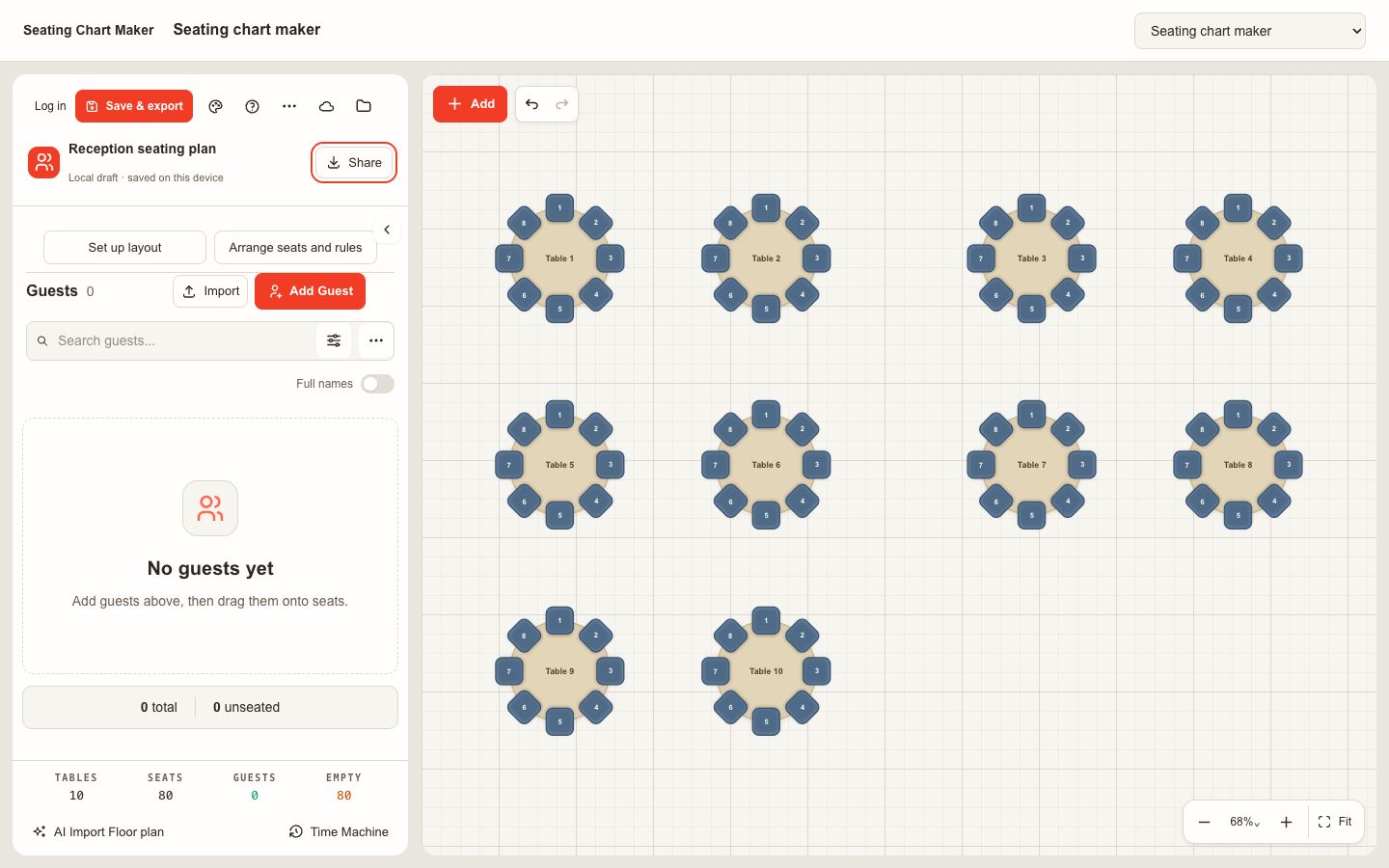
Disclosure: This event-planning guide is associated with the Seating Chart Maker project and was prepared with AI assistance. It explains a practical review process, not an independent product comparison or a guarantee that a particular layout will meet a venue's requirements.
Why a change process matters
Even a carefully prepared seating chart can change shortly before an event. A guest may cancel, a group may grow, or a venue may need to move furniture around new equipment. The difficult part is often not finding another chair. It is ensuring that the host, registration team, venue and caterer are all working from the same decision. A small change process makes those handoffs clearer without turning a simple gathering into a large administrative project.
Start by deciding who owns the current list and who has authority to approve a move. At a family celebration the host might approve social arrangements, while the venue confirms room layout. At a workshop a coordinator may manage names and a facilitator may decide which groups should work together. Write down the contact for each kind of decision before the first late change arrives.
Choose one source of truth
Use one master list of attendees and assignments. It can be a spreadsheet or a planning application, but the team should know where the current copy lives and who updates it. Give the file or export an event name, date and version that are easy to distinguish. A document named final is not enough when several copies are circulated over several days.
When people send updates through email, messages or phone calls, capture them in the same change log. Note the person affected, the previous assignment, the proposed assignment, the time and the decision maker. The log should be concise and operational. It is not a place to record unnecessary medical details or a long account of why two people prefer different tables.
Separate privacy from logistics
A seating plan can contain personal information even when it appears to be just a list of names. Some requests may relate to mobility, hearing, family circumstances or other sensitive matters. Ask for the minimum detail needed to make the arrangement and share it only with those who need it. A public entrance sign may need a name and table number; it does not need the reason for a particular seat.
Agree how long the list should be retained after the event and follow the organizer's policy. If using an online service, review its current privacy information before adding guest data. For a rehearsal or demonstration, use fictional names rather than copying a real guest list. People reviewing the chart can then discuss the layout without spreading private information unnecessarily.
Confirm the room before assigning places
Obtain a current floor plan and ask the venue which furniture, exits and service areas are available. Table size and chair spacing affect practical capacity. A table that can technically fit a certain number of chairs may feel crowded once place settings, bags and occupied chairs are considered. Use the venue's guidance on safe routes and clearances rather than estimating a rule from an image.
Mark fixed features such as columns and doorways, then add temporary items such as a screen, buffet, gift table or audio equipment. Check sightlines where guests need to see a presentation. If a guest needs an accessible route or a companion nearby, consult the guest and venue about the actual arrangement. A diagram is a starting point; the real room must be checked after setup.
Make requirements visible to the coordinator
Distinguish requirements from preferences. A clear accessible path or a seat next to a support person may be necessary, while a request to sit near a particular friend may be a preference. Both deserve attention, but the coordinator needs to know which changes must be rechecked before approval. Avoid including the private reason on every copy of the chart.
Place the most constrained seats first, followed by groups that need to remain together. Then distribute other guests according to the event's purpose. For a networking meal, mixing familiar and unfamiliar people may support introductions. For a family event, keeping households together may be more useful. Review the plan with someone who knows the guests, but avoid assuming that a single arrangement will satisfy every preference.
Use tools without outsourcing judgment
A browser-based https://seating-chart-maker.org/ can help organizers arrange tables, import a guest list and export a copy of the plan. Seating Chart Maker is the project associated with this guide. The visual layout can make a change easier to discuss, but it cannot independently verify a venue's clearance requirements or know a guest's needs. Check the current features and terms on the site and keep a separate record of decisions the tool does not capture.
Before a review meeting, confirm that the imported names and seat totals match the source list. Check how the exported copy displays long names, table labels and pages. Open the file in the format staff will actually use rather than relying only on an editor preview. If the event is offline or connectivity is uncertain, agree on an accessible copy in advance.
Perform a structured review
Review each table in the same order. Count assigned people, compare that number with usable chairs, and check whether any required companion seats remain adjacent. Confirm that table labels match the diagram and registration list. If meal information is used, give the responsible catering team a separate, current version with only the fields they need.
Then review the whole plan. Look for duplicate entries, unassigned attendees and names that differ between the master list and printed signs. Check that a person arriving at the entrance can find a table number and that a staff member can locate that table in the room. Ask someone who did not build the chart to test a few names; a fresh reviewer may notice a numbering ambiguity the coordinator has stopped seeing.
Handle late arrivals and cancellations
Set a cut-off for printing and explain what happens after it. If a guest cancels, remove the assignment from the master list and tell the relevant teams whether the seat is now available. If someone is added, check capacity and access before assigning the empty place. A vacant chair is not automatically equivalent to the original seat when route, sightline or companion requirements apply.
A small reserve can make adjustments easier when the venue permits it. Decide whether the reserve is an empty chair, a table with flexible capacity or a process for moving a group. Do not exceed the venue's confirmed limits. Record each approved change and make sure the entrance team and catering lead receive the same update rather than separate, conflicting instructions.
Prepare a clear handoff
Give staff a short version of the plan suited to their role. The door team may need an alphabetical guest list and a person to contact for missing names. Floor staff may need a table-by-table view and a room diagram. The host may need the full planning copy. Label each version with its issue time, and withdraw outdated copies where practical.
Print a test of any public sign at the intended size. Check contrast, spelling and the direction from which guests will approach. Put table numbers where they can be seen from that route. If the event's privacy practice does not permit a public name list, provide an alternative such as a staffed lookup. A beautifully designed board is not useful if people cannot read it or if it exposes information unnecessarily.
Walk the room and learn afterward
After the venue sets the furniture, compare the room with the latest diagram. Count chairs, confirm table numbers and look for obstructions that were added after the plan was drawn. Walk the intended routes with the venue team. If a change is needed, update the master list, identify the affected guests and communicate the new assignment before doors open.
Afterward, note the process lessons: whether updates arrived on time, which sign was difficult to read, and whether the venue diagram matched the setup. Keep the lessons focused on the workflow and dispose of or retain personal data according to the agreed policy. A good seating plan is not one that never changes; it is one the team can revise accurately and explain confidently.








Comments (0)