

Difference Between App Usage Reports and App Limits
A useful report may lead to a conversation without any block, while a clear limit may work even if the parent rarely opens the detailed history. Check the parent's habits too.

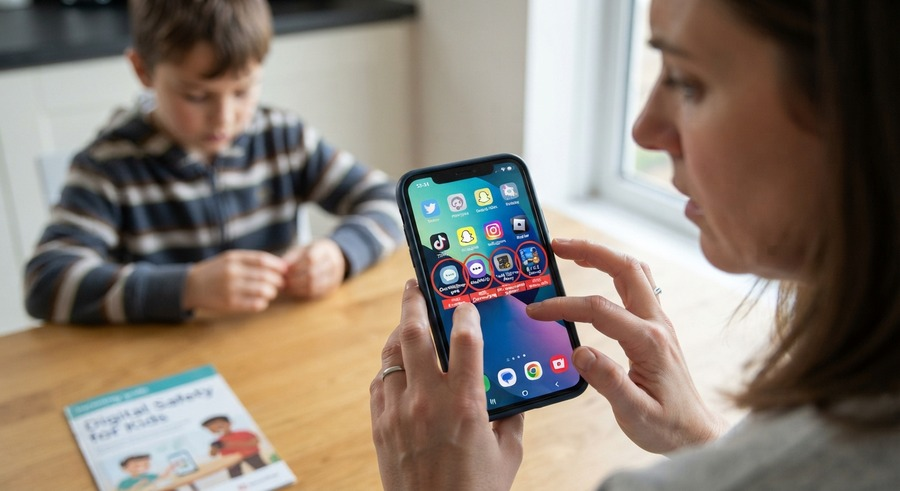
A parent opens a dashboard and sees two hours beside a game. On the next screen, the same game has a one-hour limit. It is natural to ask why the numbers do not match. The answer begins with a distinction that many product pages blur: a report describes activity the system recorded, while a limit is a rule intended to influence what happens next.
Those functions can support one another, but they are not interchangeable. A report can exist without a limit. A limit can be configured even when reporting is delayed or incomplete. Understanding the difference helps a family troubleshoot calmly and prevents a number from becoming proof of behavior it cannot establish.
A usage report looks backward
A usage report summarizes activity attributed to an app or category during a period. It may show time, openings, or another signal defined by the operating system or provider. Check the label, date range, time zone, and last synchronization before interpreting the value.
The total usually describes the device or profile, not the child's intention. A browser can contain homework and entertainment. Audio can continue when the screen is elsewhere. A shared tablet can combine activity from more than one person. Use the total as a starting point for a question.
Reports can also change after delayed information arrives. A total viewed at noon may be incomplete if the child device was offline. Ask whether the provider marks provisional or stale data, and do not assume that refreshing the parent screen forces the other phone to upload.
An app limit looks forward
An app limit expresses a rule: after a defined amount of use, the service or operating system should take a documented action. That action might involve a warning, a block, or a request process. Verify the exact behavior for the device and plan instead of relying on the word “limit.”
Configuration does not prove enforcement. The parent dashboard may show that a one-hour rule was saved while the child device has not synchronized it. A missing permission, offline device, operating-system restriction, or unsupported app can affect the outcome.
Check for a status that distinguishes saved, pending, synchronized, and active where the service offers one. If the interface provides no explanation, ask support how a parent confirms that the rule reached the device.
The clock may be measured differently
Two systems can count time in different ways. One may track foreground activity, another screen time, and another category use. An operating-system report and a parenting-app report do not necessarily share the same measurement method or reset time.
Read the provider's definition before comparing numbers. Note whether time resets at midnight, follows the device time zone, or uses another schedule. Travel, daylight-saving changes, and manual clock adjustments can make a daily boundary look unusual.
Avoid adding totals from overlapping categories. If a game appears both under its own name and inside “Entertainment,” the category may already include it. A combined number could double-count the same activity.
A limit can be reached without a perfect report
Some enforcement happens locally on the child device while the parent report updates later. In that case, the child may see a block before the dashboard shows the final total. The reverse can also occur if a report arrives, but the permission required for enforcement is unavailable.
Ask the provider which functions depend on a live connection and which operate on the device. Do not generalize from one feature to another. A locally applied app rule says nothing about whether a separate location or message report is current.
When a mismatch appears, record the device time, dashboard time, app name, and visible status. This is more useful for support than a broad statement that the app is wrong. Keep screenshots limited to the relevant error and avoid exposing unrelated child information.
Warnings are part of the rule experience
A limit that suddenly stops an assignment can feel arbitrary. Where supported, a warning gives the child time to save work or request an exception. Check whether warnings are configurable and whether the child can understand which rule is about to apply.
Do not assume every app can display a graceful warning. Test an ordinary, nonsensitive example together. If the experience is confusing, adjust the family routine or choose a control that communicates more clearly.
Explain that a warning is information, not an invitation to race through the remaining minutes. At the same time, avoid scolding a child for using time that the family deliberately made available.
Always-allowed apps need their own check
Many families want calls, a calculator, transit information, or another essential service available after a general limit. If the provider supports an allowed list, verify the exact apps and behavior. A label such as “Phone” may not cover every communication route the family assumes.
Keep the list small and purposeful. An app with an embedded browser or entertainment feed may do much more than its name suggests. Review it with the child and update the choice when school or travel needs change.
Have a fallback for genuine contact needs. A software rule should not be the only way a child knows how to reach an appropriate adult. Teach the practical plan for a dead battery, lost phone, or failed app as well.
Category limits are broader than app limits
A category rule can reduce setup work, but its classification may not match the family's understanding. An educational game might be placed with games, while a social feature can exist inside an app categorized differently. Inspect the included apps before relying on the category name.
When one useful app is blocked, consider whether an individual rule is more appropriate than weakening the entire category. Conversely, dozens of individual rules can become difficult to maintain. Choose the smallest structure the family can understand.
Tell the child which apps the category currently covers. If the provider changes classifications, review the result before treating a new block as the child's fault.
Reports support review, not automatic punishment
A weekly report can help the family ask whether a limit fits. If the child repeatedly reaches it during homework, the rule may be targeting the wrong app or time. If unused time remains but bedtime is still difficult, the number may not address the real problem.
Compare similar days and ask about context. Weekends, exams, travel, and illness can change use. One unusual total does not require a permanent rule change.
Do not use reports to rank siblings. Different devices, responsibilities, and accessibility needs make those comparisons unreliable. Review each arrangement against its stated purpose.
Limits should have an exception process
Decide how the child asks for extra time and who can approve it. The request should identify the app, amount, and reason without demanding a long defense. An approval is a temporary decision unless the family explicitly changes the regular rule.
Where the service records bonus time, check how it appears in the report. Do not later accuse the child of exceeding a limit when the parent granted the extension. Adult decisions belong in the context too.
If no adult can respond, define what happens. Essential apps may remain available, or the child may use another agreed contact route. Predictability reduces repeated bargaining and panic.
Troubleshoot the two functions separately
If the report is stale, check connection, profile, and reporting permission. If the limit fails, check synchronization, enforcement permission, app support, and rule status. Changing every setting at once makes it harder to identify the cause.
TheOneSpy's Android app installation and parenting comparison can help parents frame broader questions about app categories and visible setup. Verify reporting and limiting capabilities separately for the exact device, operating-system version, and plan.
Run a small agreed test after each repair. State what the result proves: the report updated once, or the rule applied to one app under those conditions. Do not turn a successful test into a guarantee about every future day.
Ask whether the report helped the family understand a habit and whether the limit improved the relevant routine. The answers can differ. A useful report may lead to a conversation without any block, while a clear limit may work even if the parent rarely opens detailed history.
Review the child's understanding as carefully as the parent's dashboard. Can they tell how much time remains, which apps are affected, and how to ask for help? A technically active rule can still fail as a family boundary if its signals are confusing. Rewrite the explanation or simplify the setting before adding more controls.
Check the parent's habits too. If a report is being opened several times a day without leading to a useful decision, reduce the checking routine. Information should serve the agreed purpose. Constant review can increase anxiety without improving the child's ability to manage time.
Keep the review record modest. A sentence about what changed and the next review date is usually enough. Do not build a permanent dossier of ordinary mistakes merely because the dashboard makes history easy to save.
Remove collection that has no continuing purpose. Adjust rules that interfere with school or essential communication. Keep the child involved in the review so that technical errors and changing needs are visible.
The distinction is simple but powerful: reports describe recorded activity, and limits express intended boundaries. Reading each on its own terms helps parents respond to what the system actually knows, maintain fair rules, and leave room for the child's explanation.









Comments (0)