

POS for Restaurant Software: What to Look for Before Choosing a System
POS for Restaurant Software,” the most useful starting point is understanding how a system handles an actual service—from taking the first order to closing the final bill.
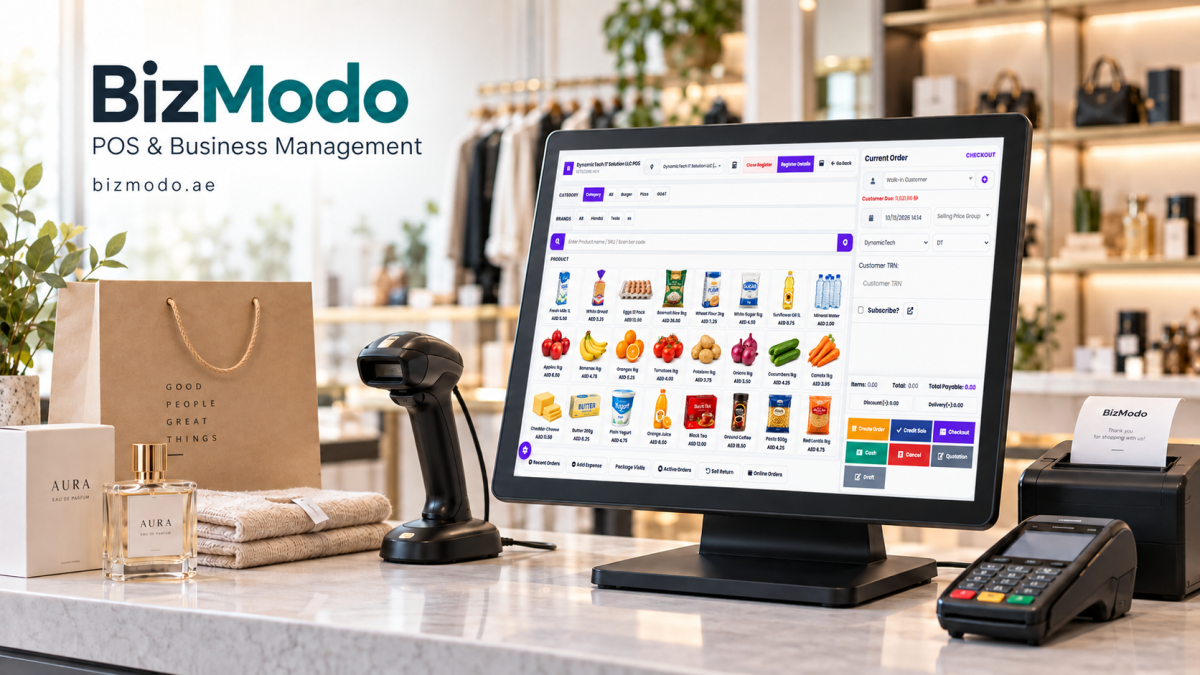
A busy restaurant depends on more than good food. Orders need to reach the kitchen clearly, table bills must stay accurate, and employees need to handle changes without slowing service. When these tasks become disconnected, small mistakes can affect the entire dining experience.
Restaurant point-of-sale software helps organise these daily activities. For business owners searching for “POS for Restaurant Software,” the most useful starting point is understanding how a system handles an actual service—from taking the first order to closing the final bill.
Start with the way your restaurant serves customers
A café, a takeaway outlet, and a full-service restaurant have different requirements. A café may prioritise quick ordering and payment, while a dine-in restaurant may need table management, course timing, and split bills.
Before comparing providers, write down your busiest service scenarios. Include the situations that regularly cause delays, such as moving customers between tables, changing an order after submission, or accepting payment from several guests.
Use these examples during demonstrations. A system should make your restaurant’s everyday tasks easier to complete, with clear steps employees can follow under pressure.
Make order details easy to communicate
An order is only useful if the kitchen receives the right information. Cooking preferences, ingredient changes, side dishes, and special requests need to stay attached to the correct item.
Ask providers to demonstrate how modifiers appear on kitchen tickets or displays. Can employees distinguish between a standard option and a request that needs additional attention? What happens when someone changes an order after preparation has started?
For allergy-related requests, software should support clear communication alongside your restaurant’s established staff verification procedures.
Also check whether orders can be directed to different preparation areas. Drinks may need to reach the bar while food goes to the kitchen, without employees entering the same information twice.
Test billing beyond a simple payment
Restaurant billing often involves more than one customer paying one total. Guests may want to split the bill equally, pay for specific items, or use different payment methods.
A useful demonstration should cover these situations, along with discounts, refunds, voids, and service charges where applicable. Ask how each adjustment appears in the transaction record and which actions require a manager’s approval.
This helps you assess both convenience and accountability. Employees need a practical checkout process, while managers need to understand why a bill changed.
Understand what inventory tracking includes
“Inventory management” can describe very different capabilities. Some systems track finished products, while others support ingredient quantities linked to recipes.
If ingredient tracking matters to your restaurant, ask how recipes, portion sizes, purchasing units, and substitutions are recorded. For example, ingredients might arrive by the kilogram but be used in portions measured in grams.
Waste, spoilage, and preparation losses also need attention. Sales alone cannot explain every change in stock.
Confirm whether these functions are included in the quoted package, require an additional module, or depend on an external integration.
Look for reports that answer practical questions
Reports should help managers understand the business rather than simply display transaction totals.
Useful questions include:
- Which menu items sell most during each service period?
- When does order volume peak?
- How much revenue is reduced by discounts and refunds?
- Which items generate sales but leave limited margin?
- How do dine-in and takeaway orders compare?
Remember that accurate margin reporting depends on accurate cost information. Ask providers to explain what each report includes and which records your team must maintain.
Check reliability, training, and support
Before choosing POS for restaurant software, discuss what happens when the internet connection drops. Ask which functions continue working, how records synchronise afterward, and whether payment processing has separate connectivity requirements.
Have employees practise common tasks themselves. Their experience can reveal confusing menus or unnecessary steps that a guided demonstration might hide.
Request a complete quote covering software, hardware, setup, training, integrations, and ongoing support. Confirm support hours and how urgent service issues are handled.
Choose a system around your daily service
The right restaurant POS should fit the way your team takes orders, prepares food, serves guests, and manages payments.
Restaurant owners exploring providers can contact Bizmodo to discuss their requirements and request a demonstration. Bring a sample menu and several realistic service scenarios so you can assess the proposed setup against your own needs.
A clear selection process starts with practical questions: Can employees enter orders accurately? Can the kitchen understand changes? Can managers explain the figures at closing? Those answers matter more than the length of a feature list.

Hi, I’m Freya Parker, an automotive expert focused on helping car owners make smarter decisions when selling their vehicles. I specialise in breaking down the car-selling process in a simple, practical way from understanding your car’s real value to reading market trends and spotting the right time to sell. My goal is to give you clear, honest guidance so you can confidently get the best possible price for your car without confusion or stress. Whether you’re selling for the first time or just want a better deal, I’m here to make the process straightforward, transparent, and rewarding








Comments (0)