

Indian IPTV Box: A Simple Guide for Beginners
Indian IPTV Box: A Simple Guide for Beginners

An Indian IPTV box is a small device that connects your TV to the internet so you can watch live Indian channels, movies, and shows. You do not need a dish or a cable wire. It is a handy way to turn an old TV into a smart TV.
How Does an Indian IPTV Box Work?
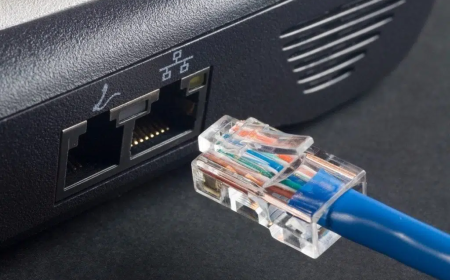
You plug the box into your TV with an HDMI cable. Then you connect it to Wi-Fi or a LAN cable. After that, you open your provider's app and pick a channel. The box takes the video from the internet and shows it on your screen. If your internet is slow, you may see buffering.
What to Check Before You Buy
- Operating system: Android TV or Google TV works with most apps and gets updates.
- Memory and storage: Choose at least 2 GB RAM and 16 GB storage.
- Video quality: HD is enough for most homes. Choose 4K only if your TV is 4K.
- Ports: Look for HDMI, USB, and a LAN port.
- Wi-Fi: Dual-band Wi-Fi (2.4 GHz and 5 GHz) gives a steadier signal.
- Warranty: Buy from a known brand or trusted store and keep the bill.
Do You Really Need a Box?
If your TV was made after 2018, it may already be a smart TV. Open its app store and search for your provider's app first. A box is most useful for older TVs. A streaming stick is a cheaper option if you only want basic features.
What Internet Speed Do You Need?
- SD quality: 3 to 5 Mbps
- HD quality: 5 to 10 Mbps
- Full HD or 4K: 15 to 25 Mbps
If many people share the same Wi-Fi, you need more speed. A LAN cable is more stable than Wi-Fi.
Warning Signs of an Unsafe Seller
Some sellers offer a box with "all channels free for life." Be careful. Such boxes often come with apps from unknown sources. These may carry harmful software, and the service can stop without notice. Stay away if you see these signs:
- No company name, address, or bill
- Payment only through a personal UPI account or crypto
- Apps installed from unknown sources
- No warranty or return policy
Quick Setup Steps
- Connect the box to the TV with the HDMI cable.
- Plug in the power adapter.
- Choose your language and join your Wi-Fi.
- Sign in with your Google account.
- Install your provider's app from the official app store.
- Log in and start watching.
Frequently Asked Questions
Can I use an Indian IPTV box on any TV?
Yes, if the TV has an HDMI port. Most TVs made in the last 15 years do.
Is the box enough to watch channels?
No. The box is only the device. You also need a plan from a provider.
Does the box work without internet?
No. It needs a working internet connection.
Is a 4K box worth the money?
Only if you have a 4K TV and a fast internet plan.
Final Words: Choose Your Indian IPTV Subscription Carefully
A good box is only half of the setup. The other half is your Indian IPTV subscription. Before you pay, read the channel list, the price, and the refund rules. Choose a licensed provider, and start with a short plan or a free trial. Test the video quality at night, when many people are online. Do not buy a long Indian IPTV subscription until you are sure it works well on your internet. A little checking today can save you money tomorrow.












Comments (0)