

AI in Accounting: Automating Entries Without Losing Control
AI accounting automation can help businesses capture receipts, extract invoice details, draft bookkeeping entries, match transactions, and flag unusual financial activity. The key is to automate repetitive preparation without allowing an AI system to post questionable entries, approve sensitive transactions, or change financial records without appropriate controls.

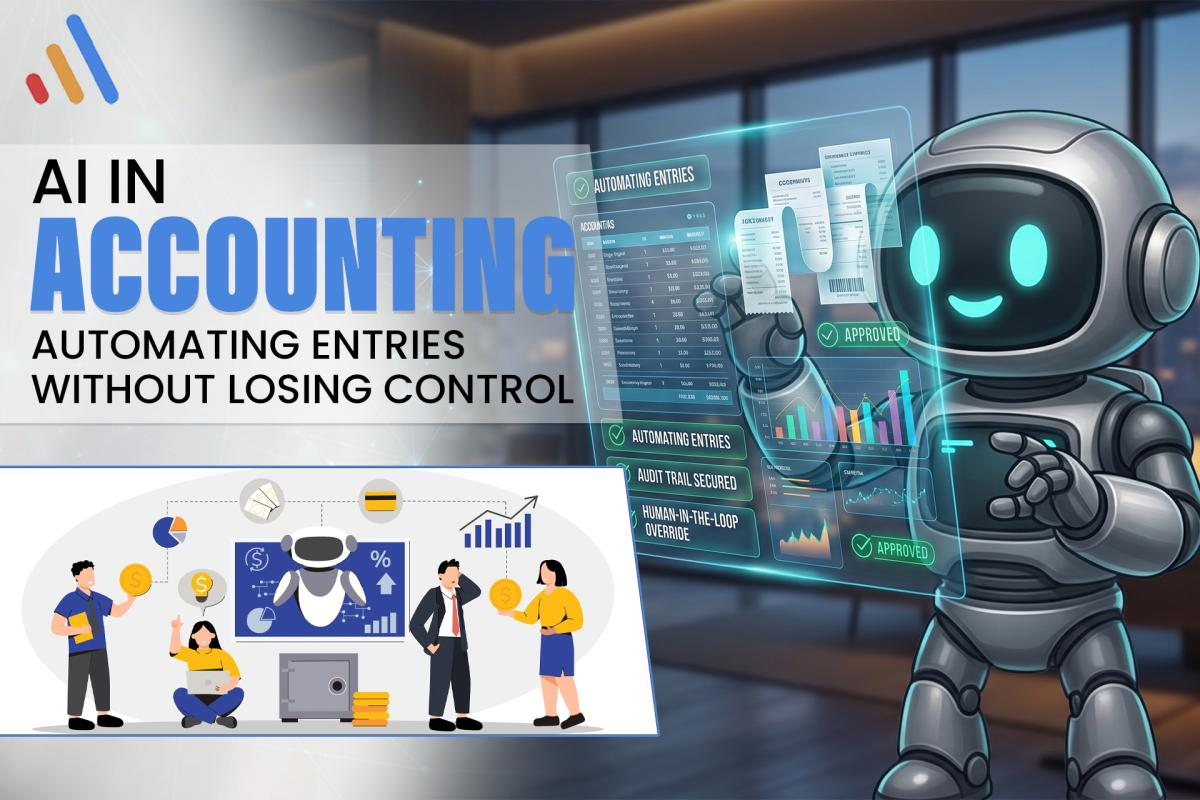
AI accounting automation can help businesses capture receipts, extract invoice details, draft bookkeeping entries, match transactions, and flag unusual financial activity. The key is to automate repetitive preparation without allowing an AI system to post questionable entries, approve sensitive transactions, or change financial records without appropriate controls.
For finance teams, small businesses, and IT decision-makers, the objective is not to remove accountants from the process. It is to reduce manual data handling while preserving accuracy, accountability, and review.
A practical approach combines AI-powered document extraction, accounting software integrations, validation rules, and human approval checkpoints. The system handles routine work, while authorized employees remain responsible for decisions that affect financial records.
What Can AI Safely Automate in Accounting?
AI can assist with repetitive accounting tasks when its outputs can be checked against source documents, business rules, and reliable financial records. The safest starting point is usually preparing information rather than making final financial decisions.
Common use cases include:
- Receipt and invoice data extraction.
- Drafting journal entries for review.
- Suggesting expense categories.
- Matching transactions with invoices or purchase orders.
- Identifying duplicate documents.
- Flagging unusual amounts or missing information.
- Preparing reconciliation summaries.
- Organizing supporting documents for accountants.
For example, an employee photographs a business receipt. An AI-enabled workflow extracts the merchant, transaction date, total amount, and tax information. It then proposes an expense category and prepares a draft entry in the accounting system.
Before that entry is posted, validation rules check required fields and an authorized employee reviews any uncertain details.
This approach reduces repetitive typing without treating an AI-generated answer as automatically correct.
How AI Accounting Automation Works
AI accounting automation typically combines document processing, business rules, accounting integrations, and human review in one workflow. Each component has a distinct responsibility.
1. Capture the Source Document
The process begins when a receipt, supplier invoice, or other financial document enters the system through an upload, email inbox, mobile application, or connected platform.
The original document should remain accessible so employees can compare extracted information with the source.
2. Extract and Interpret Financial Data
Optical character recognition (OCR) can convert document images into machine-readable text. AI can help interpret that text, identify relevant fields, and handle variations in document layouts.
The system may extract:
- Supplier or merchant name.
- Invoice or receipt number.
- Transaction date.
- Subtotal, tax, and total.
- Currency.
- Payment terms, where applicable.
Extraction quality depends on document clarity, layout, language, and the information available. Blurry photographs, handwritten notes, and inconsistent formats may require manual correction.
3. Draft the Accounting Entry
The system uses extracted data, accounting rules, and available transaction context to suggest an account category and prepare a draft entry.
For example, a software subscription invoice might be proposed for an appropriate software expense account. However, the correct treatment depends on the organization’s chart of accounts, accounting policies, and transaction circumstances.
AI should not invent missing details or assume that every supplier invoice belongs to the same category.
4. Validate and Route for Approval
Business rules can check required fields, compare amounts, identify potential duplicates, and route transactions according to predefined approval limits.
Entries that pass the required checks may follow an approved workflow. Entries with missing information, mismatched amounts, or uncertain classifications should be flagged for review.
5. Record and Preserve the Audit Trail
Once an authorized person or permitted workflow approves an entry, the accounting system can record it. The process should preserve the source document, relevant approvals, changes, and transaction history according to the organization’s recordkeeping requirements.
This makes it easier to investigate discrepancies and understand how an entry was prepared.
Where Human Approval Must Remain
Human oversight is essential whenever an accounting action requires judgment, involves material uncertainty, or could create a significant financial consequence. The appropriate approval level depends on the transaction, company policy, and applicable requirements.
Keep clear review checkpoints for these situations:
Uncertain expense classification: AI may confuse repairs with capital improvements or misclassify a transaction based on incomplete descriptions. An accountant should resolve cases where the correct treatment is unclear.
Tax-related decisions: AI can extract tax fields and organize supporting information, but tax treatment depends on jurisdiction, transaction type, and current rules. Qualified review may be necessary.
Unusual transactions: Large, unexpected, duplicate, or out-of-pattern transactions should be flagged for investigation rather than automatically accepted.
Payments and vendor changes: Creating a payment instruction is different from authorizing a transfer. Vendor bank-detail changes and sensitive payments should follow independently verified procedures and established approval controls.
Period-end adjustments: Accruals, provisions, corrections, and other adjustments may require accounting judgment. AI can prepare supporting calculations or draft entries, but authorized finance personnel should approve them.
Human review does not mean manually checking every field forever. It means defining which transactions qualify for routine processing and which require intervention, with stronger controls for higher-risk activities.
How to Prevent AI Bookkeeping Errors
The most effective way to reduce AI bookkeeping errors is to combine source-document verification, deterministic accounting rules, restricted permissions, and exception handling. AI accuracy alone is not a sufficient control.
Use these safeguards when designing an automated workflow.
Validate Amounts and Required Fields
Compare extracted totals with line items where available. Check invoice numbers, dates, currency, and other required fields before allowing an entry to proceed.
If values conflict, route the document for review rather than choosing one arbitrarily.
Detect Potential Duplicates
Check invoice identifiers, supplier details, dates, amounts, and existing records to identify possible duplicates.
Because legitimate transactions can share similar details, duplicate detection should flag candidates for review rather than automatically deleting records.
Separate Preparation From Approval
Use different permissions for document extraction, draft creation, posting, and payment authorization where appropriate.
For higher-risk transactions, the person or system preparing an entry should not have unrestricted authority to approve and execute the resulting payment.
Apply Confidence and Exception Rules
Set review conditions for unreadable documents, uncertain classifications, missing data, and mismatched totals. Confidence scores can help prioritize review, but a high score does not guarantee accounting correctness.
Monitor Changes and Failures
Maintain logs of system actions, approvals, corrections, and failed integrations. Assign an owner to investigate recurring errors and update the workflow when accounting policies or software configurations change.
These safeguards should be tested before the workflow is allowed to operate on live financial records.
How to Integrate AI With Existing Accounting Software
AI accounting automation is most practical when it connects with the accounting tools a business already uses rather than creating another isolated source of financial information.
Before implementation, identify the accounting platform, document sources, approval process, chart of accounts, and systems that need to exchange data.
A typical integration workflow looks like this:
- A receipt or invoice arrives through an approved channel.
- The document-processing component extracts its information.
- Validation rules check the extracted fields and transaction context.
- The workflow creates a draft entry in the accounting system.
- Exceptions and approval requests are routed to the responsible employee.
- Approved entries are recorded, and relevant actions are logged.
Use supported APIs or other appropriate integration methods, and confirm how the accounting platform handles permissions, duplicate submissions, failed requests, and record updates.
VCL International AI Agent Development services can be relevant when a business needs AI-enabled workflows that connect business applications, process documents, execute permitted tasks, and escalate exceptions to employees.
The technical design should fit the accounting process. A simple document extraction workflow may not require a sophisticated AI agent, while a multi-system process with variable inputs and several approval stages may need more extensive integration.
How to Measure the Value of AI Accounting Automation
Measure AI accounting automation against the existing process to determine whether it saves time, reduces rework, and maintains appropriate control. Establish a baseline before deployment and compare results during a controlled pilot.
Useful metrics include:
- Average time required to process an invoice.
- Percentage of extracted fields requiring correction.
- Draft entries accepted without changes.
- Duplicate or mismatched transactions detected.
- Time spent reviewing exceptions.
- Average time from document receipt to approved posting.
- Software, integration, maintenance, and oversight costs.
For example, a finance team can measure how long it currently takes to process a sample of supplier invoices. During a pilot, it can compare the time required with AI-assisted extraction and draft preparation, including all human review and correction time.
Do not measure success only by the number of entries generated automatically. An automated process that creates many incorrect entries can increase the workload it was supposed to reduce.
Also, distinguish between time saved and actual financial savings. Reduced manual work may create additional capacity without immediately reducing payroll or other expenses.
Common Risks to Address Before Deployment
AI accounting automation introduces risks when incorrect data, excessive permissions, or poorly designed workflows affect financial records. Address these risks before expanding beyond a limited pilot.
Sensitive financial information: Restrict access to receipts, invoices, bank details, and accounting records. Evaluate the data-handling practices of AI providers and integration tools before sending financial information to them.
Incorrect or fabricated outputs: Require source-based extraction and validation. AI-generated values that cannot be supported by the original document should not be accepted as facts.
Integration failures: Design for timeouts, duplicate requests, incomplete updates, and interrupted connections. Ensure that failures generate visible alerts and can be reconciled.
Unclear accountability: Assign responsibility for approving entries, investigating exceptions, reviewing system performance, and authorizing workflow changes.
Recordkeeping and compliance: Confirm applicable accounting, tax, privacy, and retention requirements with qualified advisers. Requirements vary by jurisdiction and business circumstances, so an automated workflow should not be assumed compliant without appropriate review.
How to Start With a Low-Risk Accounting Pilot
A focused pilot allows a business to test whether AI can improve a defined accounting task before introducing automation across the entire finance function.
Start with one document type, such as routine supplier invoices or employee expense receipts. Document the current process, identify recurring errors, and define what the system may prepare automatically.
Next, configure extraction, validation, draft creation, and approval rules. Test representative documents, including poor-quality scans, missing fields, duplicate invoices, and unusual transactions.
Initially, keep a human review step before posting. Compare results against the original documents, measure correction rates, and confirm that records and approvals remain traceable.
Only expand automation after the pilot demonstrates acceptable performance and the business has addressed its identified risks.
For a broader automation strategy, connect this project to VCL business automation guide, which explains how to prioritize repetitive workflows while keeping decisions that require human judgment under appropriate control.
For related document-processing opportunities, see VCL guide to document automation.
Conclusion: Automate Preparation, Preserve Accountability
AI accounting automation can make bookkeeping more efficient by extracting receipt details, drafting entries, matching transactions, and flagging anomalies. Its value depends on how well those capabilities fit the accounting process and how effectively the business controls the resulting actions.
Start with a narrow workflow, validate data against source documents, separate preparation from approval, and measure the complete process rather than automation volume alone.
The goal is straightforward: let software handle repetitive preparation while finance professionals retain responsibility for accounting judgments, approvals, and financial integrity.

VCL International is a leading software development company specializing in web development, mobile applications, AI solutions, and enterprise software. We help businesses transform ideas into innovative, secure, and scalable digital solutions. Our mission is to empower businesses through technology, quality, and innovation.

Comments (0)