

E-Invoicing Integration Services in Dubai for Mixed ERP Estates
Find e invoicing integration services in dubai for connecting multiple ERP systems, automating invoice data and managing UAE e-invoicing.

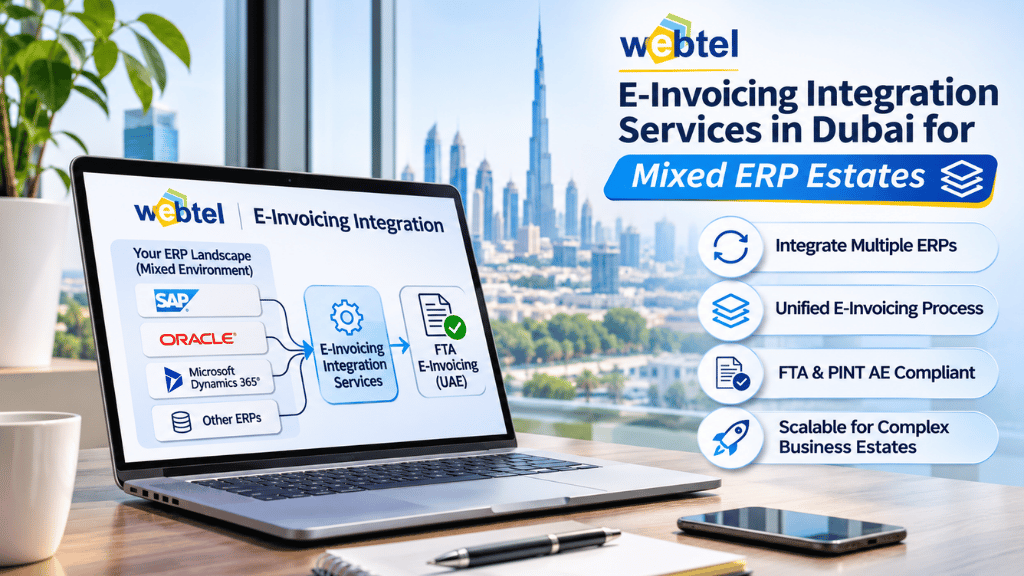
A business operating across multiple departments or subsidiaries may not use just one ERP system. Its finance team could work with SAP, another division might use Oracle, while smaller business units rely on separate accounting software. Each system may generate invoices differently and maintain its own customer and supplier records.
Connecting these systems to a common e-invoicing process requires careful planning. Businesses looking for e invoicing integration services in dubai should consider how their different platforms will share invoice information, follow the required data structure and communicate with their selected Accredited Service Provider (ASP).
Why Mixed ERP Environments Create Integration Challenges
When an organisation uses multiple ERP systems, invoice information is rarely organised in exactly the same way.
One platform may store customer tax details in separate fields, while another may use a different format. Invoice numbering, tax codes, product descriptions and transaction workflows can also vary.
These differences create several challenges:
-
Different data structures: ERP platforms may use different field names and formats for similar invoice information.
-
Inconsistent master data: Customer and supplier records may not follow the same standards across business units.
-
Separate invoice workflows: Each system may have its own approval and invoice-generation process.
-
Multiple integration points: Different applications may need to connect with the e-invoicing environment.
-
Limited central visibility: Finance teams may find it difficult to monitor invoice statuses across all systems.
Without a common integration plan, businesses risk managing separate processes that are difficult to maintain and monitor.
What Should E-Invoicing Integration Services in Dubai Cover?
A suitable integration approach should account for the entire ERP environment rather than focusing on one application.
1. Map the Existing ERP Landscape
The first step is to identify every system that creates or manages invoices.
This includes the main ERP, subsidiary accounting platforms, billing applications and any other systems that contribute invoice information.
For each platform, the integration team should understand:
-
Which invoice types it generates
-
Where customer and supplier information is stored
-
How VAT and tax details are maintained
-
Which systems handle approvals
-
How invoice information can be extracted
-
Whether existing APIs or other integration methods are available
This assessment helps determine the technical requirements for each connection.
2. Standardise Invoice Data Across Systems
Different ERP platforms may represent the same business information in different ways.
For example, one system may store a buyer's VAT registration number in a dedicated field, while another may use a different field or naming convention.
The integration process needs a consistent mapping approach so that invoice information can be converted into the required structured format.
Data preparation should cover customer details, supplier information, invoice dates, line items, VAT categories, totals and other applicable fields.
Standardising these records also helps reduce inconsistencies between business units.
3. Decide How Each ERP Will Connect
Not every ERP system needs to follow the same technical integration method.
Depending on the platform and available capabilities, businesses may use APIs, middleware, connectors or other integration methods to transfer invoice information.
The chosen approach should account for transaction volumes, system limitations, security requirements and the need to receive invoice status updates.
A central integration layer may also be considered where several systems need to communicate with the same e-invoicing environment.
The Role of E-Invoicing API Integration
For businesses managing several applications, e-invoicing API integration can provide a way to exchange invoice information between existing business systems and the e-invoicing environment.
An API-based workflow can support activities such as:
-
Sending invoice data from an ERP to the integration platform
-
Mapping information into the required structure
-
Passing invoice data for validation and processing
-
Receiving responses and transaction statuses
-
Returning relevant information to the source system
However, API connectivity alone does not resolve differences between ERP data structures. Field mapping, validation rules and error handling must also be planned.
Businesses should confirm how failed requests, incomplete information and duplicate transactions will be managed.
Managing Invoice Exchange Through the ASP
In the UAE e-invoicing framework, structured electronic invoices are exchanged through the Peppol network using Accredited Service Providers.
A mixed ERP environment should have a clearly defined process for sending invoice information to the selected ASP and receiving the relevant responses.
The integration design should establish how invoices from different systems are prepared, validated and submitted. It should also define how exchange statuses and errors are communicated to the originating ERP.
This is particularly important when finance teams need to monitor transactions across multiple business units.
A central monitoring process can help provide visibility without requiring employees to log into every ERP system separately.
Build One Coordinated E-Invoicing Process
A mixed ERP environment does not necessarily require businesses to replace their existing systems. The priority is to establish a consistent way for those systems to prepare and exchange invoice information.
This requires a clear understanding of the current ERP landscape, standardised data mapping, suitable integration methods and testing across every connected platform.
For businesses in Dubai, selecting integration services that account for the entire ERP environment can make the transition easier to manage. It also gives finance and IT teams a clearer view of how invoice information moves from individual systems into the UAE e-invoicing process.











Comments (0)