

TrafficSaviour vs Palladium: Best Ad Protection Tool in 2026
Compare TrafficSaviour vs Palladium, explore bot detection, traffic filtering, campaign monitoring, integrations, and key features to evaluate ad protection solutions.

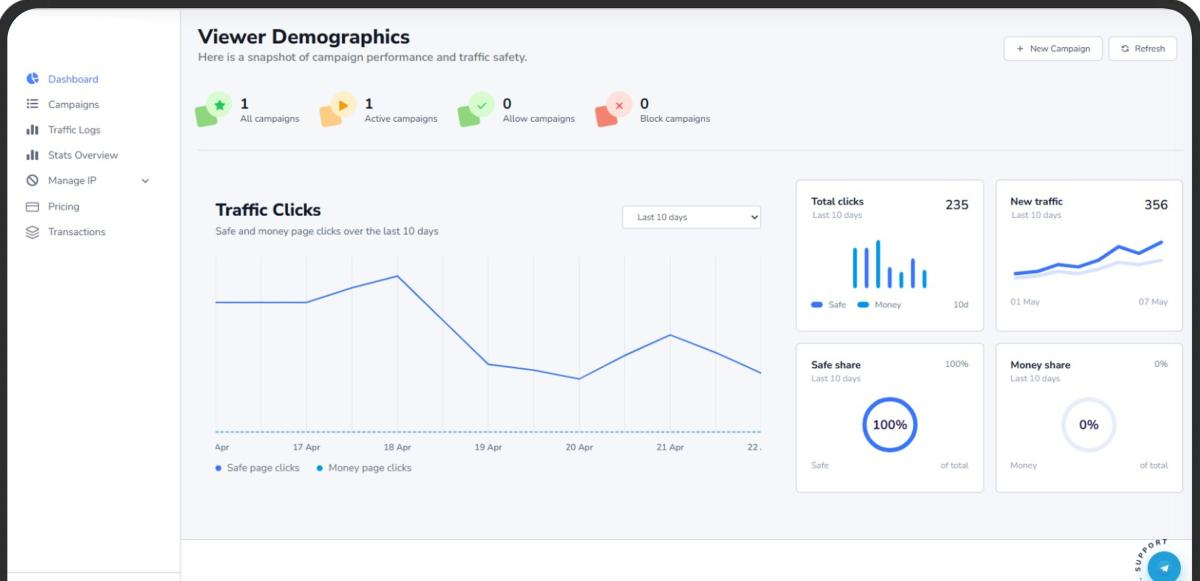
With online advertising, it is important to ensure that the quality of traffic being delivered to a campaign is genuine. Certain types of visits can consume advertising budgets quickly without generating meaningful results. When discussing TrafficSaviour vs Palladium, advertisers should look beyond basic traffic filtering and explore detection methods, campaign monitoring, and visitor analysis. Both solutions operate in the ad protection space, and a final decision should be based on their available features and how each solution fits different advertising scenarios.
1. Knowing TrafficSaviour and Palladium
Protection and ad filtering solutions help advertisers understand and respond to suspicious visitor behaviour. These solutions provide visitor behaviour analysis, detect potentially invalid interactions, and give campaign managers more control over incoming traffic.
TrafficSaviour focuses on ad traffic protection by allowing advertisers and media buyers to monitor and manage incoming traffic. The TrafficSaviour software is an option for marketers looking for a solution to manage questionable activity and gain better visibility into their advertising traffic.
Palladium is another option advertisers may encounter when researching ad filtering and traffic protection solutions. Before choosing either solution, users should consider supported advertising channels, pricing, available integrations, and the features offered.
Some of the areas worth comparing include:
-
Bot Detection and Traffic Filtering: Identifying automated activity and managing suspicious visits.
-
Campaign Monitoring: Assessing traffic quality across advertising campaigns.
-
Ease of Use: Setting up and operating the software without unnecessary technical complexity.
2. TrafficSaviour vs Palladium: Key Features Compared
When evaluating two ad protection solutions, it is more useful to analyse their actual features instead of relying on general marketing statements. Advertisers should understand which detection methods are available, how traffic reports are presented, and whether the platform can meet their advertising requirements.
The following are the main areas to evaluate when comparing TrafficSaviour vs Palladium:
|
Feature |
Traffic Saviour |
Palladium |
|---|---|---|
|
Bot detection |
Examine available bot detection methods. |
Examine available bot detection methods. |
|
Traffic filtering |
Assess available filtering rules. |
Assess available filtering rules. |
|
Visitor monitoring |
Review visitor activity reports. |
Review visitor activity reports. |
|
Campaign management |
Assess campaign-level controls. |
Assess campaign-level controls. |
|
Integration |
Check available integrations. |
Check available integrations. |
|
Pricing |
Compare available plans. |
Compare available plans. |
The table highlights what advertisers should investigate. Actual features may vary by product version and subscription, so reviewing the latest documentation or requesting a product demonstration is a useful next step.
What Should Advertisers Prioritise?
-
Detection methods that identify unusual visitor activity.
-
Reporting that provides insights into suspicious interactions.
-
Flexible filtering rules for different campaign requirements.
-
Compatibility with existing landing pages and tracking setups.
-
Clear pricing structures and usage limits.
3. Bot Detection and Traffic Filtering
Bot detection and traffic filtering play complementary roles in advertising protection. Bot detection focuses on identifying automated activity, while traffic filtering uses available rules and signals to determine how visitors are handled when accessing campaign destinations.
Unusual activity does not automatically mean fraudulent behavior. For example, multiple visits from a single network could come from an office, shared Wi-Fi, or another legitimate business environment. Similarly, a visitor using a VPN or proxy is not automatically a bot.
When managing advertising traffic, it is better to consider multiple signals instead of blocking visitors based on a single factor.
Signals Used to Evaluate Traffic Quality
Some signals that advertisers can consider include:
-
IP Reputation: Checking the history of an IP address for suspicious activity.
-
Device Information: Reviewing characteristics of the visitor's device and browser.
-
Visit Frequency: Identifying unusually repetitive visits within short periods.
-
Visitor Behaviour: Analysing how visitors interact with a page, including navigation and other actions.
-
Geographic Location: Investigating unexpected traffic patterns from unfamiliar locations.
For example, if a Google Ads campaign experiences an increase in clicks but receives very little meaningful landing page engagement, the advertiser can investigate visitor signals, IP reputation, behaviour, and timestamps to understand traffic quality.
This analysis can help identify unusual activity and provide more context before making decisions that could affect legitimate visitors.
4. Campaign Protection and TrafficSaviour Cloaker
While a TrafficSaviour cloaker may also be of interest to advertisers researching campaign traffic management, traffic protection, cloaking, and bot detection are different concepts.
Traffic protection generally involves investigating and managing suspicious visitors. Cloaking refers to showing different versions of a webpage to different visitors based on configured conditions. The functionality and implementation can vary across platforms.
Advertisers should understand these differences before choosing a solution.
Important Considerations for Campaign Protection
-
Traffic Visibility: Does the solution provide enough information about suspicious visitors to support investigation?
-
Detection Controls: Can users investigate multiple signals associated with unusual activity?
-
Website Compatibility: Is the solution compatible with the advertiser's existing website?
-
Reporting: Are reports organized in a way that makes campaign-level analysis easier?
-
Advertising Policies: Does the implementation comply with the relevant advertising network's requirements?
-
Content Management: Does the solution support transparent and policy-compliant campaign management?
The TrafficSaviour platform should be assessed according to its own capabilities, supported use cases, and ability to fit different advertising workflows. Advertisers should avoid configurations designed to conceal prohibited content or mislead advertising reviewers.
5. How to Choose the Right Ad Protection Platform
When selecting an ad protection solution, consider factors such as campaign size, traffic volume, the variety of traffic sources, the type of invalid activity being investigated, and technical requirements.
Here are some practical steps to follow before making a decision:
1. Identify Your Traffic Problems
Determine whether your campaigns are experiencing automated visits, repeated clicks, suspicious referrals, or unusual visitor behaviour. Understanding the problem helps narrow down the features you actually need.
2. Check Detection Capabilities
Review the detection methods offered by each platform. Consider whether the available signals provide enough information to investigate suspicious activity.
3. Evaluate Reporting Features
Look for reports that help connect unusual visitor activity with specific advertising campaigns. Clear reporting can make ongoing traffic analysis easier.
4. Assess Integrations
Review the website, tracking, and advertising integration options. Compatibility with your existing setup can reduce technical difficulties during implementation.
5. Evaluate Before Committing
Take advantage of available trials or demonstrations to assess how the product performs against your real campaign requirements.
Smaller advertisers may prefer affordable pricing and easier setup. Agencies and experienced media buyers may prioritise detailed reporting, flexible controls, and campaign-level monitoring.
It is also worth remembering that third-party solutions do not replace the invalid traffic detection and reporting systems provided by advertising networks. Advertisers should continue monitoring their account reports and following the relevant platform policies.
Conclusion
Both solutions operate in the ad protection space, but advertisers should not assume that they offer identical capabilities. When comparing TrafficSaviour vs Palladium, it is useful to examine available detection methods, reporting features, integrations, traffic filtering options, and pricing to determine which platform suits their requirements.
Palladium may appeal to advertisers interested in its campaign management and control capabilities, while TrafficSaviour software is another option worth evaluating for traffic monitoring and protection requirements. Reviewing the actual features and testing the available tools can help media buyers make a more informed decision.
Frequently Asked Questions
1. What is the difference between TrafficSaviour and Palladium?
The main comparison areas include traffic detection, filtering options, visitor monitoring, campaign management, integrations, and pricing. Advertisers should review the current product specifications to understand the exact differences.
2. Why Is Bot Detection Important for Google Ads Campaigns?
Bot detection gives advertisers an opportunity to identify automated or suspicious visits. It provides additional visibility into traffic quality and helps campaign managers investigate abnormal click patterns.
3. Is a VPN Visitor Always Considered Invalid Traffic?
No. Many legitimate users browse through VPNs and proxies. Advertisers should evaluate other signals, such as visitor behaviour, visit frequency, and IP reputation, instead of automatically classifying all VPN visitors as fraudulen







Comments (0)