

How Can a DYMO 180dpi Label Printer Improve Professional Labelling Accuracy?
Learn how a DYMO 180dpi Label Printer creates readable labels for cables, assets and files, with practical tips on layout, printing methods and label materials.

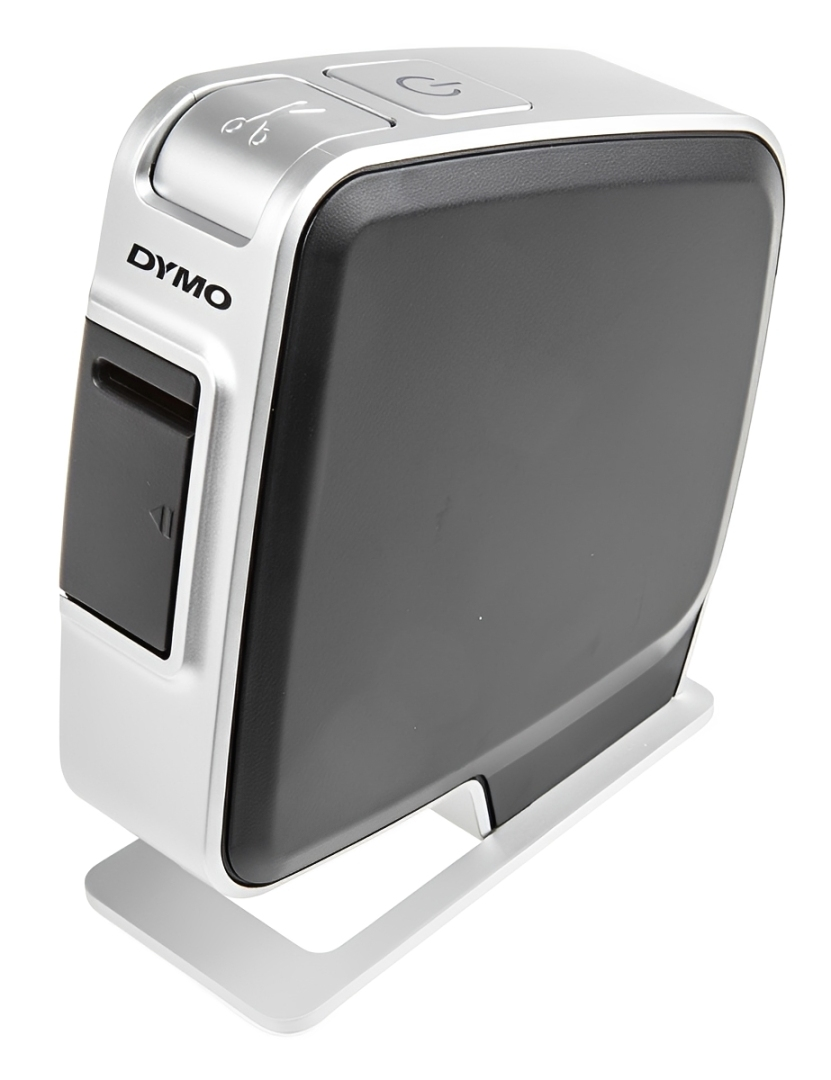
Clear identification is essential in workplaces where equipment, documents and electrical connections must be recognised quickly. Poorly printed labels can create confusion, delay maintenance and increase the likelihood of identification mistakes. Modern label printing technology offers a practical alternative to handwritten markings by producing consistent, readable information. Understanding print resolution, label design and printing methods helps businesses establish identification systems that remain useful over time.
A DYMO 180dpi Label Printer represents an accessible approach to creating professional identification labels for everyday applications. With 180 dots per inch of printing resolution, this category of device is suitable for clear text, simple symbols and basic identification tasks. However, effective labelling depends on more than resolution. Choosing the correct font, spacing, label size and printing material is equally important for achieving dependable results.
What Does 180dpi Resolution Mean in Label Printing?
Print resolution determines how many individual dots a printer can produce within one inch. A resolution of 180dpi provides sufficient detail for many common identification tasks, including folder names, equipment references and straightforward text labels.
Higher resolutions may be preferable for extremely small lettering, intricate graphics or densely encoded barcodes. However, increasing resolution does not automatically improve usability if the label design itself is difficult to understand.
Why Does Print Resolution Matter?
Print quality directly affects how easily information can be recognised. A suitable resolution helps provide:
- Readable text: Clear letters and numbers for everyday identification.
- Consistent appearance: Uniform formatting across multiple labels.
- Improved recognition: Easier identification of commonly used equipment.
- Professional presentation: Neat, predictable results for business environments.
- Reduced printing errors: Better visibility of characters when labels are appropriately designed.
For most ordinary text-based labelling, clarity and appropriate formatting matter more than unnecessarily complex graphics.
Where Can 180dpi Label Printing Be Most Effective?
Compact label printers support several everyday identification requirements across offices, technical departments and commercial facilities.
Electrical Workshops
Technicians use labels to identify cable destinations, equipment locations and test instruments. Correct identification helps maintenance teams locate connections more efficiently.
Office Administration
Printed markings make document archives, shared equipment and departmental records easier to distinguish.
IT Departments
Network equipment, computer accessories and suitable cable assemblies often benefit from clearly organised identification labels.
Inventory Storage
Simple location codes and shelf references help employees recognise where supplies belong.
Educational Facilities
Laboratories, classrooms and equipment storage areas can use printed labels to support consistent organisation and shared resource management.
How Can Better Label Design Reduce Identification Errors?
Even a technically capable printer can produce confusing labels when the layout is poorly planned. Designers should prioritise readability, especially when a label contains several pieces of information.
What Makes an Effective Printed Label?
- Use simple, recognisable fonts.
- Select a font size suitable for the viewing distance.
- Maintain strong contrast between text and background.
- Avoid unnecessary abbreviations.
- Keep identification numbers consistent.
- Leave appropriate spacing around text.
For teams preparing different label formats, comparing Label Printers helps identify printing equipment suited to specific text sizes, connection methods and operational requirements.
Consistent layouts also make future replacements easier because new labels can follow an established identification standard.
How Do Desktop and Handheld Label Printers Compare?
Desktop and handheld printers address different working environments. A computer-connected desktop device is convenient when users prepare multiple labels from a workstation and want access to familiar keyboard controls.
Handheld printers are useful when labels must be created directly beside equipment, particularly in maintenance areas where carrying a computer would be inconvenient.
The most suitable option depends on printing frequency, portability, software compatibility and the types of labels required.
Businesses should also consider whether employees need to print one label at a time or generate repeated identification codes.
Why Is Label Material Just as Important as Print Quality?
The printing process creates visible information, but the label material determines how well that information survives everyday handling.
Ordinary indoor identification may require only standard adhesive media. However, industrial environments can expose labels to moisture, abrasion, chemicals and temperature changes.
Labels applied to curved cables may also require flexible materials that remain attached without lifting.
Choosing materials according to environmental conditions helps prevent premature peeling, fading and identification loss.
How Do Different Printing Technologies Affect Label Durability?
Not every label printer produces images using the same technology. Some use direct thermal printing, while others rely on thermal-transfer systems.
Direct thermal printers create images on heat-sensitive media without a separate ink ribbon. Thermal-transfer printing uses a heated printhead and a ribbon to transfer an image onto compatible label material.
When selecting consumables, exploring Label Printer Ink & Ribbons can help buyers understand available printing technologies and material requirements.
Compatibility must always be checked against the specific printer, as different systems cannot necessarily share consumables.
How Can You Prevent Common Label Printing Problems?
Poor print results are not always caused by printer failure. Incorrect formatting, unsuitable media or contaminated printing components can also affect output quality.
Several simple practices can help:
- Check the label dimensions before printing.
- Confirm that the selected cartridge matches the printer.
- Keep printing equipment clean according to manufacturer instructions.
- Avoid excessively small fonts.
- Store unused consumables under recommended conditions.
- Test new label formats before printing large quantities.
Routine checks help reduce wasted materials and maintain consistent identification quality.
Frequently Asked Questions
Is 180dpi Good Enough for Professional Labels?
Yes, 180dpi is generally suitable for ordinary text labels, simple identification codes and everyday workplace organisation. More demanding graphics or dense barcodes may require higher resolution.
Can 180dpi Label Printers Produce Barcodes?
Some can, depending on their software and supported formats. Barcode readability must be verified using the intended scanner and label conditions.
Do All Label Printers Use the Same Materials?
No. Printers require compatible media according to their design, printing method and supported cartridge or roll format.
How Can Businesses Create a More Efficient Labelling Workflow?
Successful labelling begins with clear identification rules, suitable printing equipment and materials matched to their environment. Standardising label formats and checking print quality helps teams maintain organised workplaces without unnecessary reprinting.
Businesses planning larger identification projects can compare Label Rolls at Enrgtech to explore materials and formats for different printing applications. By combining readable designs, compatible consumables and consistent labelling practices, organisations can establish dependable identification systems that support accuracy, efficient maintenance and better everyday operations.







Comments (0)