

Why Medical Practices Are Turning Paper Records Into Searchable Digital Files
The Cost of a Single Lost Page
A single misplaced patient chart can delay a treatment plan, frustrate a family, and trigger a compliance headache that lasts for weeks. Medical offices still handle enormous volumes of printed forms, referral letters, insurance statements, and lab results every day. Moving these records into digital format has become a practical necessity rather than a luxury. Professional Paper to PDF Conversion Services help practices turn stacks of fragile paper into organized, searchable files. This article explains how digitization supports accuracy, privacy, and efficiency, and why incoming correspondence deserves equally careful attention.
Why Paper Records Create Risk
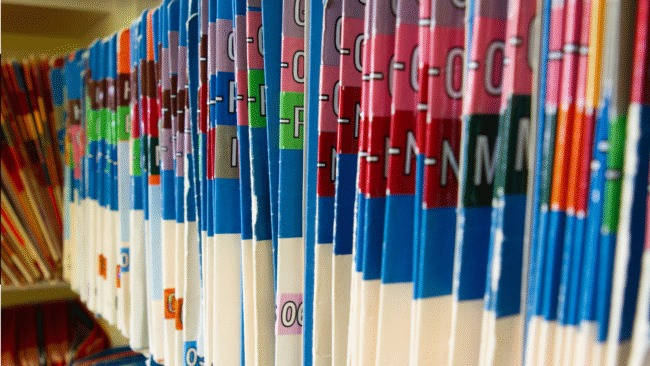
Paper has a way of piling up quietly. Folders fill cabinets, cabinets fill storage rooms, and finding one specific document can consume valuable staff time. Physical records also face threats such as water damage, fire, fading ink, and simple human error. Many practices turn to Paper to PDF Conversion Services because digital copies can be indexed, searched within seconds, and backed up in multiple secure locations. Once converted, a referral letter or consent form no longer depends on a single physical copy, which reduces the danger of permanent record loss.
What Quality Conversion Should Include
Not every digitization project delivers the same results. A reliable provider typically prepares documents by removing staples, flattening folded pages, and sorting materials by category before scanning begins. Image resolution, optical character recognition, and file naming conventions all influence how useful the final files become. Practices evaluating Paper to PDF Conversion Services should confirm that text is searchable, that images remain legible, and that quality checks are performed on every batch. Clear indexing by patient name, date, or document type helps front desk and billing teams locate information without delay.
The Hidden Burden of Incoming Mail
Incoming correspondence arrives daily at every clinic, and much of it is time sensitive. Lab results, specialist reports, prior authorization notices, and insurance payments often come by post. Handling these items manually requires staff to open envelopes, sort pages, and route them to the right person. Many practices now rely on Mail Scanning For Medical Offices to capture each item as a digital image shortly after arrival. Providers can then review results from any approved device, even when they are away from the building, which shortens response times for patients.
Protecting Patient Privacy During Handling
Patient information carries strict legal obligations under HIPAA, and mail often contains protected health details. Opened envelopes left on a reception desk create unnecessary exposure. A properly designed process of Mail Scanning For Medical Offices limits how many people touch sensitive pages and records who accessed each file. Encrypted cloud storage, role-based permissions, and secure destruction of original paper add further layers of protection. Practices should still ask providers about staff screening, business associate agreements, and audit trails, since these safeguards demonstrate that confidentiality is treated as a daily responsibility.
Operational Gains for Staff and Patients
Digitization changes the rhythm of a practice. Front desk employees spend less time hunting for paperwork, billing teams can attach supporting documents to claims faster, and clinicians see complete histories before an appointment begins. Fewer misplaced pages mean fewer repeated requests to patients, which improves satisfaction. Reduced storage needs also free physical space that can be repurposed for exam rooms or workstations. Over time, these improvements add up to measurable savings in labor, supplies, and off-site storage fees, allowing administrators to direct resources toward patient care rather than document upkeep.
Choosing the Right Document Partner
Selecting a vendor deserves careful comparison. Practices should look for demonstrated experience with healthcare records, clear turnaround times, and transparent pricing. Questions about chain of custody, secure transport, and data retention policies reveal how seriously a provider treats sensitive material. Sample projects or references from similar clinics can offer additional confidence. It helps to confirm compatibility with existing electronic health record systems, since files that cannot be imported easily may create new bottlenecks. A pilot batch is often a sensible first step before committing to a conversion or ongoing service.
Conclusion
Medical offices that continue relying on paper face rising costs, slower workflows, and avoidable privacy risks. Digital conversion offers a measured path toward better organization and safer handling of patient information. Practices that adopt Mail Scanning For Medical Offices gain faster access to incoming documents, while archived files become easier to retrieve. Organizations seeking a partner can explore AccessScanning, which offers digitization solutions built around the needs of healthcare environments. Careful vetting, strong security practices, and a phased rollout will help ensure that the transition supports compliance and patient care.











Comments (0)