

Mobile Workforce Management: How to Manage Field Teams More Efficiently
challenging for many managers. It is a common problem faced by maintenance firms, cleaning firms, HVAC firms, installation firms, and similar kinds of firms.

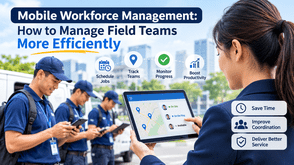
Managing employees working at various locations does not always seem easy. There is a need for coordination of tasks carried out every day, monitoring the availability of workers, scheduling of jobs, and ensuring that all jobs are completed on time. Manually coordinating such tasks could prove challenging for many managers.
It is a common problem faced by maintenance firms, cleaning firms, HVAC firms, installation firms, and similar kinds of firms.
With mobile workforce management, firms can easily coordinate all the above processes by using digital means to organize their employees and activities done on a daily basis. They will be able to assign jobs to their workers and monitor progress of the same through use of their mobile phones.
What Makes Mobile Workforce Management Important?
Employees on the move usually visit various client sites during the day. They require detailed guidelines, an updated schedule, and information for effective task execution.
A lack of an appropriate management system will lead to inefficiencies caused by the absence of information about the task, inefficient communication, or misassignment of tasks.
Mobile workforce management offers a more structured approach to such operations.
For instance, if a repair company has ten workers who are scattered throughout various regions, the manager does not need to contact each of them separately for task allocation, but can use the unified system to communicate customer data and task status.
Common Challenges in Managing Mobile Employees
Before improving workforce operations, businesses should understand the problems that affect their teams.
1. Difficulty Managing Employee Schedules
When several employees handle multiple assignments, managing their availability can become complicated. Double bookings and overlapping appointments may affect daily operations.
2. Poor Communication
Employees working outside the office may not receive important updates on time. This can lead to missed instructions, incorrect service information, and unnecessary delays.
3. Limited Visibility of Daily Activities
Managers may find it difficult to understand which employees are available, which jobs are pending, and which tasks have been completed.
4. Time-Consuming Manual Work
Using spreadsheets, paper records, and phone calls for every activity increases administrative work. It also makes it harder to maintain accurate employee and job records.
5. Unnecessary Travel
Assigning jobs without considering employee locations can increase travel time and fuel expenses. Better planning is needed to make daily routes more efficient.
How Workforce Management Software Helps Businesses
Using Workforce Management software will make the process of managing employees and planning activities more convenient from a single platform.
There is no need to use different tools; businesses can use digital means for executing essential workforce-related operations.
Below are examples of how the software can be useful.
Employee Scheduling and Task Allocation
Managers can create employee schedules, check availability, and assign tasks according to skills and workload. This helps distribute work more evenly and reduces scheduling conflicts.
Real-Time Employee Updates
Employees can update their work status through mobile devices. Managers can see whether a task is pending, in progress or completed without repeatedly contacting workers.
Better Team Communication
Digital notifications and job updates help employees receive important information quickly. Managers can also communicate schedule changes and urgent instructions.
Digital Job Records
Employees can record completed work, add service notes and upload photographs. These records help businesses maintain accurate information about their daily activities.
Performance Monitoring
Managers can review completed assignments, employee workloads, and task completion times. This information helps identify areas where operations can improve.
Best Ways to Improve Mobile Workforce Management
Having software is helpful, but businesses also need to follow the right practices to manage their employees effectively.
1. Plan Daily Activities in Advance
Prepare employee schedules before the working day begins. Consider job locations, employee availability, required skills, and estimated completion times.
Advance planning helps employees understand their responsibilities and reduces last-minute changes.
2. Use Mobile Applications for Daily Updates
Give employees access to a mobile application where they can check assignments, customer details, and work instructions.
This reduces dependency on paper documents and makes important information easier to access while working outside the office.
3. Assign the Right Employee to Each Job
Consider employee experience and technical skills before assigning work. Giving the right task to the right person can improve service quality and reduce the chances of repeated visits.
4. Improve Communication Between Office and Field Teams
Make sure employees can contact managers when they face unexpected problems. Regular updates also help office teams understand the current status of ongoing work.
5. Review Employee Performance
Check completed jobs, pending assignments, and workload distribution regularly. These details help managers understand whether employees need additional support or better scheduling.
6. Keep Customer Information Updated
Employees should have access to accurate customer details, service history, and appointment information. This helps them understand job requirements before arriving at the service location.
Why Field Workforce Management Software Is Useful for Service Businesses
There are more challenges faced by businesses providing on-site services. In addition to managing employee schedules, companies must also ensure coordination between customer requirements, technician allocation, service appointments, and job completion.
Field workforce management software makes such tasks easier.
For instance, when a new repair job comes to the HVAC company, the manager can verify which technicians are available and assign the work to the most qualified employee. The technician will have all the necessary customer location, work description, and scheduling information available via a mobile device.
Once the job is done, the employee is able to update the job status and file the service report.
In this way, businesses are able to manage their field staff while keeping job information organized.
Choosing the Right Tools for Mobile Workforce Management
Not every business needs the same software features. Before selecting a solution, consider the size of your workforce and the type of activities your employees perform.
Look for tools that offer:
-
Scheduling: Helps management schedule employees based on availability and assignments.
-
Mobile: Allows employees to check their assignments via mobile devices.
-
GPS tracking: Assists management in knowing where the field employees are located.
-
Task management: Eases the assignment of daily tasks.
-
Notifications: Helps in notifying the employees about new jobs and changes in the schedule.
-
Reporting: Assists management in analyzing the performance of the employees.
The right field service management app can also assist service organizations in managing their technician schedules and appointments through an integrated system.
Conclusion
Effective management of employees in varied locations involves proper planning, effective communication, and the right technology. Mobile workforce management assists companies in efficiently organizing their workers, allocating tasks, and effectively tracking their performance.
Through the application of workforce management systems, following sound scheduling techniques, and communicating effectively, companies will be able to cut down on manual labor and increase productivity from their staff members.
Whether you run a small maintenance team or a huge field service team, you can always find tools that help make things easier and assist your company in growing.
Frequently Asked Questions
1. What is the main purpose of mobile workforce management?
The main purpose is to organise and manage employees who work outside the office. It helps businesses manage schedules, assign tasks, track progress, and improve communication.
2. Who can benefit from mobile workforce management?
HVAC companies, cleaning businesses, maintenance providers, construction companies, delivery services, and other organisations with mobile employees can benefit from it.
3. How does workforce management software save time?
It reduces manual activities by helping businesses automate scheduling, task assignments, notifications, and reporting. Employees can also access job information directly from their mobile devices.
4. What should businesses look for in field workforce management software?
Businesses should look for employee scheduling, GPS tracking, mobile task management, digital reporting, real-time updates, and easy communication features.
5. Can small businesses use mobile workforce management tools?
Yes. Small businesses can use these tools to organise employee schedules, manage customer appointments, and track daily work without relying heavily on spreadsheets and paperwork.










Comments (0)