

Why Good Content Fails on a Weak Website
Good content can fail on a slow or confusing website. Learn how content and web development work together, with a simple plan for Malaysian businesses.

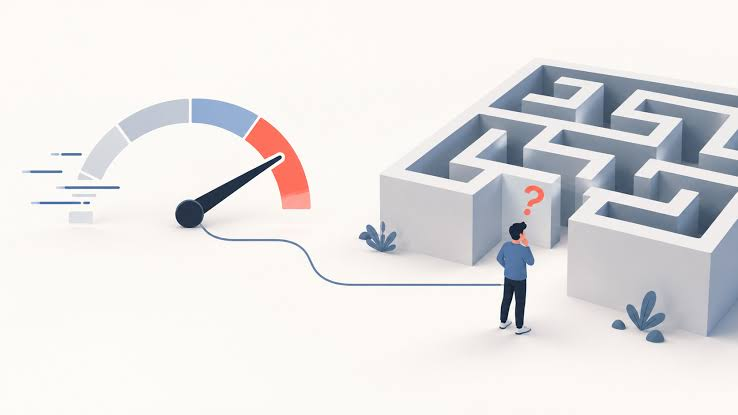
Good content can still fail if the website behind it is slow, confusing, or hard to use on a phone. The reverse is also true. A fast, well-built website gets few visits when its pages say nothing useful. Content and website development are two halves of one job. This article shows where they meet, what goes wrong, and how a Malaysian business can fix both step by step.
Why Content and Your Website Depend on Each Other
Content brings people in. The website decides what they do next.
Think of a shop. A helpful article is the sign that pulls people in from the street. The website is the shop itself. If the door sticks, the lights flicker, and the shelves are messy, visitors walk out, no matter how good the sign was.
Search engines notice the same things. They try to send people to pages that answer a question and work well on the visitor's device. So a strong article on a poor page often earns less than it should.
Six Website Problems That Waste Good Content
1. Slow Pages
Many Malaysians read articles on mobile data while commuting or waiting in a queue. A page packed with large, uncompressed images makes them wait. Most people lose patience quickly. Compress images, remove unused plug-ins, and test your key pages on a normal phone connection, not only on office Wi-Fi.
2. Layouts That Break on Phones
A table that runs off the screen or a button that is too small to tap sends readers away. Open your top five articles on a phone and scroll slowly. Fix anything that makes you pinch, zoom, or squint. Small fixes like larger buttons and shorter tables often help more than a full redesign.
3. No Clear Next Step
Many articles end with nothing. The reader finishes, feels satisfied, and leaves. Give each article one sensible next step. It could be a related guide, a short form, or a contact page. One clear option works better than five competing ones.
4. Poor Navigation
Readers often want to see more after one good article. If your menu is confusing and your blog has no related-post links, they cannot find it. Group articles by topic and link them to each other.
5. No Tracking
Without basic analytics, you cannot tell which articles bring visitors or which pages lose them. Set up traffic and conversion tracking before you publish more content. Otherwise, you are guessing, and guesses lead to wasted effort and money.
6. Unclear Page Headings
Readers scan before they read. If your headings are vague, they cannot tell whether the page answers their question. Write headings that name the topic plainly, and keep paragraphs short so the page feels easy on a small screen.
How Content Planning Improves Your Website
Content is not only blog posts. It includes service pages, product descriptions, case studies, videos, and email newsletters. Each piece should serve a reader at a specific stage.
-
Awareness: The reader senses a problem and searches for answers. Blog posts, short videos, and simple infographics suit this stage.
-
Consideration: The reader compares options. Comparison guides, case studies, and webinars help here.
-
Decision: The reader is ready to act. Clear service pages, testimonials, and an easy way to ask questions matter most.
Mapping content to these stages also tells your developers what the site needs. A site with only awareness articles needs stronger service pages. A site with strong service pages but no articles needs more entry points. If you do not have time to plan and write this yourself, professional content marketing support can help you build a calendar around your audience and goals.
When to Bring In a Developer
Some problems are not fixable with better writing or a new plug-in. Here are signs your site needs development work:
-
Pages take a long time to load even after you compress images.
-
Your site cannot connect to your CRM, booking tool, or email platform.
-
You want features such as customer accounts, product filters, or custom forms.
-
Your site breaks whenever you add a new page.
-
Your site was built years ago and no one fully understands how it works.
A good web development team starts with your goals, not with technology. They ask who visits, what those visitors want, and which actions matter most. Then they choose a platform that fits. WordPress suits many content-led sites. Shopify is common for online stores. Custom builds make sense when you need unusual features or have complex integrations.
Ask any developer how they handle security, testing, and support after launch. A site is never truly finished. It needs updates, backups, and regular checks.
A Simple Workflow You Can Start This Month
You do not need a large budget to improve how content and website work together. Try this order.
-
Audit your top pages. List the ten pages that get the most visits. Check speed, mobile layout, and the next step on each.
-
Fix the biggest problems first. Slow loading and broken mobile layouts cost you the most readers.
-
Add internal links. Connect each article to two or three related pages.
-
Plan content by stage. Fill gaps in awareness, consideration, and decision content.
-
Measure and adjust. Review results every month and change one thing at a time.
Some agencies, such as whooshmediamy, handle content and website work together. That can reduce delays, because writers and developers share the same goals from the start. Whether you use one team or two, make sure they talk to each other.
Common Mistakes to Avoid
-
Publishing before fixing the site. New articles will not help if the page they sit on is slow or broken.
-
Redesigning without a content plan. A beautiful site with thin pages still disappoints visitors.
-
Chasing keywords only. Readers can tell when a page was written for search engines instead of people.
-
Ignoring old content. Updating a good older article often takes less effort than writing a new one.
-
Expecting quick results. Content and site improvements build over months. No one can promise rankings or sales.
Frequently Asked Questions
1. Should I build the website first or start creating content first?
Start with a basic, working website, then publish content as you improve it. You do not need a perfect site, but it must load reasonably fast, work on phones, and give readers a clear next step.
2. How often should I publish new content?
Consistency matters more than volume. Publishing one useful article every two weeks is better than ten rushed posts in one month and then silence.
3. Does website speed really affect content performance?
Yes. Slow pages frustrate readers, and search engines aim to show pages that work well for users. Speed alone will not rank a weak article, but a slow site can hold back a strong one.
4. How do I know if my content is working?
Check a few simple numbers each month: visits to each article, how long people stay, and how many click to another page or contact you. Compare these figures over several months, not days.
5. Do I need a custom website, or is a template enough?
A template is often enough for a small business that needs a simple site. Choose a custom build when you need special features, complex integrations, or strong control over performance and security.














Comments (0)