

10 Conversion Rate Optimization Strategies for 2026
Discover 10 proven conversion rate optimization strategies for 2026. Improve mobile UX, speed, CTAs, trust, and testing to turn more visitors into customers.

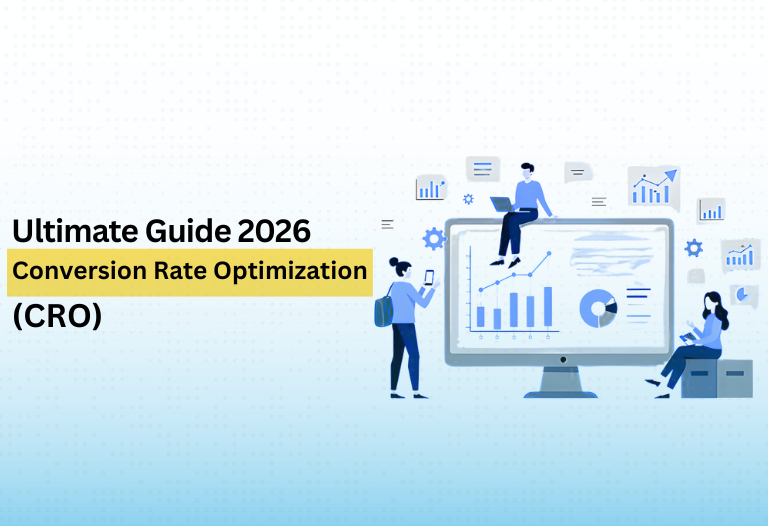
Driving traffic to a website has become more expensive every year. Ad costs climb, organic competition grows, and visitors arrive with less patience than ever. Yet many businesses keep pouring money into getting more clicks while ignoring a simpler question: what happens once those visitors land on the page?
Conversion rate optimization, or CRO, answers that question. It is the process of improving your website so more visitors take the action you want, such as buying, booking, calling, or filling in a form. Because it works with the traffic you already have, CRO is often one of the most cost-effective ways to grow revenue. Even a modest lift, from 2% to 3%, means 50% more customers from the same visitors.
Putting a CRO program together takes research, testing, and steady follow-through, which is why some businesses rely on providers of digital marketing services in Karachi to handle analysis, design improvements, and experiments alongside their traffic campaigns. Whether you work with experts or manage things yourself, the ten strategies below give you a practical roadmap for turning more visitors into customers in 2026.
1. Start with data, not opinions
The most common CRO mistake is changing a website based on personal taste. Strong optimization starts with evidence. Before you touch a page, collect information on how people actually behave.
- Analytics show which pages get traffic, where visitors leave, and which sources convert best.
- Heatmaps and scroll maps reveal where people click and how far they read.
- Session recordings let you watch real visits and spot confusion or broken elements.
- Customer surveys and reviews explain the “why” behind the numbers.
Look for pages with high traffic but weak results. Fixing these first delivers the biggest returns.
2. Make your value proposition instantly clear
Visitors decide within seconds whether a site is right for them. Your headline and opening section should state what you offer, who it is for, and why it is better than the alternatives.
Replace vague slogans with specific benefits. “Affordable solutions for modern businesses” says almost nothing, while “Accounting software that cuts your monthly bookkeeping to two hours” says a lot. Support the headline with a short subheading, a relevant image or video, and a visible call to action.
3. Optimize for mobile first
For most businesses, the majority of visitors now arrive on a phone. A site that looks fine on a desktop but feels awkward on mobile will lose sales quietly.
Check that:
- Text is readable without zooming
- Buttons are big enough to tap comfortably
- Navigation is simple
- Forms are short and easy to complete
- Click-to-call and WhatsApp buttons are easy to find
- Pop-ups do not block the screen
Test on real devices and slower connections, because that is how many customers will experience your site.
4. Improve page speed
Speed has a direct effect on conversions. Slow pages frustrate visitors, raise bounce rates, and weaken both ad performance and search visibility.
Quick wins include compressing images, using modern image formats, removing unused plugins and scripts, enabling caching, and choosing dependable hosting. Run your key pages through a speed testing tool and fix the biggest issues first. Pay special attention to your homepage, product pages, and landing pages, since these often handle the most valuable traffic.
5. Write stronger calls to action
A call to action (CTA) tells visitors what to do next. Generic buttons such as “Submit” or “Learn more” give little motivation. Better CTAs are specific, benefit-driven, and easy to spot.
- Use action-focused wording: “Get my free quote,” “Book my consultation,” “Start my trial”
- Make buttons stand out with contrast and spacing
- Keep one primary CTA per section to avoid decision overload
- Add reassurance nearby, such as “No credit card needed” or “Reply within 24 hours”
Place CTAs at natural decision points, not just at the bottom of the page. Long pages often benefit from repeating the same action several times.
6. Build trust with social proof
Visitors are cautious, especially when they are spending money or sharing personal details. Social proof reduces that hesitation by showing that others have already chosen you and been satisfied.
Effective forms include customer reviews, detailed testimonials with names and photos, case studies with measurable results, client logos, ratings, certifications, and guarantees. Specific stories are more persuasive than general praise. “We increased inquiries from 15 to 48 a month” beats “Excellent service.”
Place proof near key decision points, such as beside pricing, forms, and CTAs, rather than hiding it on a separate page.
7. Reduce friction in forms and checkout
Every extra field, click, or surprise cost gives visitors a reason to leave. Review your forms and checkout flow carefully.
- Ask only for essential information
- Offer guest checkout instead of forcing account creation
- Show progress indicators on multi-step forms
- Give clear error messages and inline help
- Include familiar local payment options, such as cash on delivery or mobile wallets, where relevant
- Reveal shipping costs and return policies early
Many abandoned carts come from unexpected fees or confusing steps. Transparency and simplicity build confidence and speed up decisions.
8. Personalize the experience
Visitors arrive with different goals, and one generic page rarely serves them all. Personalization helps each person feel the page was made for them.
Start simple:
- Create dedicated landing pages for each ad campaign or audience
- Match the headline to the ad or email that brought the visitor
- Show different messages to new and returning visitors
- Recommend products or content based on browsing behavior
- Segment email follow-ups by interest or buying stage
You do not need advanced technology to begin. Even tailoring a landing page to a single audience can noticeably improve results.
9. Use AI tools carefully
In 2026, many CRO platforms use AI to summarize user behavior, suggest test ideas, personalize content, and power chat assistants. These tools can save time and highlight patterns that are easy to miss.
Still, they work best as support rather than decision-makers. Compare their suggestions with what you know about your customers, and test changes before rolling them out widely. If you use automated chat, make sure people can reach a real person easily when their question is complex or urgent. Speed matters, but so does a human touch when someone is ready to buy.
10. Test continuously
CRO is not a one-time redesign. It is an ongoing cycle of testing, learning, and improving. A/B testing lets you compare two versions of a page or element and see which performs better.
A simple testing process looks like this:
- Identify a problem using your data, such as a landing page with a high exit rate.
- Form a hypothesis, for example: “A shorter form will increase submissions because it takes less effort.”
- Change one main element at a time, such as the headline, image, CTA, or form length.
- Run the test long enough to collect reliable results and avoid ending it too early.
- Document the outcome and apply what you learned to other pages.
Not every test will win, and that is normal. Even losing tests reveal what your audience does not respond to, which sharpens future decisions. If your traffic is low, focus on bigger changes and qualitative research instead of tiny tweaks that need large sample sizes.
Metrics to track
Keep your attention on numbers connected to business results rather than vanity metrics:
- Overall and page-level conversion rates
- Conversion rate by device and traffic source
- Bounce rate and exit rate on key pages
- Form completion rate
- Cart abandonment rate
- Average order value
- Cost per lead and cost per acquisition
- Revenue per visitor
Review these monthly, and connect changes to specific updates or tests so you know what is working.
Common CRO mistakes to avoid
- Redesigning without research. A new look does not guarantee more sales.
- Testing too many things at once. You will not know which change made the difference.
- Ignoring mobile users. They are often your biggest audience.
- Copying competitors. What works for another business may not suit your customers.
- Stopping tests too soon. Early results can be misleading.
- Neglecting follow-up. Many visitors need a reminder, so use retargeting, email, and quick replies to inquiries.
A simple 60-day starting plan
Days 1 to 15: Set your main conversion goal, review analytics, and identify your top three problem pages.
Days 16 to 30: Fix the basics: mobile usability, page speed, clearer headlines, and stronger CTAs.
Days 31 to 45: Add social proof, simplify forms, and create at least one tailored landing page.
Days 46 to 60: Launch your first A/B tests, measure results, and plan the next round of improvements.
Final thoughts
CRO rewards patience and curiosity. Instead of chasing more traffic, you learn to get more from the visitors you already have. By starting with data, clarifying your message, removing friction, building trust, and testing steadily, you create a website that works harder for your business every month.
Choose one or two strategies from this list, apply them to your most important page, and measure the results. For a deeper look at how the whole process works, see our simple guide to conversion rate optimization.








Comments (0)