

What Is SpamRescue and How Does It Work?
Recovering false positives and stopping phishing at once is what SpamRescue does. See how its scoring system rescues real email from spam folders.
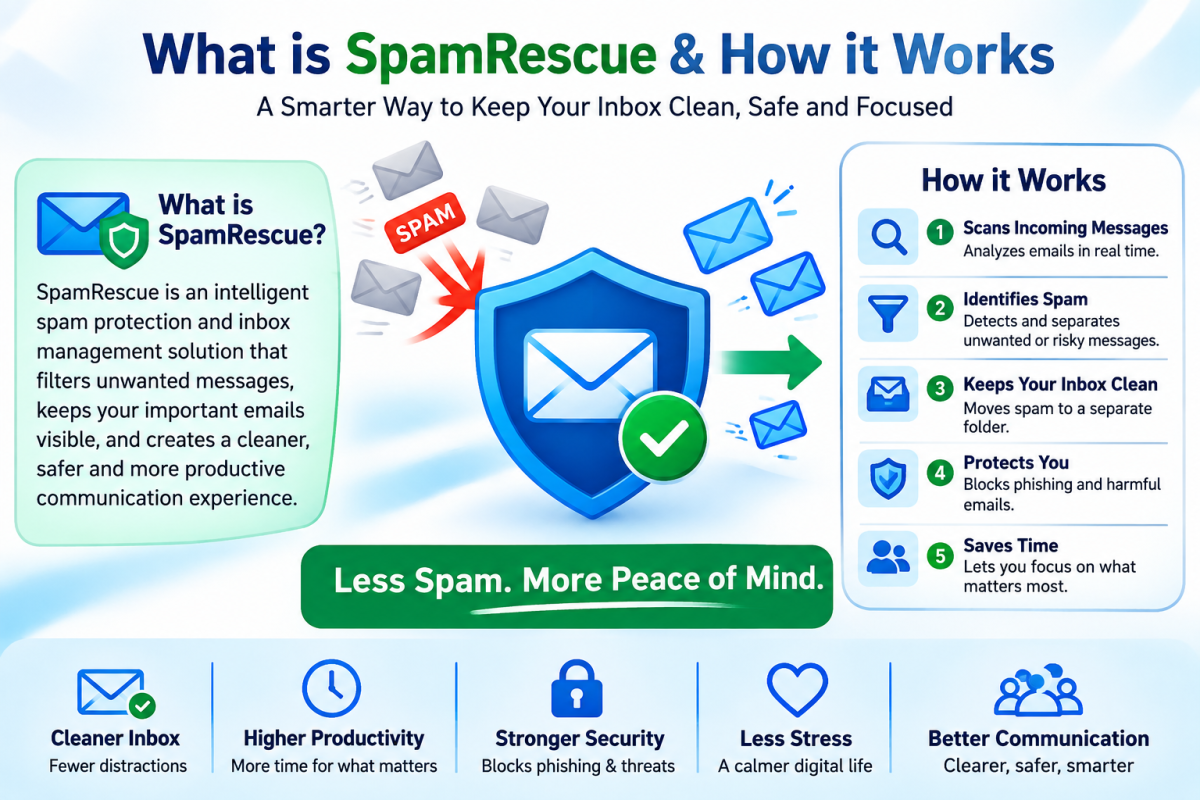
Quick answer: SpamRescue is an email safety tool built to recover legitimate messages that get wrongly buried in spam folders, while also strengthening protection against real threats like phishing and malware. It works by combining smart filtering rules with a recovery layer that flags and restores false positives, so users stop losing important emails without opening the door to junk mail.
That single idea, catching bad email while rescuing the good, is the whole reason SpamRescue exists. Below is a full breakdown of what it does, how it functions behind the scenes, and what anyone considering it should know before signing up.
The Problem SpamRescue Was Built to Solve
Spam filters have gotten better at blocking junk, but that improvement has a hidden cost. Overly aggressive filtering often flags real emails as spam too. A client proposal, a password reset, an invoice from a vendor, a message from a new customer. These get quietly routed into a spam folder that most people check once a month, if ever.
This is called a false positive, and it is one of the most common frustrations tied to modern email deliverability. SpamRescue was created specifically to close that gap. Instead of treating spam filtering as an all-or-nothing switch, it treats it as something that needs a second layer of judgment.
What SpamRescue Actually Does
At its core, SpamRescue performs three connected jobs:
-
Threat detection, identifying genuinely dangerous or unwanted email using pattern recognition, sender reputation checks, and content analysis
-
False positive recovery, scanning quarantined or filtered messages to catch legitimate email that got mistakenly blocked
-
Inbox management, giving users visibility and control over what gets filtered, restored, or permanently blocked
Each of these functions works together rather than as separate tools. The system does not just ask "is this spam?" It asks "is this spam, and if so, how confident are we, and does anything about this sender or message suggest we might be wrong?"
How SpamRescue Works: The Step-by-Step Process
Understanding the mechanics helps explain why the tool behaves differently from a standard spam filter.
Step 1: Incoming Mail Is Scored, Not Just Sorted
Every incoming message is evaluated across multiple signals at once, including sender history, domain reputation, message structure, and known threat patterns. Rather than producing a simple spam or not spam label, the system generates a confidence score. Messages with high confidence of being spam are filtered normally. Messages that fall into a gray zone, likely spam but not certain, are the ones that matter most.
Step 2: Gray Zone Messages Get a Second Look
This is where SpamRescue separates itself from conventional filtering. Messages that scored as probable spam but do not meet a strict confidence threshold are held for a secondary review process instead of being deleted outright. This secondary process checks for signals of legitimacy such as a known contact, a reply to an existing thread, or a sender domain with a clean sending history.
Step 3: Recovery and Restoration
If a message in that gray zone shows signs of being legitimate, it gets pulled out of the spam folder and restored to the inbox, often with a flag noting that it was recovered. This is the "rescue" part of SpamRescue, and it is the feature most existing users mention as the reason they adopted the tool in the first place.
Step 4: Continuous Learning From User Behavior
Every time a user manually marks a recovered message as legitimate or manually flags something as spam, that action feeds back into the scoring model for future messages. Over time, the filter becomes tuned to the specific patterns of that user's inbox rather than relying purely on generic rules.
What Makes SpamRescue Different From a Standard Spam Filter
A traditional spam filter is designed around one goal: block as much junk as possible. SpamRescue is designed around two goals that often pull in opposite directions: blocking junk and preserving legitimate mail. That dual objective changes the entire architecture of the system.
Where a standard filter treats every flagged email the same way, SpamRescue treats confidence level as a variable. Where a standard filter is static once configured, SpamRescue adjusts based on ongoing feedback. And where a standard filter usually gives users no visibility into what was blocked, SpamRescue is built around transparency, so people can see what was caught, why it was caught, and what was rescued.
Who SpamRescue Is Built For
This kind of tool tends to matter most to people and organizations where a single missed email carries real consequences. That includes small businesses handling client communication, sales teams relying on inbound leads, freelancers who cannot afford to miss a project inquiry, and anyone managing a busy inbox where manually checking a spam folder every day is not realistic.
It is less critical for someone using email casually with low volume, but even then, the peace of mind of knowing nothing important slipped through tends to be worth the setup.
Key Terms Customers Should Know
A few concepts come up often enough that they are worth defining clearly:
Deliverability refers to whether an email successfully reaches an inbox rather than getting blocked or filtered before it arrives. SpamRescue focuses on the receiving side of deliverability, making sure what arrives is properly sorted.
Email safety is the broader category SpamRescue belongs to, covering protection from phishing, malware links, and social engineering attempts sent through email.
Digital privacy matters here too, since spam and phishing attempts are frequently used to harvest personal data. Reducing exposure to these messages is part of a broader privacy strategy.
Business email security describes the higher-stakes version of this problem, where a single successful phishing email or a single missed client message can have financial consequences.
Setting Expectations: What SpamRescue Does Not Do
It is worth being direct about the boundaries of the tool. SpamRescue is not a replacement for basic digital hygiene like using strong passwords or enabling two-factor authentication. It also does not guarantee that every single legitimate email will be recovered, since some messages are genuinely ambiguous even to advanced filtering logic. What it does provide is a meaningful reduction in lost email and a stronger layer of protection against threats compared to relying on default filtering alone.
For a closer look at the technical setup and configuration options, the SpamRescue how it works page walks through the account-level settings in more detail, and the SpamRescue features overview covers the full list of protections included in each plan.
Common Signs an Inbox Needs This Kind of Protection
A few patterns tend to show up before someone realizes their current filtering setup is not working the way they think it is.
-
A client or customer mentions sending an email that was never seen, and it later turns up in the spam folder.
-
Password reset or account verification emails routinely land somewhere other than the primary inbox.
-
The spam folder is rarely checked because it fills up too fast to scan manually.
-
Suspicious-looking emails still slip through despite an existing filter being active.
-
Multiple people on the same team report similar missed message problems
Any one of these on its own might seem minor. Together, they usually point to a filtering system that is either too aggressive, too lenient, or simply not adaptive enough to tell the difference between the two.
How Setup Typically Works
Getting a system like this running usually follows a fairly predictable pattern regardless of email provider. An account connects through existing email infrastructure so that incoming mail can be scored before or as it arrives. From there, most of the initial configuration involves setting sensitivity preferences, deciding how aggressive the gray zone recovery should be, and choosing how much visibility is wanted into what gets filtered day to day.
Once that initial setup is complete, the ongoing maintenance is minimal. The system is designed to keep learning from behavior rather than requiring constant manual adjustment, which is part of why it tends to fit naturally into an existing workflow instead of adding another task to manage.
Frequently Asked Questions
Does SpamRescue replace my existing spam filter? It typically works alongside existing filtering rather than replacing it, adding the recovery and gray zone analysis layer on top of standard filtering.
Will SpamRescue slow down email delivery? No. The scoring and analysis process happens quickly enough that it does not introduce noticeable delay for end users.
Can SpamRescue be adjusted for a specific business's needs? Yes, since the system learns from user feedback, it becomes more tailored to a specific inbox's patterns over time.
Is SpamRescue only for spam folder recovery? Recovery is the most visible feature, but threat detection and ongoing inbox management are equally central to how the tool functions.
Final Thoughts
Email is still the backbone of most business communication, which makes both spam folder recovery and threat detection equally important rather than competing priorities. SpamRescue's approach, scoring confidence instead of applying a blunt block or allow rule, reflects a broader shift happening across email security more generally. As phishing techniques get more sophisticated, static filtering rules struggle to keep pace, which is part of why organizations like the Federal Trade Commission continue to update public guidance on recognizing evolving phishing tactics. Tools built around continuous learning and recovery, rather than one-time configuration, are better positioned to keep up with that shift.

A well-managed inbox can make communication faster, safer, and less stressful. SpamRescue highlights useful strategies for spam filtering, recognizing deceptive messages, and improving overall inbox protection. By understanding common email threats and applying smarter filtering practices, users can avoid unnecessary distractions and reduce exposure to potentially harmful content. These straightforward approaches make it easier to keep important messages accessible while creating a more secure and organized email environment.




Comments (0)