Online LTO Portal: Complete Guide for Drivers and Vehicle Owners
The digital transformation of government services has made many processes faster and easier for citizens. One of the most helpful platforms for motorists in the Philippines is the LTO online system, which allows drivers and vehicle owners to manage many services without visiting a physical office. The Land Transportation Office introduced this platform to reduce long queues, simplify documentation, and improve accessibility for everyone.
 HaleighBauch
The digital transformation of government services has made many processes faster and easier for citizens. One of the most helpful platforms for motorists in the Philippines is the LTO online system, which allows drivers and vehicle owners to manage many services without visiting a physical office. The Land Transportation Office introduced this platform to reduce long queues, simplify documentation, and improve accessibility for everyone.
Through the modern Online LTO Portal, users can register accounts, check driver’s license status, renew licenses, view violations, schedule appointments, and manage vehicle records from anywhere with an internet connection. This system saves time and effort while making government services more transparent and convenient.
This guide explains everything you need to know about the portal, including its features, registration process, benefits, and common questions from users.
What Is the Online LTO Portal?
The online portal is a web-based system created by the Land Transportation Office to provide digital access to driver and vehicle services.
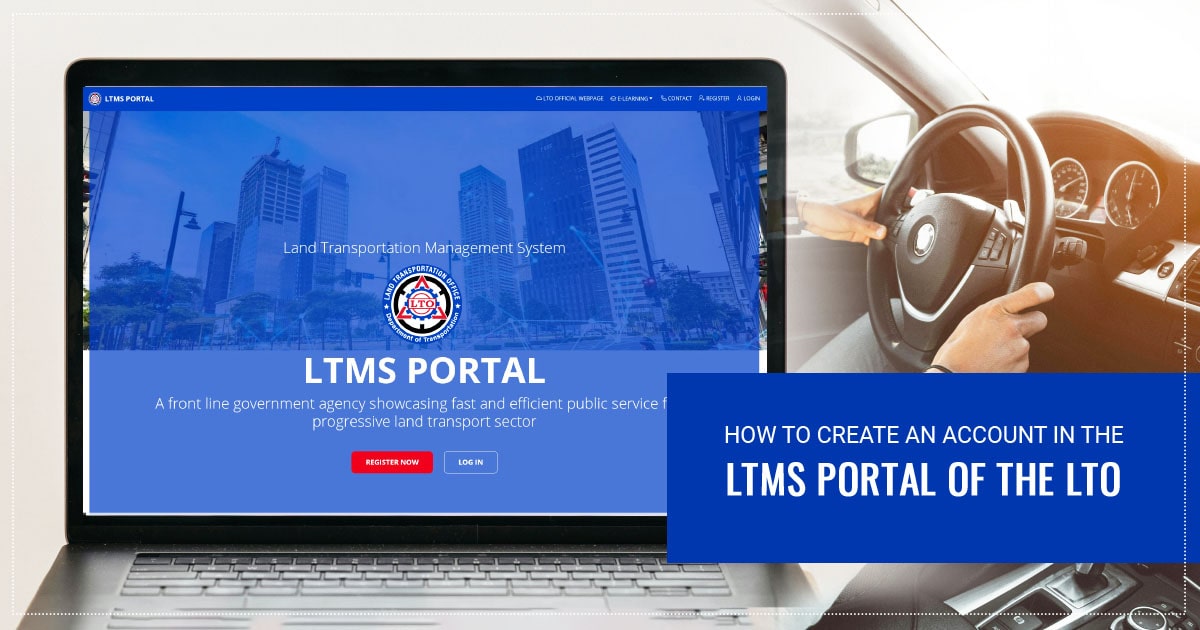
Instead of visiting LTO branches for every request, drivers can now perform many transactions online. The platform is often referred to as the LTMS (Land Transportation Management System) portal, which centralizes records for drivers, vehicles, and enforcement activities.
The portal is designed for:
-
Drivers renewing licenses
-
New driver applicants
-
Vehicle owners checking registration status
-
People paying fines or violations
-
Individuals scheduling LTO appointments
With these features available online, the portal significantly reduces waiting time and improves service efficiency.
Why the Online LTO Portal Is Important
Before digital systems were introduced, many motorists had to spend hours or even an entire day at LTO branches just to process a single transaction. The online portal changed this experience completely.
Key Reasons the Portal Matters
1. Time Efficiency
Drivers can complete many tasks online instead of traveling to government offices and waiting in long queues.
2. 24/7 Accessibility
The portal is available anytime, allowing users to check records or submit requests whenever it is convenient.
3. Transparent Records
Motorists can easily view their license details, violation history, and vehicle information.
4. Reduced Physical Crowds
Online processing helps reduce congestion at LTO offices.
5. Faster Communication
Notifications, confirmations, and updates are sent digitally through the portal.
These advantages make the portal an essential tool for modern vehicle management.
Main Features of the Online LTO Portal
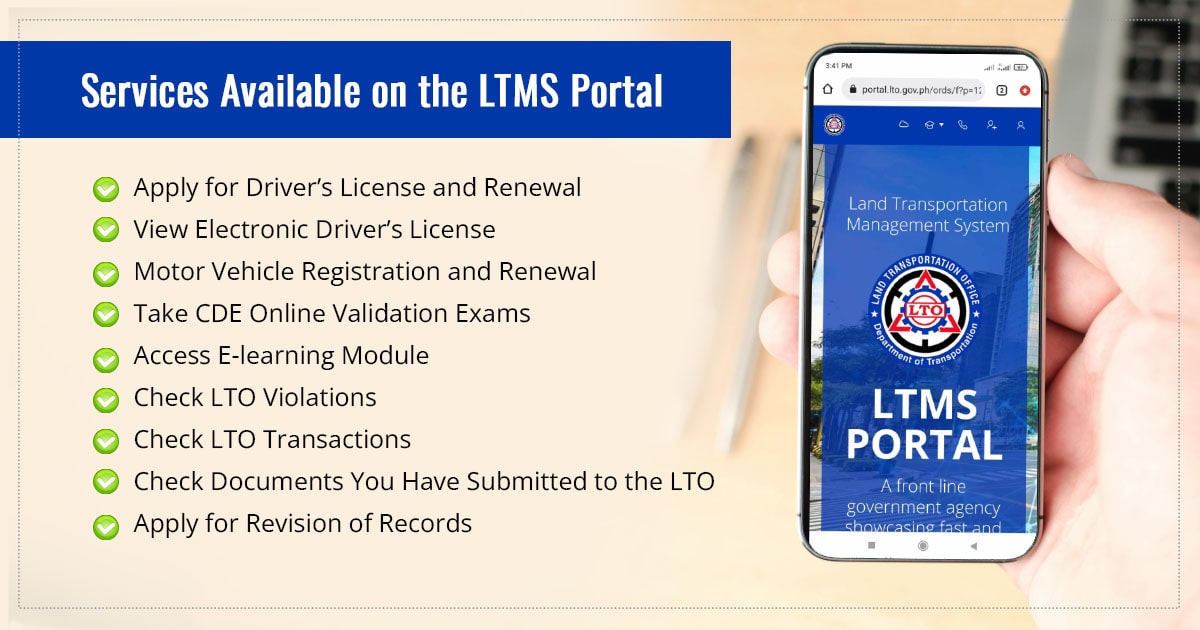
The portal offers a wide range of services designed to simplify processes for drivers and vehicle owners.
Driver’s License Services
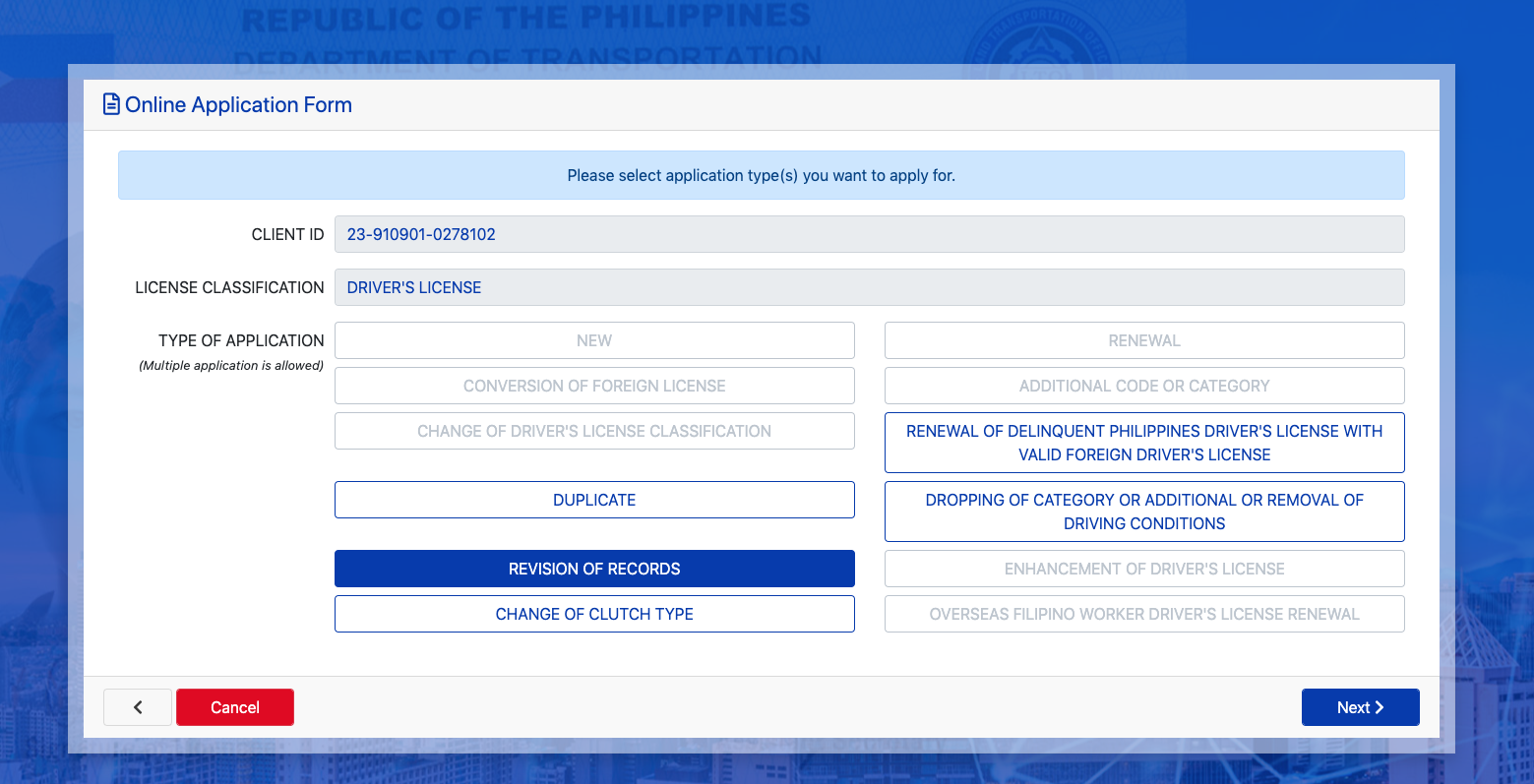
One of the most popular uses of the portal is managing driver’s licenses.
Drivers can:
-
Renew their licenses
-
Check license validity
-
View license classification
-
Review violation records
This allows motorists to stay informed about their driving status and avoid penalties.
Vehicle Registration Management
Vehicle owners can also use the portal to manage registration details.
Available functions include:
-
Checking vehicle registration status
-
Viewing vehicle information
-
Monitoring expiration dates
-
Updating personal records
This helps prevent missed renewal deadlines.
Appointment Scheduling
Another useful feature is the ability to book appointments online.
Instead of waiting in line, users can:
-
Choose the nearest LTO office
-
Select a service
-
Pick an available date and time
-
Receive appointment confirmation
This system improves efficiency and organization.
Violation and Fine Monitoring
Drivers can also check if they have pending violations or penalties recorded in the system.
The portal displays:
-
Traffic violations
-
Penalty details
-
Payment requirements
Knowing this information early helps drivers settle fines quickly.
How to Register for the LTO Portal
Creating an account is the first step to accessing the system.
Step 1: Visit the Portal Website
Open the official LTO portal in your web browser.
Step 2: Choose Account Registration
Click the option for creating a new account.
Step 3: Provide Personal Information
You will need to enter:
-
Full name
-
Email address
-
Mobile number
-
Driver’s license details (if available)
Step 4: Verify Your Account
A verification link or code will be sent to your email or phone.
Step 5: Create Login Credentials
Set a strong password and complete the registration process.
After registration, you can log in anytime to access services.
Benefits of Using the LTO Portal
Digital government systems are designed to improve the user experience. The LTO portal offers several benefits for drivers and vehicle owners.
Convenience
Users can complete many tasks online without visiting offices repeatedly.
Faster Processing
Digital systems reduce paperwork and processing delays.
Better Record Management
Drivers can easily track their personal records and vehicle information.
Reduced Errors
Online forms help ensure correct data entry and reduce manual mistakes.
Easy Status Checking
Instead of waiting for updates, users can simply log in and check the status of their requests.
These advantages show why digital platforms are becoming essential in modern transportation systems.
Who Should Use the Portal?
The system is designed for different types of users connected to vehicle and driver services.
New Drivers
People applying for licenses can use the portal to begin their application process.
Licensed Drivers
Drivers with existing licenses can renew, update, or check their records online.
Vehicle Owners
Anyone who owns a registered vehicle can track registration and related details.
Motorists with Violations
Drivers who want to check or settle penalties can review their violation history.
Tips for Using the LTO Portal Safely
While the portal is designed to be secure, users should still follow good online practices.
Use Strong Passwords
Choose passwords that include numbers, symbols, and uppercase letters.
Avoid Public Wi-Fi for Sensitive Transactions
Public networks may not always be secure.
Log Out After Use
Always log out when using shared or public computers.
Verify Official Websites
Make sure you are accessing the official portal to avoid phishing or fake websites.
These simple precautions can help protect your personal data.
Common Problems Users Face
Even though the portal is convenient, some users experience issues when using the system.
Account Verification Delays
Sometimes verification emails or codes may take longer to arrive.
Incorrect Personal Information
Errors during registration can cause login problems later.
Slow Website Performance
Heavy traffic on the portal may occasionally slow down the system.
Forgotten Passwords
Users who forget login credentials may need to reset their accounts through the recovery option.
Most of these issues can be resolved easily through the portal’s help or support section.
Future Improvements for the Portal
As technology continues to evolve, government systems are expected to become even more advanced.
Possible improvements may include:
-
Mobile applications for easier access
-
Faster payment processing for fines and fees
-
Integration with other government databases
-
Improved appointment scheduling systems
-
Real-time updates on license and vehicle records
These upgrades will help make transportation services even more efficient.
FAQs
What is the Online LTO Portal used for?
It is a digital platform that allows drivers and vehicle owners to access LTO services online, including license renewal, registration checks, and appointment scheduling.
Do I need an account to use the portal?
Yes. Users must create an account before accessing services and viewing personal records.
Can I renew my driver’s license online?
In many cases, drivers can start the renewal process online and schedule an appointment through the portal.
Is the portal available 24/7?
Yes. The system can be accessed anytime through an internet connection.
Can I check my traffic violations online?
Yes. The portal allows drivers to view recorded violations and related penalties.
Is the portal safe to use?
The system is designed with security measures, but users should still follow safe internet practices.
Final Words
The Online LTO Portal has significantly improved the way motorists interact with government transportation services. By providing digital access to license management, vehicle registration, violation monitoring, and appointment scheduling, the platform saves time and reduces the need for repeated office visits.
For drivers and vehicle owners, learning how to use the portal can make managing transportation documents much easier. As more government services move online, platforms like this will continue to play an important role in improving efficiency and accessibility for the public.
By using the portal regularly and keeping personal records updated, motorists can ensure smoother transactions and avoid unnecessary delays in the future.