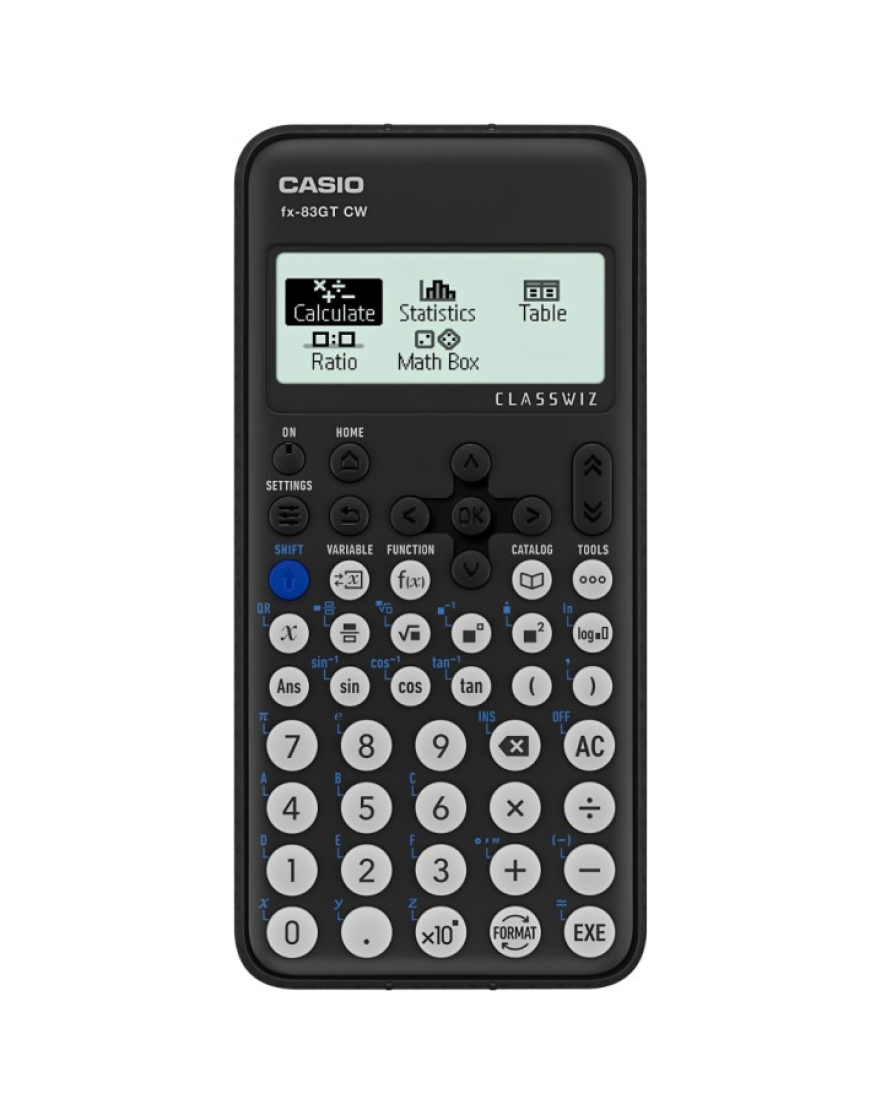
Casio Scientific Calculator: Which One Should You Choose?
A Casio Scientific Calculator can feel like a small upgrade, yet it changes how quickly you solve algebra, calculus, and everyday problem sets. Because Casio models are built for reliable classroom and lab use, they suit students, technicians, and anyone who needs consistent results without distractions.
Why a Casio scientific calculator is still a smart choice
Although learning apps are popular, exams and hands on work still rely on dependable handheld tools. A well chosen calculator helps you check steps, reduce errors, and stay focused.
It also supports practical STEM tasks. In electronics, you often calculate values while handling tools, cables, and connectors on the bench, so quick answers matter.
Built for accuracy under pressure
Casio layouts are typically clear and responsive, which helps when you work fast in class. Many models also handle complex numbers, fractions, and scientific notation smoothly, so you avoid switching between devices.
Features to look for before you buy
Different Casio ranges target different needs. Therefore, match features to your subjects and daily workflow.
Display and readability
A clear display reduces mistakes, especially with fractions and roots. Look for:
-
Natural textbook style display for fractions and radicals
-
Step history so you can review input
-
Clean exponent formatting for scientific notation
Functions that support real learning
For general maths you may only need core functions. However, science and engineering benefit from advanced modes:
-
Trigonometry, logarithms, and powers for physics and chemistry
-
Statistics for mean, standard deviation, and regression
-
Equation solving for algebra and systems
-
Matrix and vector tools for higher engineering
If you regularly switch angle units, quick degree and radian change is useful.
Power, durability, and exam friendliness
Casio models are known for long battery life, and some combine solar and battery for convenience. Also consider a protective cover, durable keys, and a straightforward interface that fits common exam rules.
Choosing the right model for your workflow
Instead of buying the most advanced option, pick the one that removes friction from your routine.
School and college maths
Choose a model with natural display, fraction support, and strong trig functions. Because learning depends on repetition, ease of use matters more than rare extra menus.
University engineering and applied science
University work often includes statistics, complex numbers, and multi step formulas. As a result, built in solvers and matrix functions can save time during problem sets and lab prep.
Technicians, maintenance, and workshop tasks
In practical settings you need speed and clarity. A Casio scientific calculator helps with:
-
Ohm law checks and power estimates
-
Unit conversions for electrical and mechanical work
-
Time constants using capacitor and resistor values
-
Frequency calculations when testing sensors and controllers
When you diagnose circuits around microcontrollers and microprocessors, small calculations help you validate readings before changing parts.
Practical examples for electronics and electrical work
A calculator becomes more valuable when you connect it to real tasks.
LED and protection checks
When wiring LEDs, you often compute a resistor value from supply voltage, LED drop, and target current. Doing this quickly protects components and supports safety when you work near switches and fuses.
RC timing and sensor behaviour
Many sensor circuits and microcontroller inputs use RC timing. You can estimate response times using R times C, then adjust values during testing for stable behaviour.
Quick thermal and power thinking
Heat is a common cause of failure in compact electronics. While detailed thermal analysis may require software, quick estimates still guide decisions.
For example, you can estimate power loss across a component and decide whether thermal pads, improved airflow, or better contact surfaces are needed. Good connections also reduce hotspots, so check terminals and contactors carefully.
Daily habits that improve speed and accuracy
Even a great calculator can slow you down if you use it inconsistently.
Set useful defaults
Set angle units, display format, and decimal preferences so your results look consistent across homework, lab notes, and reports. Learn the replay keys, because checking earlier steps is faster than retyping.
Use memory with intention
Store constants and repeated values for faster work. This is helpful when you compare readings during troubleshooting of controllers, contactors, and sensor circuits.
Keep it clean and ready
Wipe the keypad gently and avoid harsh oils that can degrade plastics. If you work in workshops, keep it in its cover to protect it from dust. If you use grips or gloves for safety, practise key sequences so input stays accurate.
Summary
A Casio Scientific Calculator remains a reliable tool for students, engineers, and technicians because it delivers quick, consistent results in maths, science, and practical electronics. Choose a model that matches your level, prioritise readability and the functions you use, and build a simple routine around it for confident problem solving.

 jackzkr317