What Is a CMS, and Which One Is Right for Your Business? (WordPress vs Webflow vs Custom)
Confused between WordPress, Webflow, and custom development? Learn what a CMS actually is and how to pick the right one for your business website.
 hudson
A CMS (Content Management System) is what lets you edit your website — text, images, pages — without needing to know how to code. Most businesses pick one based on what they've heard of, not what actually fits how they work. This guide breaks down what a CMS actually is, and how to choose between WordPress, Webflow, and a custom-built website based on your real needs, not just brand recognition.
What Is a CMS?
A CMS is software that lets you create, edit, and manage your website's content yourself, without writing code every time you want to make a change.
What a CMS Actually Lets You Do
With a CMS, you can add a new blog post, change the text on your homepage, or swap out an image all through a simple dashboard, the same way you'd edit a document. Without one, every small change would need a developer to go into the code directly.
A Common Mix-Up: CMS vs Website Builder vs Developer
People often use these terms loosely, but they're not the same thing. A CMS is the system that manages your content. A website builder (like some drag-and-drop tools) is a simpler, more limited way to build a site, often without much flexibility. A developer builds the actual website sometimes on top of a CMS, sometimes fully custom. Knowing this difference helps you understand what you're actually choosing between.
WordPress - What It Is and Who It's For
WordPress is the most widely used CMS in the world, known for its huge range of themes, plugins, and flexibility.
Strengths
WordPress works well because of its massive plugin ecosystem, almost any feature you need probably already has a plugin for it. It's also widely known, so it's easier to find people who can manage or edit it later.
Trade-Offs
WordPress needs regular updates and maintenance to stay secure. If plugins aren't managed carefully, a site can become slow or cluttered with things it doesn't actually need, often called "plugin bloat."
Webflow - What It Is and Who It's For
Webflow is a modern, design-focused CMS that gives you strong visual control while still being manageable without deep coding knowledge.
Strengths
Webflow is well suited to design-led marketing sites and landing pages, since it gives more precise control over how a site looks without needing custom code for every detail. It also needs less backend maintenance, since hosting and updates are handled by the platform itself.
Trade-Offs
Webflow can get expensive as a site grows, and it's less flexible than WordPress or a custom build when a business needs complex, non-standard features.
Custom-Built Websites - What They Are and Who They're For
A custom-built website is developed from scratch, without relying on a pre-built CMS platform, giving full control over exactly how it works.
Strengths
A custom build is made exactly to a business's needs, with nothing extra or unnecessary running in the background. This gives the most control and the best long-term flexibility for businesses with specific, complex requirements.
Trade-Offs
Custom websites usually cost more upfront and take longer to build, since everything is planned and built from the ground up rather than starting from an existing platform.
WordPress vs Webflow vs Custom: The Core Differences
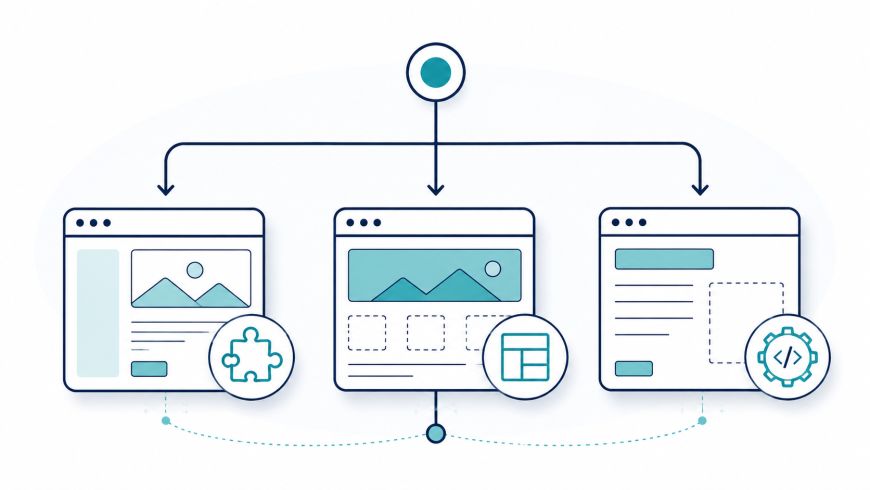
In short: WordPress offers flexibility through plugins, Webflow offers design control with less maintenance, and custom builds offer full control at a higher cost and longer timeline.
| Capability | WordPress | Webflow | Custom |
|---|---|---|---|
| Cost to build | Lower | Medium | Higher |
| Ongoing maintenance | Needs regular updates | Minimal — hosted and managed by the platform | Depends entirely on how it's built |
| Flexibility for custom features | High, through plugins | Moderate, within the platform's limits | Highest, built exactly to your needs |
| Best for | Content-heavy sites, blogs, small and mid-sized businesses | Design-led marketing sites, landing pages | Complex features, unique business needs |
A Real Example: Choosing the Right Platform for the Job
A client once came to us assuming they needed a fully custom-built website, mainly because that's what they'd heard "serious" businesses use. But once we understood what they actually needed, a content-heavy site with frequent blog updates and no unusual custom features WordPress was the better fit. It saved them a significant amount of budget and got them live faster, without giving up anything they actually needed. The lesson wasn't that one platform is better than another, it's that the right choice depends entirely on what the business actually needs to do with its website.
How to Decide: A Quick Framework
Choosing between these platforms is one of the most common questions a web development company gets asked before a project even starts. Ask these questions before choosing a platform:
- How often will you be updating content yourself, and how comfortable are you doing it?
- What's your budget, both for the initial build and for ongoing maintenance?
- Do you need highly custom features, or fairly standard functionality?
- How much design control do you need over how the site looks?
- How much is this website expected to grow or change over the next few years?
If your answers point to frequent content updates and standard features, WordPress is likely a strong fit. If design control and a polished look matter most, Webflow is worth considering. If your needs are complex or highly specific, a custom build is usually the better long-term choice.
Conclusion
There's no single "best" CMS, only the one that actually matches what your business needs to do. The businesses that end up happiest with their website aren't the ones who picked the most popular platform, they're the ones who picked the platform that fit their actual content, budget, and growth plans. Getting this decision right early saves both money and a rebuild down the line.