Project Management Software: A Practical Guide for Australian Businesses
Discover how project management software can help Australian businesses streamline workflows, improve team collaboration, track deadlines and costs, and manage projects more efficiently. This practical guide covers key features, benefits, and factors to consider when choosing the right solution.
 meMate
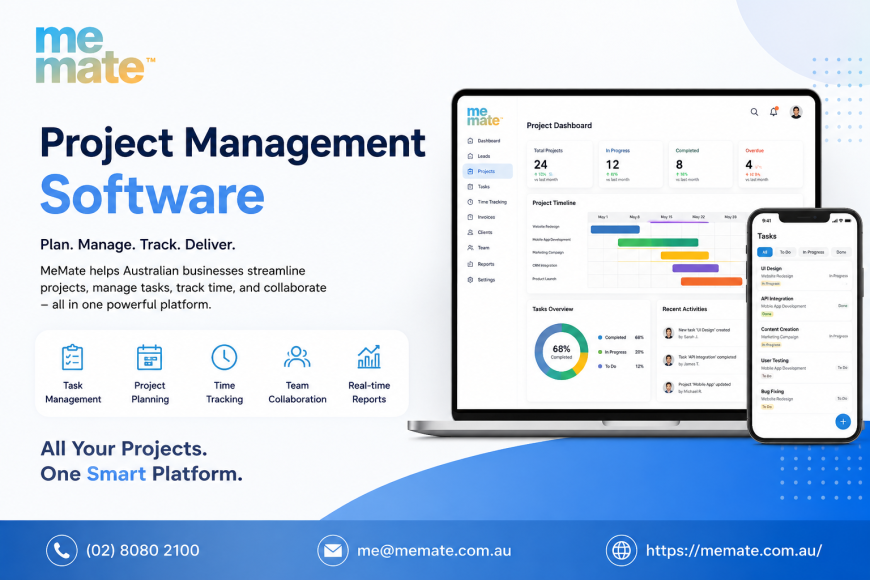
For many Australian businesses, managing projects successfully is less about having more meetings and more about having a clear view of what needs to happen, who is responsible and when work is due. As teams grow, spreadsheets, email threads and disconnected apps can make that increasingly difficult.
Project management software brings planning, tasks, communication, documents, time and reporting into a more organised workflow. But not every business needs the same level of functionality. The right choice depends on how a business operates, the complexity of its projects and the tools it already uses.
What Is Project Management Software?
Project Management Software is a digital platform designed to help businesses plan, organise, monitor and complete work. Depending on the product, it may provide task lists, calendars, project timelines, team collaboration, time tracking, reporting, document storage and workflow automation.
Consider a small Australian design agency managing several client campaigns. Instead of tracking deadlines in spreadsheets and approvals through separate email conversations, the team could use a central project workspace to assign tasks, set milestones, record time and monitor progress.
The value is not simply having another system. It is having a reliable source of information about ongoing work.
What Features Should Australian Businesses Look For?
The most useful features depend on the type of work being managed. However, several capabilities are worth assessing.
Task management and project planning
A good platform should make it straightforward to break a project into tasks, assign responsibility and establish deadlines. Milestones and dependencies can also help managers understand which activities need to happen before others can begin.
Team collaboration
Comments, notifications, shared files and project discussions can reduce the need to search through long email chains. For businesses with office-based, remote or mobile staff, this can make project communication easier to follow.
Time tracking and resource management
Time tracking can help businesses understand how much effort projects actually require. Resource management goes a step further by helping managers allocate people and capacity across competing projects.
This can be particularly useful for agencies, consultants, trades and professional services firms where staff time is closely connected to project profitability.
Reporting and workflow automation
Reporting can provide visibility into deadlines, workload, project progress and outstanding tasks. Automation can handle repetitive actions, such as assigning routine tasks, sending notifications or moving work between workflow stages.
Client, document and financial workflows
Some platforms combine project management with client management, quoting, invoicing and related business processes. Others focus specifically on project delivery and integrate with separate financial systems.
For Australian businesses, integration with existing accounting and business software may be more valuable than having every feature built into one platform.
Security should also be considered. Look for appropriate permissions, access controls, authentication options, data protection practices and reliable backups. The Australian Cyber Security Centre recommends measures such as multi-factor authentication, software updates and regular backups as part of a broader small-business security approach.
Project Management Software vs Job Management and Invoicing Software
The terms can overlap, but they generally address different operational needs.
Project management software is primarily concerned with planning and coordinating work. It is useful when a business needs to manage tasks, deadlines, resources, collaboration and project progress.
Job management software is often more operational. It may be designed around individual jobs, customers, scheduling, staff allocation, field work and job status. A trades business, for example, may need to coordinate appointments, workers, materials and job completion rather than manage a traditional multi-stage project.
Invoicing Software focuses primarily on billing customers, issuing invoices, tracking payments and maintaining financial records. It may connect to project or job workflows but does not necessarily provide comprehensive project planning.
There can be significant overlap. A business may use separate systems, or choose an integrated platform that combines several functions. The important question is whether the software matches the way the business actually operates.
How Much Does Project Management Software Cost?
There is no universal price for project management software. Providers commonly use per-user subscriptions, monthly or annual billing, tiered plans, feature-based packages or custom enterprise pricing.
The headline subscription price is only one part of the calculation.
Total cost can be influenced by:
-
the number of users
-
required features and automation
-
integrations
-
storage requirements
-
reporting capabilities
-
customer support
-
implementation and training
-
customisation
-
future growth
A low-cost plan may be sufficient for a small team with straightforward requirements, while a larger organisation may need advanced permissions, reporting, automation or administrative controls.
When comparing solutions, calculate the likely cost over at least 12 months rather than comparing monthly prices alone. Also check whether important capabilities are restricted to higher tiers.
How to Choose the Right Solution
Start with the business problem rather than the feature list.
Document how projects are currently managed and identify where work is being delayed, duplicated or lost. Then create a shortlist based on those specific problems.
Before committing, consider:
-
Ease of use: Can employees understand the workflow without extensive training?
-
Fit with existing processes: Does the software support the way your business already works?
-
Integrations: Can it connect with accounting, communication and other essential systems?
-
Scalability: Will it remain suitable as users, clients and projects increase?
-
Mobile access: Can employees access important information when working away from a desk?
-
Security and permissions: Can sensitive information be restricted appropriately?
-
Support: Is useful assistance available when something goes wrong?
-
Total cost: What will the platform realistically cost after users, features and integrations are included?
For example, a growing creative agency may prioritise client collaboration, deadlines and time tracking, while a contractor may place greater emphasis on scheduling, job status and mobile access.
Platforms such as meMate can also be considered where a business wants project-related workflows alongside broader business management capabilities. It should be evaluated against the same practical criteria as any other platform rather than selected simply because it combines multiple functions.
Common Mistakes to Avoid
One common mistake is buying software because it has the largest feature list. More functionality does not necessarily mean better results.
Another is failing to involve the people who will actually use the platform. A system that looks impressive to management but is cumbersome for employees can quickly become another administrative burden.
Businesses should also avoid migrating everything immediately without defining processes first. Establishing naming conventions, responsibilities, workflows and reporting requirements can make implementation considerably smoother.
Finally, do not overlook data security and access management. Business software can contain client information, financial data and commercially sensitive documents, so security should be part of the purchasing decision rather than an afterthought.
Frequently Asked Questions
Does a small business need project management software?
Not necessarily. A very small team with simple workflows may manage effectively with basic tools. Software becomes more valuable when projects, clients, deadlines or team members become difficult to coordinate manually.
What is the most important project management feature?
There is no single feature that suits every business. Task management, deadlines, collaboration and reporting are useful starting points, but the priority should be the capabilities that solve the business's biggest operational problems.
Is project management software the same as job management software?
No. They overlap, but project management generally focuses on coordinating planned work, while job management is often structured around individual jobs, customers, scheduling and operational delivery.
Can project management software include invoicing?
Some platforms provide invoicing or connect project information with invoicing workflows. Others integrate with dedicated accounting or invoicing systems. Businesses should check exactly what is included rather than assuming all platforms offer the same financial capabilities.
Should a business choose an all-in-one platform?
An integrated platform can reduce the number of systems employees need to use, but it is not automatically the best choice. Compare the depth of each function, integration options, usability and total cost before deciding.
Conclusion
Project management software can give Australian businesses greater visibility over projects, responsibilities, deadlines and resources, but its value depends on choosing a solution that fits the organisation's actual workflow.
The best approach is to define the problems first, identify the essential capabilities, compare total costs and test usability with the people who will rely on the system. Whether a business needs dedicated project management, job management, invoicing software or a broader integrated platform, the objective should remain the same: make work easier to organise, monitor and deliver.
That people-first approach also aligns with Google's current guidance for helpful content: useful information should satisfy the reader's needs, demonstrate appropriate expertise and provide meaningful value rather than being created primarily to manipulate search rankings.