Time Tracking Software for Remote Employees: How to Choose Without Losing Trust
Compare time tracking software for remote employees by cost, legality, and trust — plus a framework to pick the right model for your team.
 primeteams
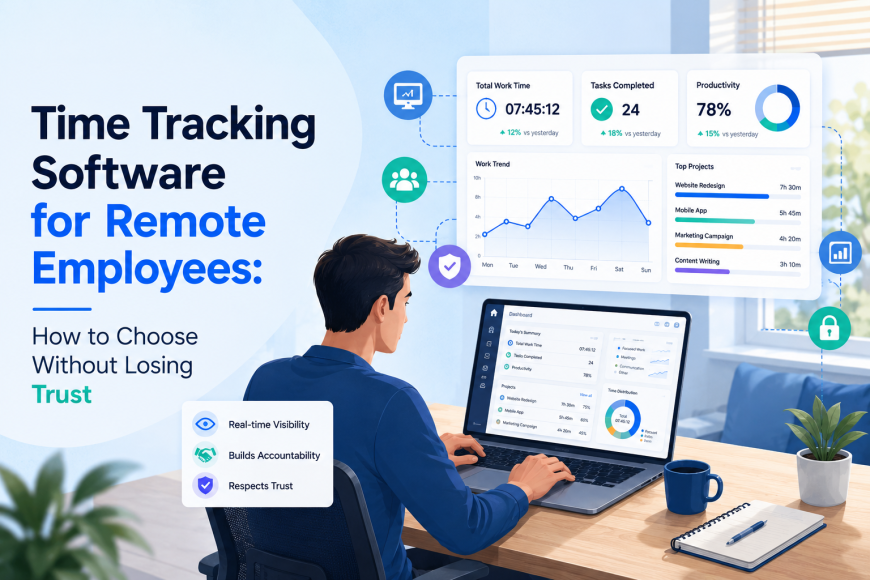
Somewhere between your third Zoom call and your fifth Slack thread about "who's working on what", you've probably had the thought: I have no idea how my team's time is actually being spent. That's not a trust problem — it's a visibility problem. And it's the exact reason time tracking software for remote employees has gone from a nice-to-have to something almost every distributed company evaluates in its first year.
But here's what most guides on this topic get wrong: they either sell you on surveillance ("watch every keystroke!") or wave away the hard questions ("just pick a tool and go!"). Neither approach works if you're actually running a team. This guide walks through what to look for, what's legal, what it costs, and how to roll it out without your best people quietly updating their resumes.
What Is Time Tracking Software for Remote Employees (and How It Differs from In-Office Tools)
At its core, time tracking software logs how long someone works and, often, what they worked on. Simple enough. The remote version of this problem is different from the in-office version in one key way: you can't just glance across the room to see who's at their desk.
In-office time tracking leaned on hardware – badge swipes, biometric scanners, and punch clocks. Remote tracking has to solve the same problem entirely in software: desktop apps, browser extensions, and mobile check-ins that infer presence and effort without anyone physically watching.
That shift created two very different philosophies, and almost every tool on the market leans toward one or the other:
-
Monitoring-based tracking — screenshots, keystroke activity, app and URL usage, "activity percentage" scores
-
Output/task-based tracking — time logged against specific tasks or projects, with less (or no) emphasis on moment-to-moment activity
Which one you need depends entirely on your team, and that's the first decision this guide will help you make – not "which brand" but "which philosophy".
Monitoring-Heavy vs. Trust-Based Tracking: Which Model Fits Your Team?
This is the decision that determines everything else, and it's the one most buying guides skip straight past on their way to a feature list.
Remote employee monitoring software captures activity levels, periodic screenshots and activity levels, and app/website usage. They're built for situations where you're billing a client by the hour or managing contractors you don't have a long working history with.
Real example: A 15-person digital marketing agency bills clients hourly for campaign work. The agency owner needs airtight proof of hours for invoicing disputes — a client once challenged a $4,000 invoice, and the agency settled for less because it had no activity data to back up the hours logged. After that, they moved to a monitoring-based tool with screenshots and app tracking. Disputes dropped to zero the following quarter because every invoice now comes with a defensible activity trail.
Trust-based, output-focused tools track time against tasks and deliverables without granular activity surveillance. They fit teams optimising for outcomes, not hours — especially async teams spread across time zones where "active at your desk" isn't even a meaningful concept.
Real example: A 40-person SaaS startup with engineers in Lisbon, Bangalore, and Austin tried a piece of remote employee monitoring software for three months. Two senior engineers complained the activity-score gamification (moving the mouse to avoid an "idle" flag) was actively wasting their time. The company switched to task-based tracking tied to sprint tickets. Nobody's watching keystrokes; what matters is whether the ticket shipped. Engagement survey scores on "I feel trusted at work" rose in the next cycle.
Use this quick filter to place your own team:
|
Team type |
Recommended model |
Why |
|
Agency billing clients hourly |
Monitoring-heavy |
Need defensible, auditable proof of billed time |
|
Startups optimising for output |
Trust-based / task tracking |
Activity scores don't map to knowledge work quality |
|
Enterprise BPO/KPO at scale |
Workforce analytics platform |
Needs aggregate patterns across hundreds of seats, not individual surveillance |
|
Fully async, multi-timezone team |
Trust-based / task tracking |
"Active now" is meaningless across a 10-hour time gap |
If you're still unsure, default to the least invasive option that solves your actual problem. You can always add monitoring later if a specific issue (billing disputes or compliance audits) demands it — walking back monitoring you've already deployed is much harder than adding it.
Must-Have Features to Evaluate
Once you know your philosophy, evaluating remote employee tracking software gets much shorter — you can skip half of what's on most vendor comparison pages. The right time tracking software for remote employees does a handful of things well rather than a long list of things adequately:
-
Automatic time capture across desktop, mobile, and browser — manual timer-starting is the single biggest reason time-tracking data is inaccurate; people forget
-
Idle detection and activity levels, if you're going the monitoring route — useful as a signal, but treat it as one data point, not a verdict on someone's work ethic
-
Screenshots and app/URL tracking — genuinely optional. Don't add this by default; add it because a specific business need (client billing, compliance) requires it
-
Timesheet automation and approvals — someone should be able to review and approve a week's hours in under two minutes, not reconstruct it from memory
-
Project/task-level allocation — critical if you bill by project or need profitability data per client
-
Multi-timezone and async support — this is the feature most buying guides forget to mention, and it matters enormously for distributed teams. Look for overlap-hour visibility (when is everyone actually online at once?), not just individual timestamps
-
Offline/mobile tracking — relevant for field staff or team members with unreliable connectivity
Anything beyond this list — AI-driven productivity scoring, gamified leaderboards, sentiment analysis — is a nice-to-have at best and a distraction at worst. Don't let a sales demo talk you into paying for complexity you don't need.
Is Employee Monitoring Software Legal? A Jurisdiction Guide
This is the section most competitors mention in one throwaway sentence. It deserves more, because getting remote employee monitoring software compliance wrong is expensive.
A blanket disclaimer first: this is not legal advice, and monitoring law changes frequently. If you have employees in more than one state or country, loop in an employment lawyer before deploying anything with screenshots or keystroke logging. What follows is a starting point for your own research, not a substitute for it.
United States: Monitoring law is set state by state, and several states specifically require advance written notice before an employer monitors electronic activity — Connecticut, Delaware, and New York are commonly cited examples. "Advance notice" typically means employees know monitoring is happening before it starts, not a policy buried in an onboarding packet they never read. If you operate across multiple states, your notice policy needs to satisfy the strictest state where you have employees, not the loosest.
The European Union and the UK: GDPR governs this territory, and the operating principle is data minimisation — you can only collect what's necessary for a legitimate, specific purpose, and you generally need a lawful basis (often consent, but not always, since consent from an employee to their employer is legally shaky given the power imbalance). Screenshot and keystroke data are considered more sensitive than simple time logs, so the bar for justifying them is higher.
India: The IT Act and India's evolving data protection framework are relevant here, especially for BPO/KPO operations where detailed workforce monitoring is common. Companies operating call centres or back-office teams in India should have monitoring policies reviewed against current data protection rules, which have been tightening.
Practical steps regardless of jurisdiction:
-
Put your monitoring policy in writing and have employees acknowledge it before tracking starts, not after.
-
Avoid anything covert — keystroke logging without disclosure or hidden webcam access is a legal and reputational risk almost never worth taking.
-
Track only what serves a specific business need. "We might want this data someday" isn't a defensible policy in an audit.
-
Recheck your policy whenever you hire in a new state or country. What was compliant for a 10-person US team can become a liability the moment you hire your first EU contractor.
How to Roll Out Time Tracking Without Losing Employee Trust
Even a perfectly legal, well-chosen tool can backfire if it's rolled out badly. The rollout matters as much as the tool itself.
Lead with the "why", and make it specific. "We're doing this to watch you" is what people hear even if you never say it, unless you replace it with something concrete: accurate client billing, fair overtime pay, protecting people from being overloaded without anyone noticing. Say the real reason out loud.
Involve the team in what gets tracked. If you're adding activity monitoring, tell people what data is collected, who can see it, and how long it's kept. Employees seeing their own data (a baseline feature in most modern tools now, not a differentiator) goes a long way toward defusing the "secret surveillance" feeling.
Start light; add later if needed. Deploy basic hours tracking first. Only add screenshots or activity scoring if a specific problem — billing disputes or compliance requirements — actually demands it. Most teams never need the heavier layer.
Watch for backlash signals, not just adoption metrics. A spike in "idle time" complaints, people's gaming activity scores with mouse jigglers, or a dip in engagement survey scores after rollout are all signs that the tool is measuring the wrong thing. If your best performers start job-hunting within a quarter of deployment, that's not a coincidence worth ignoring.
This is exactly the model Prime Teams is built around — task-based time tracking with Kanban-style visibility, so managers get clarity without turning tracking into surveillance. See how it works →
Real Cost Comparison: What You'll Actually Pay by Team Size
Sticker prices on vendor pages rarely tell the full story. Here's how to think about real cost by team size — treat these as planning ranges, not quotes, and always confirm current pricing directly with vendors before budgeting.
|
Team size |
Typical tool category |
What drives the real cost |
|
Startup (5–20 employees) |
Lightweight tracker |
Per-seat pricing is usually low, but watch for minimum seat counts and paywalled reporting features |
|
Mid-size (50–200 employees) |
Monitoring suite |
Add-on modules (advanced analytics, AI insights) often cost extra per seat on top of the base plan |
|
Enterprise (500+ employees) |
Workforce analytics platform |
Implementation and onboarding fees, plus IT overhead for mass deployment (MDM, device management), can dwarf the licence cost itself |
Hidden costs worth budgeting for before you sign anything:
-
Screenshot/activity data storage limits that force an upgrade tier once you scale
-
Per-seat pricing that increases with add-on modules — the demo price is rarely the invoice price
-
IT admin time to deploy and maintain tracking software across every device, especially at the enterprise tier
-
Support tier gates — basic support is often included, but priority support (which matters when payroll depends on the data being right) frequently costs more
A tool that looks cheapest per seat can end up the most expensive once you add the modules you actually need. Ask for the fully loaded price for your team size, not the homepage number, before comparing options.
Top Time Tracking Software for Remote Teams, Compared
Choosing remote employee time tracking software isn't about finding the tool with the most features — it's about matching the model to your team. Rather than a flat top-10 list, here's how the market breaks down by the framework above — pick your category first, then compare within it.
Best for monitoring-heavy teams (agencies, client billing): Look for tools built around screenshots, activity percentages, and detailed billable-hour reporting. Standout feature to prioritise: exportable activity logs that double as invoice backup. Skip if your team is salaried and outcome-driven — this category will feel like overkill and create friction.
Best for output-based/async teams: Look for tools that tie time to tasks or tickets rather than continuous activity monitoring, with strong timezone-overlap visualisation. Standout feature to prioritise: integration with your project management tool so time logging happens where work already lives. Skip if you need hard proof of hours for external billing — task-based tools are lighter on audit trails by design.
Best for enterprise workforce analytics: Look for platforms built for aggregate, org-wide patterns – utilisation rates, workload distribution, and retention risk signals – rather than individual-level micromanagement. Standout feature to prioritise: benchmarking across teams/departments, not just individuals. Skip if you're under 50 employees — this tier is priced and built for scale you likely don't need yet.
Best for India/APAC compliance and BPO-style operations: Look for tools with strong biometric/hardware integration options and features built around shift management and regional labour compliance. Standout feature to prioritise: native support for the attendance hardware and payroll rules specific to your operating region.
A quick methodology note, since most comparison content skips this: any tool you shortlist should be evaluated on four things — tracking accuracy (does idle detection actually work, or does it flag people mid-task?), setup time, pricing transparency (can you get a real quote without a sales call?), and support responsiveness during a free trial. Run a two-week pilot with a small group before rolling out company-wide; it surfaces problems no demo will show you. If you want to see the task-based approach in action, you can request a demo directly.
Frequently Asked Questions
Is remote employee tracking software the same as employee monitoring?
Not necessarily. Time tracking can be as simple as logging hours against a task. Employee monitoring adds surveillance elements – screenshots, keystrokes, and activity scores. Many tools do both, but you can choose how many monitoring layers to turn on.
Can employers legally track remote employees' screens?
In most places, yes, with proper notice and consent — but the specifics depend heavily on your jurisdiction. Several US states require advance written notice, and GDPR imposes stricter data minimisation rules in the EU/UK. Check your specific state and country requirements, and get legal counsel if you operate across multiple jurisdictions.
How much does time tracking software cost per employee?
It varies widely by category and team size — lightweight trackers are typically priced lowest per seat, while enterprise workforce analytics platforms cost significantly more once implementation and add-on modules are factored in. Always request a fully loaded quote for your actual team size rather than relying on the advertised starting price.
What's the best time tracking software for a fully async team?
Prioritise task/output-based tools with strong timezone-overlap visibility over monitoring-heavy tools built for continuous activity tracking — async teams need visibility into what shipped, not moment-to-moment activity.
Do employees have to consent to time tracking?
Requirements vary by jurisdiction, but written notice before monitoring begins is a safe baseline everywhere, and several US states legally require it. Covert monitoring — tracking without disclosure — carries real legal and trust risks and should be avoided regardless of what's technically permitted.
Choosing the right time tracking software for remote employees — and rolling it out well — matters more than which specific brand you pick. Start with the philosophy that fits your team, confirm what's legal where your people work, and pilot before you commit company-wide.
Ready to try time tracking that respects your team instead of watching it?
Start a free trial of Prime Teams — no credit card required and set up in under five minutes.
Found this useful? Share it with a co-founder or HR lead who's about to make this same decision — it'll save them the research.