10 Embroidery Digitizing Services Tips for Flawless Logos
Follow these custom embroidery digitizing service tips to get flawless logos every time, from clean artwork to a perfect stitch out.
 idigitize4
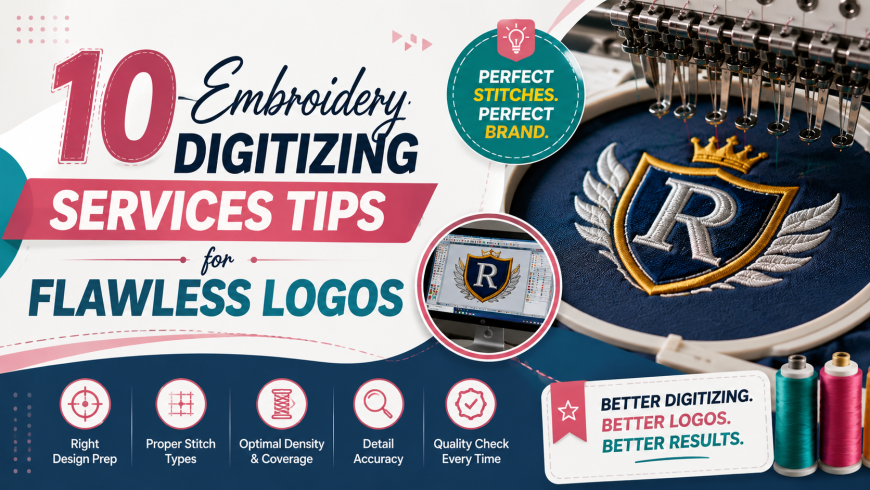
A custom embroidery digitizing service turns a flawless logo into thread by combining clean artwork, correct stitch density, proper underlay, and a real fabric test before delivery. Skip any one of these steps and even a great design can look messy once it hits the machine. Below are ten proven tips that the best embroidery digitizing service usa providers rely on every single day.
You may have sent a logo off for digitizing and felt nervous waiting to see how it turned out. That worry usually comes from not knowing what actually goes into a clean stitch file. Once you understand the basics behind a strong embroidery digitizing service, that uncertainty disappears fast, and choosing the right digitizing service for embroidery becomes a lot easier.
1. Start With a Clean Vector File
Vector files such as AI, EPS, or SVG keep edges crisp no matter how much the logo is resized. If you only have a JPG or PNG, aim for at least 300 DPI so the digitizer has enough detail to work with. Blurry source art almost always leads to jagged, uneven stitches.
2. Simplify the Design Before Digitizing
Embroidery cannot recreate gradients, tiny shadows, or overly fine detail the way printing can. A strong digitizing services for embroidery provider will often suggest simplifying a logo into bold shapes and solid colors. This keeps the final stitch out looking sharp instead of muddy.
3. Limit Your Thread Colors
Too many thread colors can make a logo look busy and increase production time. In my experience, keeping a design to around six colors or fewer creates a cleaner, more professional finish on almost any fabric.
4. Choose the Right Stitch Type for Each Element
Different parts of a logo need different stitch types to look their best. Here is a quick breakdown most best embroidery digitizing services rely on.
-
Straight stitches work well for fine outlines and small text
-
Satin stitches suit borders, lettering, and bold shapes
-
Fill stitches cover larger solid areas cleanly
Matching stitch type to design element is one of the fastest ways to improve overall quality.
5. Set Stitch Density Based on Fabric Type
Stitch density controls how tightly thread sits within a design, and fabric changes everything. Thick fabrics like denim can handle higher density, while delicate materials like silk need a lighter touch to avoid puckering. That's why many designers recommend testing density settings before running a full batch.
6. Use the Correct Underlay for Stability
Underlay stitches form the hidden base that keeps a design stable once it touches fabric. Without proper underlay, top stitches can shift, sink, or pucker, especially on knits and fleece. A trained digitize embroidery service always adjusts underlay to match the fabric being used.
7. Keep Text Legible and Properly Sized
Small text is often the hardest part of any logo to digitize cleanly. Most experts recommend keeping embroidered letters at least a quarter inch tall so they stay readable after stitching. If your logo has tiny lettering, ask your provider whether a built in embroidery font would look cleaner than tracing thin artwork.
8. Plan Efficient Stitch Pathing
How does stitch pathing affect logo quality. Clean pathing between shapes reduces unnecessary thread trims and keeps the back of the garment neat. A well planned path also lowers the chance of loose threads or jump stitches showing up in the final design.
9. Match the File Format to Your Machine
A reliable online embroidery digitizing service will always confirm your machine's required format before delivery. Common formats include DST, PES, JEF, and EXP, and getting this wrong can stop production before it even starts. Always double check compatibility ahead of a large order.
10. Never Skip the Test Stitch
A sample stitch out on real fabric is the single best way to catch problems before they multiply across an entire order. Here's why it matters, a design can look perfect on screen and still pucker or shift once it meets the needle. Every trustworthy best embroidery digitizing service provider in usa builds this test into their process by default.
How IDigitize Approaches This Work
IDigitize follows every one of these steps as standard practice rather than an extra service. Each logo is checked for clean vector quality, correct stitch type, proper density, and stable underlay, then sample stitched before it reaches the client. This consistent process is why so many shops send their most detailed logos straight to IDigitize instead of testing multiple providers.
Final Thoughts
Flawless logos rarely happen by accident. They come from clean artwork, smart stitch choices, and a provider willing to test the design before it goes into full production. Following these ten tips gives you a clear checklist to judge any custom embroidery digitizing services provider before you commit to an order.
IDigitize applies this exact checklist to every project, which is why brands keep coming back for logos that stitch out clean the first time. A little care at the digitizing stage saves you from costly reprints down the road.
Frequently Asked Questions
What file type is best for logo digitizing?
Vector files like AI, EPS, or SVG work best since they keep edges sharp at any size compared to raster images.
How many thread colors should a logo use?
Most designers recommend keeping a logo to around six colors or fewer for a clean, professional embroidered result.
Why does stitch density matter for logos?
Correct density prevents puckering and thread breaks while keeping the design looking full and well defined on any fabric.
What is a test stitch and why is it important?
A test stitch is a sample run on real fabric that catches density, underlay, or shape problems before full production begins.
Which embroidery file formats do machines commonly use?
Most machines accept formats such as DST, PES, JEF, and EXP, so confirming the right one avoids production delays.