Time Tracking Software: A Decision Framework for Every Team Type
Time tracking software isn't one-size-fits-all. Compare real costs, legal risks, and the right category for startups, growing teams, and enterprises.
 primeteams
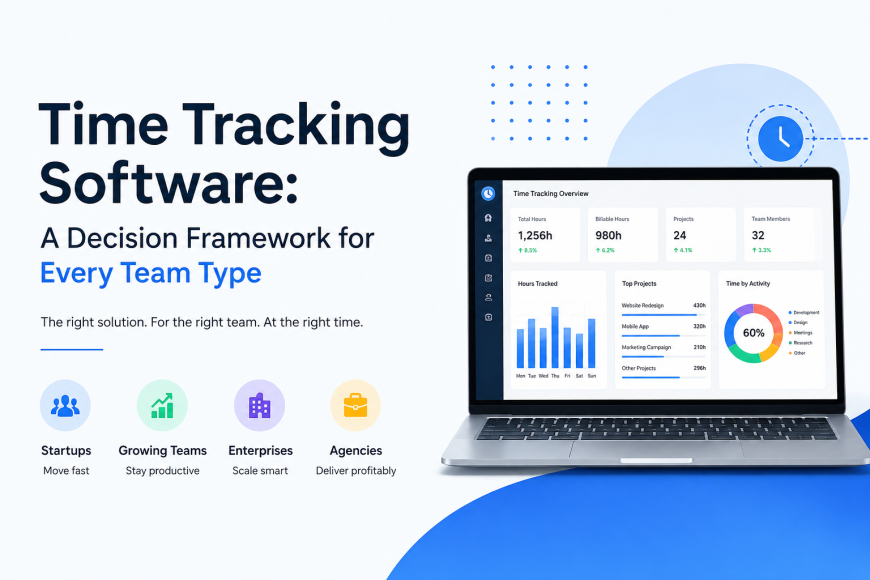
If you've searched "time tracking software" and landed on ten different "best of" lists that all rank different tools in the number one spot, you're not losing your mind. You're just running into the real problem: "time-tracking software" isn't one thing. It's five or six different categories of tool wearing the same name tag.
That mismatch is the actual reason so many companies buy a tool, use it for four months, and quietly switch to something else. Not because the tool was bad — because it was built for a different job than the one they needed done. A freelancer's timer app and an enterprise compliance platform both call themselves "time tracking software", but they solve completely different problems.
This guide skips the ranked list. Instead, it walks through how to figure out which category you actually need, what these tools really cost once you add up the fine print, where the legal risk actually sits, and how to roll one out without your team assuming you don't trust them.
What "Time Tracking Software" Actually Means (And Why the Category Matters)
Under one search term, you'll find tools built for entirely different jobs:
Personal and freelancer timers — a simple start/stop time tracker built for billing a client or understanding your own hours. Toggl Track's and Clockify's free tiers live here.
Team timesheet and project billing tools — built for agencies and professional services firms that need to track hours against project budgets, generate client invoices, and see profitability by project. This is where tools add "billable rate" and "profit margin" reporting.
Employee monitoring software — screenshots, activity levels, app and website usage, and sometimes keystroke patterns. Built for managers who want visibility into how work happens, not just how many hours were logged. Time Champ and similar tools live in this category.
Field and mobile time tracking — GPS-based clock-in/out for construction crews, service techs, or anyone not sitting at a desk. Geofencing and job-site verification are the differentiators here.
Time tracking bundled into bigger platforms — an add-on feature inside a project management, HR, or payroll suite rather than a standalone product.
Here's the mistake that causes most re-purchases: a manager needs simple project billing but buys a monitoring tool because it "has more features". Six months later, the team resents the screenshots, adoption drops, and the company is shopping again. Or the reverse — a company needs real oversight of a distributed field team, buys a lightweight freelancer timer because it's cheap, and discovers it has no GPS verification when a billing dispute comes up.
Before you compare a single feature list, answer one question: which of these five jobs do you actually need done? Everything else in this guide branches from that answer.
The Decision Framework: Which Category Fits Your Team
Startups and Small Teams (1–20 people)
At this stage, speed and cost matter more than depth. You want something you can set up in an afternoon, that doesn't require training, and that won't punish you financially as you add your fifth or sixth hire.
The trap here is the free tier cliff. Several popular tools offer generous free plans for up to 5 users, then jump straight into per-seat paid pricing the moment you cross that line — often forcing an upgrade to a mid-tier plan just to keep basic features you were using for free. Check exactly where that line sits before you build a workflow around a free plan.
What to prioritise: low switching cost, simple invoicing if you bill clients, and minimal admin setup.
Growing and Mid-Size Companies (20–200 people)
This is where time tracking software for teams needs to do more than log hours — you need to see time by department, by project, and by client, not just by person. You're also more likely to already have a payroll or project management tool you don't want to abandon, so integration compatibility becomes a real constraint, not a nice-to-have.
The financial trap at this size is per-seat pricing scaling faster than people expect. Going from 20 to 60 employees on a $9–18/user/month plan turns a rounding error into a real budget line — and that's before add-ons like GPS tracking or profitability reporting, which are frequently gated behind the most expensive tier.
What to prioritise: reporting flexibility, integration with your existing stack, and predictable pricing as you scale.
Enterprise Organisations (200+ people)
Here, the tool itself is almost secondary to what surrounds it: security certifications (SOC 2, ISO 27001), role-based access controls, audit trails, SSO, and data residency guarantees if you operate across regions. Procurement and security review will often eliminate half your shortlist before anyone looks at the actual timer feature.
What to prioritise: compliance certifications, admin/security controls, and contract flexibility (custom pricing and SLAs) over list-price features.
Remote and Distributed Teams (any size)
This one cuts across the others, and it's arguably where time tracking software for modern teams looks the most different from what existed five years ago. The core tension is between visibility and trust. A tool that works beautifully for a co-located team can feel like surveillance to a distributed one if it's rolled out without explanation – timezone handling, async reporting, and how monitoring data gets used (or doesn't) matter more here than raw feature count.
What to prioritise: timezone-aware reporting, clarity about what's tracked and why, and features that support async work rather than assuming everyone's online at the same time.
What Time Tracking Software Really Costs (Beyond the Sticker Price)
"Starts at $9/user/month" tells you almost nothing about what you'll actually pay. Here's a real example using two widely used tools, based on published 2026 pricing at the time of writing (always verify current pricing before budgeting — these numbers shift):
Toggl Track: Free for up to 5 users. Paid plans run roughly $9/user/month (Starter, billed annually) up to $18/user/month (Premium) for features like profitability tracking and timesheet approvals. Enterprise is custom-priced.
Clockify: A genuinely free tier with no user cap for basic tracking. Paid tiers run roughly $5–15/user/month depending on which source you check, unlocking invoicing, timesheet approval, scheduling, and GPS tracking at progressively higher tiers.
Now run the actual math for a 40-person team that needs project billing and timesheet approval – not just basic tracking.
|
Team size |
Basic/free tier |
Mid-tier (billing + approvals) |
Top tier (profitability/GPS) |
|
10 people |
$0–$50/mo |
$90–$180/mo |
$180–$400/mo |
|
40 people |
$0–$200/mo |
$360–$720/mo |
$720–$1,600/mo |
|
100 people |
Often unavailable |
$900–$1,800/mo |
$1,800–$4,000/mo |
The pattern that matters isn't the exact numbers — it's that the feature you actually need (approvals, billing, or GPS) is almost always gated behind a mid- or top-tier, not the entry price advertised in the ad. Three things to check before you commit to any tool:
-
Is the feature you need in the plan you're pricing or one tier up? Vendors advertise the cheapest tier; sales teams sell you the one above it.
-
Annual vs. monthly pricing gap. Many tools charge 15–25% more for monthly billing, which effectively locks you into an annual contract before you've confirmed the tool is right for your team.
-
What's billed per "seat" vs. per active user? Some tools bill you for every account you've created, even inactive ones, unless you manually deactivate them — worth checking before your invoice surprises you at month three.
Is Time Tracking Software Legal? What Managers Need to Know
This is where most guides go quiet, which is strange given how often it comes up in practice. The short answer: yes, employee monitoring is broadly legal in the US on company-owned devices under federal law, but a growing number of states require you to tell employees about it first, and the rules are actively changing in 2026.
As of this year, Connecticut, Delaware, New York, and Colorado all require some form of written notice before electronic monitoring begins — not just a line buried in the employee handbook, but a specific, acknowledged disclosure. Connecticut recently expanded its law to require even more detail about where monitoring happens and added a new plain-language notice requirement for new hires. California's AB 1221, which took effect this year, raised the bar further: a vague "we may monitor computer usage" clause no longer cuts it. If you're capturing screenshots, tracking keystrokes, or analysing activity patterns, you generally need to say so specifically and explain why.
If your company operates outside the US, GDPR adds its own layer for any EU-based or EU-employing organisation — monitoring has to be proportionate to a legitimate business purpose, and blanket surveillance is a much harder sell under GDPR than under US federal law.
A few industries have their own rules on top of general employment law:
-
Government contractors working under DCAA oversight have specific timekeeping requirements — daily entry, no backfilling time after the fact, and audit-ready records.
-
Law firms billing hourly generally follow ABA guidance on timekeeping accuracy tied to client billing ethics.
None of this is legal advice, and the state-by-state list above is genuinely a moving target — several more states have monitoring bills in committee right now. Before you roll anything out, it's worth a short conversation with HR or legal counsel, specifically to confirm: do we need written notice, and does our chosen tool actually let us give it (many monitoring platforms include a built-in disclosure/consent workflow for exactly this reason)?
Rolling Out Time Tracking Without Losing Team Trust
Here's the part almost nobody writes about, and it's usually the actual reason a rollout succeeds or fails: employees don't resist time tracking itself nearly as often as they resist not knowing why it's happening.
A software team we've seen this play out with rolled out a monitoring tool with screenshots enabled, no advance explanation, and a one-line Slack message the morning it went live. Within two weeks, three senior engineers had quietly started job hunting — not because the hours were being tracked, but because the sudden, unexplained surveillance read as "We don't trust you anymore". The company later reintroduced the same tool, this time with a team meeting explaining exactly what was tracked, why (a client had started requiring hour-level billing documentation), and what wasn't being watched (no keystrokes, no personal browsing). Adoption went from resentful to a non-issue within a month. Same software. Completely different outcome.
A few things that consistently make the difference:
-
Explain the "why" before the "what". "A client now requires detailed billing records" lands very differently than "We're implementing monitoring software."
-
Be specific about what's collected — and what isn't. Vague policies breed the worst assumptions. If you're not tracking keystrokes or personal apps, say so explicitly.
-
Distinguish accountability from micromanagement. Time data used to flag genuine workload or burnout issues builds trust; time data used to nitpick five-minute breaks destroys it.
-
Give employees access to their own data. A tool where only management sees the reports feels like surveillance. One where employees can see their own patterns feels like a tool they're also using.
Common Accuracy Problems and How to Avoid Them
Every tool looks perfect in a five-minute demo. These are the problems that show up in week three, once real usage starts:
-
Idle-time miscounting. Someone reading a long document or thinking through a problem away from the keyboard gets flagged as idle, even though they're working. Ask specifically how each tool defines and handles idle time before you buy.
-
Time zone bugs. If your team spans time zones, check how reports handle a shift that starts at 11pm in one zone and ends at 7am in another — this is a surprisingly common source of broken reports.
-
Forgotten clock-ins/outs. What happens when someone forgets? Does the tool allow manual edits, and who has permission to make them? A tool with zero flexibility here creates more admin headaches than it solves.
-
VPN and remote-access false flags. Some monitoring tools misread VPN or remote desktop sessions as inactivity, which can wrongly flag remote employees as unproductive.
None of these are dealbreakers on their own, but they're exactly the kind of thing a features page never mentions. Test for them directly during your free trial rather than discovering them after rollout.
What's Changing in Time Tracking Software for 2026
A few shifts worth knowing about if you're buying now rather than three years ago:
-
AI-based auto-categorisation is becoming more common — tools that infer which project or task you were working on from app/document activity, reducing manual timer starts.
-
Calendar-based automatic time capture is replacing manual timers in some tools, logging time directly from meeting attendance rather than requiring someone to remember to click start.
-
Metadata-only monitoring—tracking which apps are used and for how long without capturing screen content or keystrokes—is gaining traction specifically because it satisfies stricter state disclosure requirements while still giving managers usable signals.
These are genuinely useful developments, but treat "AI-powered" claims with a healthy dose of scepticism during a demo — ask to see the feature working on your actual workflow, not a canned example.
How to Choose the Right Time Tracking Software: A Checklist
-
Name your category first. Freelancer billing, team project billing, employee monitoring, field/GPS tracking, or bundled features – pick one before you look at a single tool.
-
Map your team size to realistic pricing, not the advertised entry price. Confirm which tier actually includes the feature you need.
-
Confirm legal notice requirements for every state or country you employ people in — this takes one conversation with HR/legal and avoids a real compliance problem later.
-
Test for accuracy issues during the trial — idle time handling, timezone behaviour, and manual edit permissions.
-
Plan the rollout communication before you buy the tool, not after. If you can't explain in two sentences why your team needs this, that's worth resolving before day one.
-
Ask about seat billing rules — active vs. inactive users, annual vs. monthly pricing gaps, and what happens to your data if you downgrade or cancel.
If you've worked through this checklist and landed on "team billing and reporting" as your category, that's exactly what Prime Teams is built for – worth a look before you keep comparing tools.
Frequently Asked Questions
What is time tracking software? A time tracker — or time-tracking software more broadly — records how time is spent on work, ranging from a simple personal timer to full employee monitoring with screenshots and activity tracking, depending on the category.
What's the difference between time tracking and employee monitoring software? Time tracking generally logs hours against projects or tasks. Employee monitoring adds visibility into how that time was spent — activity levels, app usage, and sometimes screenshots. The two overlap but aren't the same thing, and buying one when you need the other is the most common mismatch.
Is time tracking software legal? Broadly yes on company-owned devices in the US, but several states (Connecticut, Delaware, New York, California, and Colorado) now require written notice before monitoring begins, with more legislation pending. Confirm requirements for every state you employ people in.
How much does time tracking software cost for a team of 40? Depending on the tier and features you need, expect somewhere between $200/month for basic tracking and $1,600/month for a full-featured plan with billing, approvals, and profitability reporting — the gap is almost entirely about which features are gated at which tier.
Can employees see their own tracked data? It depends on the tool and how you configure it, but giving employees visibility into their own data (rather than restricting it to managers only) consistently correlates with smoother adoption.
Does time tracking software work for remote and hybrid teams? Most modern tools do, but timezone handling and async-friendly reporting vary significantly between tools – test this specifically if your team is distributed rather than assuming it works out of the box.
The tool matters less than most listicles suggest. The category fit; the real cost once you add up the tiers; the legal notice you may owe your team; and how you explain the rollout — that's what actually determines whether this becomes a tool your team uses without thinking about it or one you're replacing again in six months.
Once you know which category fits, see how Prime Teams handles it.