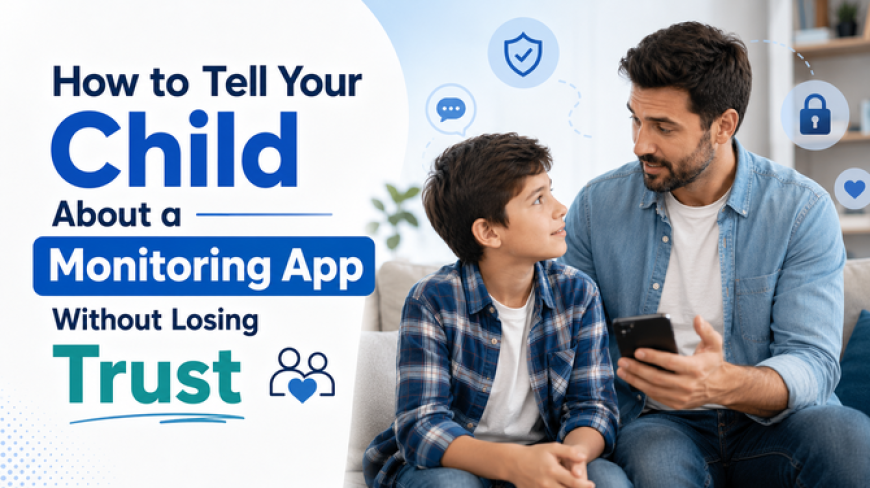
How to Tell Your Child About a Monitoring App Without Losing Trust
A monitoring app should never replace communication, but it can provide an extra layer of protection, especially for younger children who are still learning to navigate the digital world.
 clarkblarke
Technology has become part of almost every child's daily routine. From school assignments to social media and gaming, kids spend more time online than ever before. Naturally, many parents turn to monitoring apps to help protect their children from cyberbullying, online predators, scams, and inappropriate content.
However, one question often worries parents: How do you tell your child about a monitoring app without damaging their trust?
The answer is not to hide it. Healthy digital parenting is built on honesty, communication, and age-appropriate guidance. When children understand that monitoring comes from a place of care rather than control, they are far more likely to cooperate and develop responsible online habits.
This guide explains how to tell your child about a monitoring app while maintaining trust and encouraging open communication.
Why Trust Matters
Trust is the foundation of every healthy parent-child relationship. Children who trust their parents are more likely to share uncomfortable experiences, ask for help when something goes wrong online, and be honest about the apps they use.
If a child discovers they have been secretly monitored, they may feel betrayed. Instead of discussing online problems, they may create hidden accounts, use different devices, or find other ways to avoid supervision.
Monitoring should never replace communication. Instead, it should support ongoing conversations about digital safety.
Parents should explain that every family has rules designed to keep children safe just like wearing a seatbelt or looking both ways before crossing the road. Online safety deserves the same level of attention.
Common Parenting Mistakes
Many parents have good intentions but unintentionally make monitoring feel like punishment.
One common mistake is installing a monitoring app without telling the child. While this may seem easier, discovering hidden monitoring later can seriously damage trust.
Another mistake is using monitoring only after an argument or when a child gets into trouble. This sends the message that monitoring is a consequence rather than a normal safety practice.
Some parents also focus only on restrictions. Blocking apps and checking every message without explaining why can make children feel they are not trusted.
The Right Age to Start Monitoring
There is no perfect age that works for every family. The right time depends on a child's maturity, online activity, and ability to make safe decisions.
For younger children using their first smartphone or tablet, parents generally need more guidance and supervision. At this stage, monitoring helps children learn healthy digital habits while they are still developing judgment.
As children move into their teenage years, monitoring should gradually become less intensive. Instead of checking every activity, parents can focus on discussing online risks, reviewing screen time, and encouraging responsible choices.
The goal is to prepare children for independence—not to monitor them forever.
Explain the Purpose Clearly
How parents introduce a monitoring app often determines how children respond.
Choose a calm moment rather than bringing it up during an argument. Explain that the app is designed to help protect them from online dangers such as scams, cyberbullying, inappropriate content, and interactions with strangers who may not have good intentions.
Avoid statements like:
"Because I don't trust you."
Instead, try saying:
"I trust you, but I don't always trust everyone you might meet online."
This small difference completely changes the conversation. Children understand that the concern is about online risks—not about controlling them.
Encourage questions and allow your child to express how they feel. Listening carefully helps foster cooperation rather than resistance.
Create Family Digital Rules
Monitoring works best when it is part of a family digital agreement rather than a one-sided decision.
Together, discuss expectations for screen time, downloading new apps, accepting friend requests, sharing personal information, and using privacy settings.
Children are more likely to follow rules when they help create them.
Family discussions also provide opportunities to explain why certain rules exist. Instead of saying, "Because I said so," parents can explain the real-world risks behind each guideline.
These conversations build digital responsibility that lasts far beyond childhood.
Review Monitoring Together
Monitoring should never feel like a secret investigation.
Instead of quietly reviewing reports alone, schedule occasional family check-ins.
Ask questions such as:
-
"Have you seen anything online that made you uncomfortable?"
-
"Has anyone contacted you that you didn't know?"
-
"Are there any new apps your friends are using?"
Looking at screen activity together shifts the focus from catching mistakes to solving problems as a team.
This approach also teaches children how to recognize online risks on their own.
Gradually Reduce Monitoring
One of the biggest goals of digital parenting is helping children become responsible enough that they no longer need close supervision.
As children consistently demonstrate good judgment, parents can reduce monitoring step by step.
This gradual approach rewards responsibility and reinforces trust.
For example, older teenagers who consistently follow family rules may need fewer restrictions than younger siblings who are just beginning to explore social media.
Children who see monitoring decrease over time often view it as a temporary learning tool rather than permanent surveillance.
Can a Monitoring App Support Healthy Parenting?
A monitoring app should never replace communication, but it can provide an extra layer of protection, especially for younger children who are still learning to navigate the digital world.
Many families choose solutions that offer app usage reports, screen activity monitoring, location updates, and alerts for potential online concerns. Depending on a family's needs, tools such as TheOneSpy, one of the best monitoring app for parents, can help parents better understand how their child uses their device through features like app activity monitoring, screen recording, and location tracking.
Final Thoughts
Learning how to tell your child about a monitoring app is just as important as choosing the app itself. Children respond far better when parents are honest, explain the reasons behind monitoring, and involve them in creating family digital rules. As trust grows and children demonstrate responsible online behavior, monitoring can gradually become less necessary.