What Is an Enclosure Thermostat and How to Choose?
 jackzkr317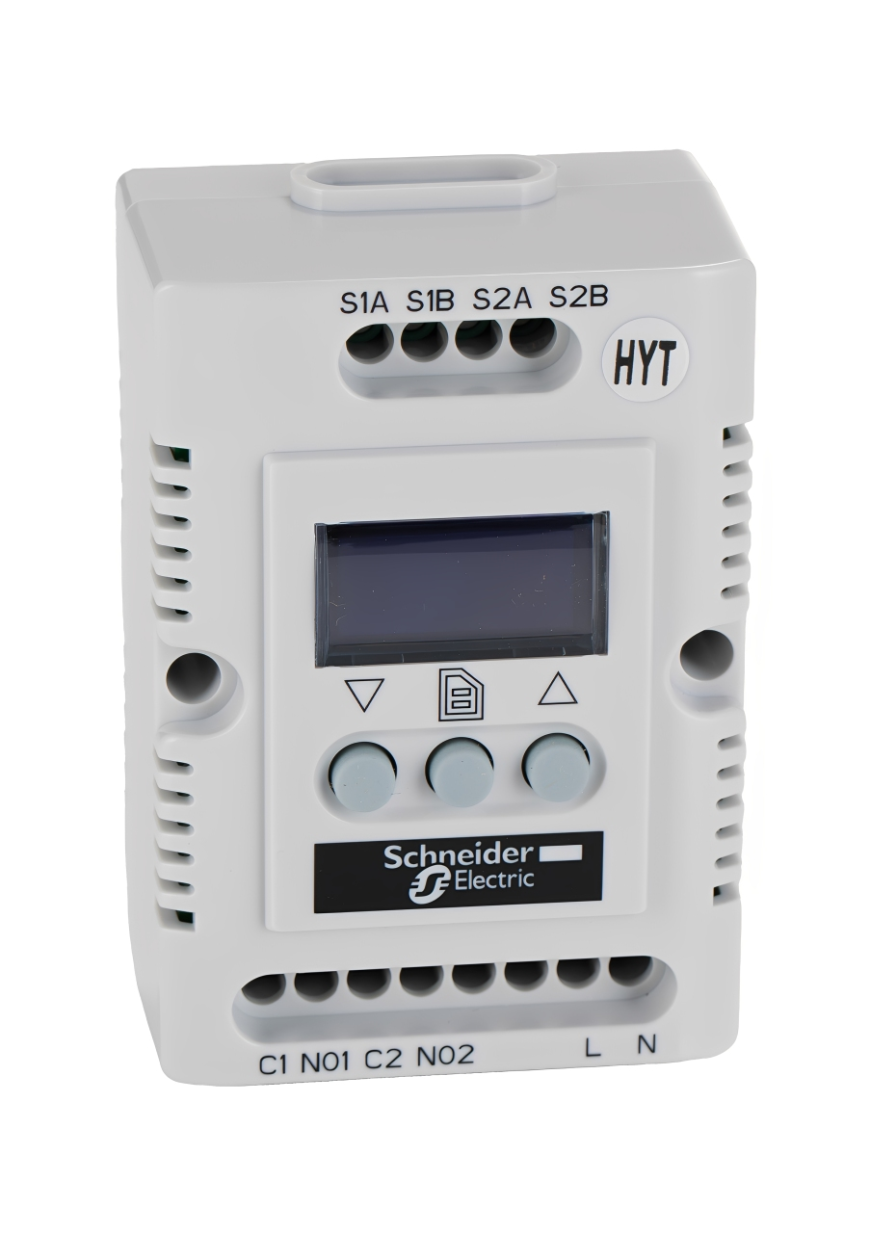
Introduction
An Enclosure Thermostat keeps electrical and electronics cabinets within a safe temperature window. It switches heaters, fans, or coolers on and off to protect components, prevent condensation, and extend service life. With the right settings and wiring, it improves safety, reliability, and uptime.
Why temperature control inside enclosures matters
Electrical parts dislike heat and moisture. Contacts pit, plastics age, and boards warp. Conversely, cold metal walls encourage condensation that corrodes connectors and fuses. An Enclosure Thermostat balances these forces by maintaining stable thermal conditions for sensors, controllers, and power devices.
-
Protects electronics, microcontrollers, and microprocessors from thermal stress
-
Reduces nuisance trips and extends the life of switches, LEDs, and capacitor banks
-
Minimizes condensation on cables, grips, and terminal strips to improve safety
How an Enclosure Thermostat works
An enclosure thermostat is a compact control device with a sensing element, a switching stage, and a user setpoint. It monitors internal air temperature and actuates cooling or heating loads to maintain the target.
Sensors and switching
-
Uses bimetal, RTD, or thermistor sensors to read air temperature near heat sources
-
Drives relay contacts or solid-state outputs to switch fans, heaters, or contactors
-
Offers normally closed or normally open contacts for heating or cooling logic
Controllers and setpoints
-
Adjustable setpoint defines when loads turn on and off
-
Hysteresis avoids rapid cycling and improves component life
-
Some models provide analog signals for PLCs or smart controllers
Heating and cooling devices
-
Cabinet heaters combat condensation and low ambient temperatures
-
Filter fans and roof fans remove heat from drives and power supplies
-
Heat exchangers or compact coolers serve sealed cabinets exposed to dust, oils, or humidity
Key selection criteria
Choosing the correct Enclosure Thermostat starts with the environment, control strategy, and loads you need to switch.
-
Operating range
-
Select a setpoint span that covers winter and summer conditions
-
Check sensor accuracy and stability across the full thermal range
-
-
Load and contact rating
-
Match relay current and inrush to heaters, fans, or contactors
-
Verify switching category for inductive loads with fuses or breakers in line
-
-
Control mode
-
Heating, cooling, or changeover contacts depending on application
-
Single or dual setpoint when separate heating and cooling channels are required
-
-
Mounting and wiring
-
DIN rail or panel mount for quick integration with tools and standard layouts
-
Screw terminals, spring connectors, or plug-in connectors to fit your wiring practice
-
Cable routing that keeps sensor wiring away from high current conductors
-
-
Protection and approvals
-
IP rating suitable for dust, drip, or spray environments
-
Agency marks that align with local codes and safety requirements
-
-
Integration
-
Status LEDs for fast diagnostics in the field
-
Optional analog outputs for PLC monitoring and microcontroller logging
-
Compact footprints that fit crowded cabinets with controllers and power devices
-
Wiring and installation best practices
Good wiring turns a precise thermostat into consistent cabinet performance. Keep runs short, separate signal and power paths, and protect circuits.
-
Use appropriately sized cables with clean terminations and strain relief grips
-
Place the sensor away from heaters and in free airflow near heat sources like drives
-
Add fuses or miniature breakers to protect heater and fan circuits
-
Route control conductors separately from motor leads and contactor coils
-
Provide a service loop for easy replacement and future maintenance
-
Label connectors and switches for quick identification during troubleshooting
Thermal design tips for reliability
A thermostat is part of a system that includes airflow, insulation, and component layout. Small choices compound into measurable gains.
-
Balance intake and exhaust for fans to avoid recirculation inside electronics
-
Keep heat sources away from sensitive sensors and microcontrollers
-
Apply thermal pads or conductive interfaces where devices meet heatsinks
-
Seal unused cutouts to prevent dust and oils from entering the cabinet
-
Use grommets and cable glands that maintain enclosure integrity after wiring
-
Verify clearances so airflow is not blocked by harnesses or accessories
Application examples
Different environments push different failure modes. Tailor the setpoint and hardware to the job.
-
Industrial control panels
-
Drives, soft starters, and contactors produce heat under load
-
Thermostats coordinate fans and heaters to stabilize components and switches
-
-
Process cabinets near lubricants
-
Aerosols and oils increase contamination risk
-
Sealed enclosures with heat exchangers and precise setpoints improve uptime
-
-
IT and instrumentation boxes
-
Sensitive boards, laptops for field service, and data loggers need stable air
-
Quiet fans triggered by thermostats protect electronics without excess noise
-
-
Outdoor junction boxes
-
Wide ambient swings promote condensation
-
Low-watt heaters governed by thermostats keep terminals and connectors dry
-
Cooling vs heating strategies
The right strategy depends on ambient temperature and cabinet power losses. Consider daily cycles and worst-case loads.
-
Cooling focus
-
Use filter fans with replaceable media when ambient is cooler than the cabinet
-
Add thermostats to start fans only when needed to save energy
-
-
Heating focus
-
Use PTC or resistive heaters to raise internal temperature above dew point
-
Set the Enclosure Thermostat to a conservative value to prevent condensation on metal parts
-
-
Mixed strategy
-
Dual setpoints drive both a heater and a fan for seasonal performance
-
Monitor return air temperature rather than wall temperature for tighter control
-
Troubleshooting and maintenance
Even the best design benefits from periodic checks. Simple visual and electrical tests keep systems dependable.
-
Inspect filters, fan blades, and airflow paths for dust buildup
-
Test heater and fan currents to confirm expected operation
-
Verify LED status and relay action at known temperatures
-
Re-torque terminals on seasonal service to maintain low resistance connections
-
Log cabinet temperatures with sensors to refine setpoints over time
Quick specification checklist
Before ordering, confirm these items to accelerate installation and startup.
-
Voltage and frequency compatible with the control circuit
-
Contact rating matched to fans, heaters, and contactors
-
Setpoint and hysteresis suited to thermal mass and load profile
-
Mounting method and space available on the DIN rail
-
IP rating, ambient limits, and approvals for the site environment
-
Connector style, cable size range, and clear marking for wiring
Final thoughts
An Enclosure Thermostat is a small device that carries a large share of reliability. With the correct sensor type, contact rating, and setpoint strategy, it protects electronics from heat and moisture while improving safety. When paired with proper airflow, clean wiring, and scheduled maintenance, it supports stable operation for controllers, drives, and sensitive boards in demanding conditions.