Online Exam Checklist: Tech, Rules, Time, and Study Prep
Get a simple online exam checklist covering technology, exam rules, time planning, study tips, and honest ways to prepare with less stress.
 rosescott193
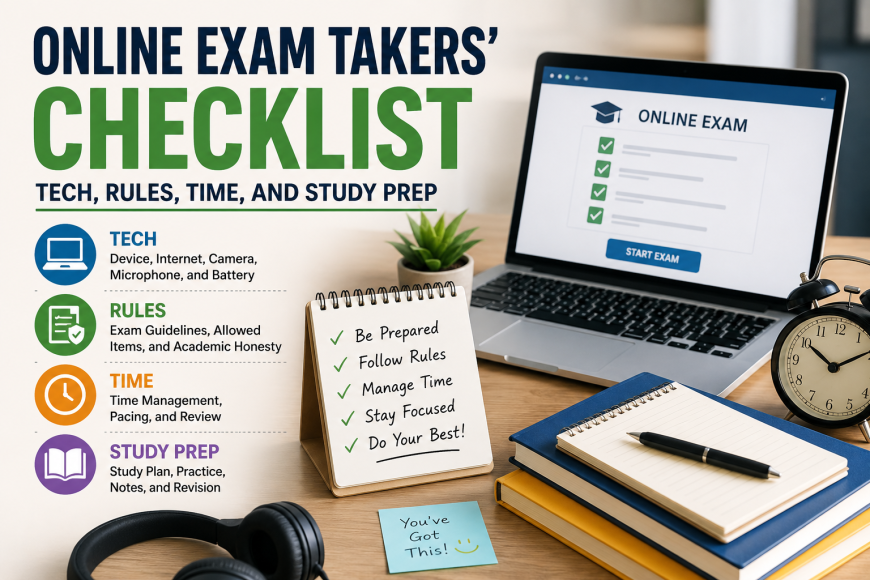
Taking an online exam can feel stressful, especially when you have a tight deadline, slow internet, or too many subjects to revise. But the right checklist can make the process much easier. A good plan helps you stay calm, avoid mistakes, and follow your school or college rules.
This guide is made for students who want to prepare in a safe, honest, and smart way. It covers the four most important areas: technology, rules, time, and study prep. Whether this is your first online test or you have taken many before, these steps can help you feel more ready.
1. Check Your Technology First
Before exam day, make sure your device works well. Do not wait until the last hour. A small tech issue can turn into a big problem during a timed test.
Start by checking your laptop, tablet, or computer. Make sure it turns on quickly and does not freeze. Charge it fully before the exam. Keep your charger nearby, even if the battery is full.
Next, test your internet connection. Open a few websites and see if they load fast. If your Wi-Fi is weak, sit closer to the router. You can also ask others at home not to stream videos or download large files during your exam.
If your exam needs a webcam or microphone, test both. Open your camera app and check that your face is clear. Test your microphone by recording a short voice note. Some exams also need screen sharing, so check if your browser allows it.
Also, update your browser before exam day. Many exam platforms work best on Chrome, Firefox, Edge, or Safari. If your teacher or exam provider gives a recommended browser, use that one.
2. Read the Exam Rules Carefully
Every online exam has rules. Some exams are open-book, while others are closed-book. Some allow calculators, notes, or course slides. Others do not allow any outside help.
Read the instructions before you begin. Look for details about time limits, allowed materials, camera use, breaks, and what to do if your internet drops. If something is not clear, ask your teacher or support team before the exam starts.
Following the rules protects your grade and your record. It also helps you avoid problems with academic honesty. If you ever feel so stressed that you think, “I wish someone could take my online exam,” pause and look for honest support instead, such as tutoring, revision help, or asking for an extension if your school allows it.
Do not share your login details with anyone. Your school account is private. Sharing it can put your personal data, grades, and academic record at risk.
3. Plan Your Time Before the Test
Time is one of the biggest challenges in online exams. Many students know the answers but lose marks because they spend too long on one question.
Before the exam starts, check how many questions there are and how much time you have. For example, if you have 60 minutes and 30 questions, you have about two minutes for each question. Some questions may need more time, so do not panic if the timing is not perfect.
Start with the questions you understand best. This helps you gain marks early and builds confidence. If a question is too hard, mark it or write down its number, then come back to it later.
Keep a clock near you, but do not stare at it every few seconds. Check it after each section or every 10 to 15 minutes. This keeps you aware without making you more nervous.
If your exam allows review time, save the last few minutes to check your answers. Look for missed questions, spelling mistakes, wrong uploads, or answers placed in the wrong box.
4. Prepare Your Study Space
Your study space matters more than you may think. A noisy or messy area can break your focus.
Choose a quiet room if possible. Tell family members or roommates when your exam will happen. Ask them not to disturb you during that time.
Clear your desk before starting. Keep only the items allowed by your exam rules. This may include a pen, blank paper, calculator, ID card, water bottle, or approved notes.
Good lighting is also important. Sit where your face and workspace are easy to see if your exam uses a webcam. Avoid sitting with a bright window behind you because it may make your face look dark on camera.
Turn off phone alerts, social media, and extra browser tabs. These can distract you and may also be against the exam rules.
5. Build a Simple Study Plan
You do not need a perfect study plan. You need a plan you can follow.
Start by listing the topics that will appear in the exam. Put the hardest topics first. Then break your revision into small blocks. A 30-minute study session is often easier than a three-hour session with no break.
Use active study methods. Do not only read your notes again and again. Try practice questions, flashcards, short summaries, and past papers if available. Teach a topic out loud as if you are explaining it to a friend. This helps you see what you understand and what needs more work.
The day before the exam, focus on review, not panic. Go over key points, formulas, definitions, and common mistakes. Sleep well if you can. A tired brain has a harder time remembering information.
6. Know What to Do If Something Goes Wrong
Even well-prepared online exam takers can face problems. Your internet may drop, your screen may freeze, or your camera may stop working. The key is to act quickly and calmly.
Take screenshots if there is an error message. Note the time the problem happened. Contact your teacher, exam support team, or platform help desk right away. Use official contact methods, such as school email or the exam support chat.
Do not refresh, close, or restart the exam page unless the instructions tell you to do so. Some platforms may not save your answers if you leave the page.
Final Thoughts
Online exams are easier when you prepare step by step. Check your technology, read the rules, manage your time, set up your space, and study in small blocks. You may still feel nervous, and that is normal. But a clear checklist gives you control.
The goal is not just to finish the exam. The goal is to finish it honestly, calmly, and with your best effort.