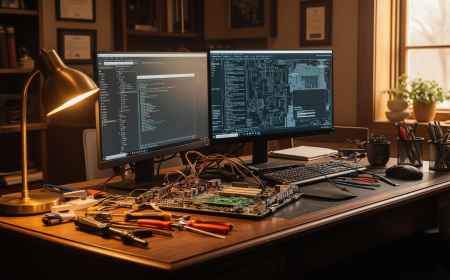
Live Screen Monitoring Software: What It Actually Does, Whether You Need It
Live screen monitoring software explained: how it works, legal requirements, real costs, and a decision framework to find the right fit for your team. See Prime Teams in action.
 primeteams
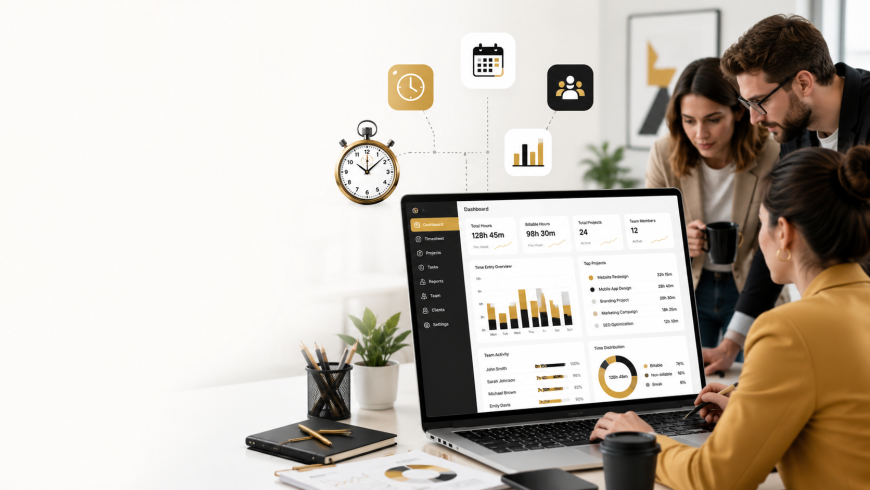
If you've started researching live screen monitoring software, you've probably noticed something: every article reads like a product pitch wearing a "guide" costume. Feature lists, screenshots of dashboards, and a CTA at the bottom. Not much that actually helps you decide what you need, what it'll cost you (in dollars and in employee trust), or whether you need it at all.
This guide is different. We'll walk through how the technology really works, what the legal landscape looks like, when live viewing is overkill, and how to roll it out without your team quietly starting to job-hunt.
How Live Screen Monitoring Actually Works (Technical Walkthrough)
This is where most buyers' guides go vague. Worth getting specific because the technical reality changes what's actually practical for your team.
Deployment. An agent (sometimes called a "grabber") is installed on each device — Windows, Mac, and Linux support varies a lot between vendors, so check this before you commit if you're not a pure-Windows shop. Larger orgs typically push the agent via MDM (Jamf, Intune) rather than asking each employee to install it manually.
Streaming mechanics. This compressed-feed setup is the core mechanic behind any real time screen monitoring software — video sent from agent to dashboard over your existing internet connection. Frame rate and resolution are usually configurable — higher fidelity means more bandwidth and more storage if you're recording, not just viewing live. If your team is on a spotty home connection, the "live" feed can lag by several seconds, which matters if you're using it for real-time support rather than passive oversight.
Scale is where it gets interesting. Watching one screen is trivial. Watching 50 screens in a grid view (sometimes called a "quadrant" or "wall" view) is a genuinely different technical problem — bandwidth on the admin's end adds up fast, and most people can't meaningfully monitor more than a handful of live feeds at once anyway. If your actual goal is "know what 50 people are doing," live viewing is the wrong tool; you want activity scoring or exception-based alerts instead (more on this below).
Edge cases that trip people up:
-
Virtual desktops (Citrix/RDP): Some tools monitor the physical endpoint, others monitor inside the virtual session — these are not interchangeable, and vendors don't always make clear which one you're getting.
-
Offline work: Most agents cache activity locally and sync once reconnected. Live viewing obviously can't work offline — there's nothing live to view.
-
Stealth vs. visible mode: This isn't just a policy toggle. In stealth mode, the agent hides from Task Manager and the system tray, which on some antivirus setups triggers false-positive malware flags — something IT teams have run into during rollout more than once.
Is Live Screen Monitoring Legal? Consent and Compliance by Region
This is the section nearly every competing article skips or waves away with "we're GDPR compliant" — which tells you nothing about whether your deployment is legal in your jurisdiction.
In the U.S., monitoring law is a patchwork of state statutes, mostly built around wiretapping and electronic communications law rather than anything written specifically for screen monitoring. The practical dividing line is consent: some states require only one party (typically the employer, as owner of the equipment) to know monitoring is happening, while others — including Connecticut and Delaware — have specific statutes requiring employers to give employees advance written notice before electronic monitoring begins. If you operate across multiple states, don't assume the loosest state's rules apply company-wide.
In the EU and UK, the starting point is GDPR, which requires a lawful basis for processing employee data and a proportionality assessment — monitoring has to be necessary and no more intrusive than needed for the stated purpose. Several EU countries additionally require works council consultation before deploying monitoring tools, and continuous live viewing is a much harder case to justify under proportionality than periodic screenshots or exception-based alerts.
Regardless of jurisdiction, the practices that keep companies out of trouble are consistent: a written monitoring policy, employee acknowledgment (ideally signed, not just buried in a handbook), and a defined scope that doesn't bleed into personal time or personal devices.
One real-world example worth knowing: a mid-sized outsourcing firm was sued in Australia a few years back after an employee argued that constant screen recording — including during breaks — amounted to unreasonable surveillance. The case turned less on whether monitoring was legal in principle and more on whether the scope was proportionate to the stated business purpose. That's the pattern across most disputes in this space: it's rarely "is monitoring illegal," it's "was this specific implementation too broad."
This isn't legal advice — talk to an employment lawyer before you deploy, especially if you have distributed teams across multiple states or countries.
Do You Actually Need Live Viewing — or Would Screenshots Be Enough?
Here's the section that'll save you money and employee goodwill: matching the tool to the actual goal, instead of buying the most feature-heavy tier because it sounds thorough.
|
Your actual goal |
What you need |
|---|---|
|
Legal/compliance evidence trail |
Recorded sessions + searchable audit logs |
|
Productivity coaching, general visibility |
Periodic screenshots + activity/idle time scoring |
|
IT support or new-hire training |
On-demand live view, used situationally, not continuously |
|
Insider threat / active security incident |
Live view + DLP rules + real-time alerts |
If your honest goal is "I want to know my remote team is actually working," continuous live viewing is usually the wrong answer. It's expensive to run at scale, nobody's actually watching 40 live feeds all day, and it reads as distrust to employees who find out about it — which they usually do. Periodic screenshots paired with activity-level scoring (mouse/keyboard activity, app usage patterns) gets you the same visibility with a fraction of the surveillance footprint.
Save live viewing for the moments that actually need it: an active support ticket, a specific security investigation, or a new employee who's asked for hands-on training. Deploying it as a default, always-on layer for your whole team is the single biggest driver of what's sometimes called "monitoring theater" — surveillance that looks thorough on paper but mostly just erodes trust without producing better outcomes.
If this framework has you leaning toward live viewing for specific, situational use, see how Prime Teams' live screen monitoring works — free trial, no credit card required.
Key Features to Evaluate
Once you've settled on the right tier of monitoring for your use case, here's what actually differentiates vendors:
-
Real-time viewing with multi-screen grid view — how many feeds can you realistically watch at once, and how's the latency at scale
-
Recording with searchable playback — can you filter by app, URL, or keyword instead of scrubbing through raw video
-
Screenshot blurring and selective privacy — can you exclude personal banking or health sites automatically
-
Policy-based alerts — does it flag violations in real time instead of requiring someone to watch continuously
-
Remote control/takeover — relevant if IT support is your actual use case
-
Reporting layer — idle time, productivity scoring, exportable attendance and work-hour reports for payroll or audits
-
Cross-platform support — Windows support is usually solid; Mac and Linux support varies a lot between vendors, so verify before buying if your team isn't all-Windows
-
Integrations — SIEM tools for security teams, project management tools for productivity use cases, payroll systems for time tracking
A note on bundling: many buyers don't actually want a standalone live-view tool — they want time tracking with live screen monitoring combined, so hours worked, screenshots, and activity data all live in one report instead of three separate systems. If that's your situation, look for platforms built around this combination from the ground up rather than an add-on bolted onto a pure time tracker.
Prime Teams covers every feature above from a single dashboard — schedule a demo to see it against your actual use case.
What Does Live Screen Monitoring Software Cost?
Pricing in this category is usually per-seat/month, with a base tier covering live view and screenshots, and higher tiers adding DLP, keystroke logging, or advanced analytics. Most vendors also enforce a seat minimum (commonly 5 seats), so a 3-person startup often pays for capacity it doesn't need.
The costs that don't show up on the pricing page but matter a lot in practice:
-
Video storage/retention. Continuous screen recording generates a lot of data. Longer retention windows (say, 90 days instead of 30) can meaningfully increase your bill, especially at the higher resolutions needed for legal/compliance use cases.
-
On-prem vs. cloud deployment. On-prem gives you more data control but adds infrastructure and IT overhead that cloud deployments don't.
-
Add-on modules. AI-based anomaly detection, advanced DLP, and SIEM integrations are frequently gated behind the top pricing tier.
When comparing quotes, ask each vendor for the total monthly cost at your actual seat count and retention needs — not just the advertised starting price, which is almost always the stripped-down tier. (You can see Prime Teams' transparent pricing as one reference point while you build out your comparison.)
Security Risks to Consider Before You Deploy
Worth sitting with this for a second: a live screen monitoring tool sees everything your employees see, including banking logins, health portal sessions, and passwords typed into other systems. That makes the monitoring vendor itself a high-value target if it's ever breached — arguably a bigger risk than the insider threats it's meant to catch.
Before signing a contract, ask vendors directly:
-
Is data encrypted in transit and at rest, or just one or the other?
-
Where is data stored, and does that match your company's data residency requirements?
-
What's the vendor's breach history, if any?
-
Can you configure exclusion rules for sensitive site categories (banking, healthcare) so those sessions are never captured?
-
What's the actual data retention and deletion policy — can you purge data on request?
Look for SOC 2 Type II and ISO 27001 certifications as a baseline, and HIPAA compliance specifically if you're in healthcare. A vendor that can't answer these questions clearly and quickly is a red flag regardless of how good their feature list looks.
How to Roll Out Live Screen Monitoring Without Losing Employee Trust
This is the part that gets skipped entirely in most vendor content, and it's arguably the most important section for anyone actually implementing this.
Transparent beats covert, almost every time. Covert monitoring might catch a bad actor once, but if word gets out that it's been running unannounced — and it usually does — you're dealing with a trust problem across your entire team, not just the one person you were investigating. Transparent monitoring, communicated clearly, tends to produce steadier long-term compliance without the fallout.
What to actually disclose: what's being monitored, during what hours, who has viewing access, how long data is retained, and what it will and won't be used for. A short, specific policy that employees sign beats a vague clause buried on page 14 of the handbook.
Scope it deliberately. Monitor work hours and work applications, not personal browsing during a lunch break. Most modern tools let you exclude personal time or specific app categories — use that instead of defaulting to always-on.
Watch for the signals that it's backfiring. A spike in resignations shortly after rollout, a dip in engagement survey scores, or an uptick in "trust in leadership" complaints are all worth investigating before you assume the monitoring rollout is going fine just because nobody's said anything directly.
A useful real-world contrast: companies that roll out monitoring with a clear, narrow policy ("we monitor work applications during business hours for security and productivity insight, reviewed monthly, never during breaks") tend to see far less pushback than companies that deploy broad, always-on, undisclosed monitoring and only explain it after someone notices.
Frequently Asked Questions
Is live screen monitoring legal for remote employees?
Generally yes, with proper notice and consent, but requirements vary significantly by state and country. Some U.S. states require advance written notice; EU countries generally require a documented lawful basis and proportionality review. Check your specific jurisdiction before deploying.
Can employees tell when they're being monitored?
Depends on the mode. Visible mode typically shows a tray icon or notification; stealth mode is designed to be undetectable. Using stealth mode without disclosure carries legal risk in many jurisdictions and trust risk everywhere.
Does live monitoring slow down computers?
Modern agents are lightweight and shouldn't cause noticeable slowdown on reasonably current hardware. Older machines or aggressive screenshot/recording settings are the most common cause of performance complaints.
How is this different from screen recording software?
Live monitoring shows real-time activity as it happens; recording software captures and stores footage for later review. Many vendors offer both, but they solve different problems — live viewing for immediate response, recording for after-the-fact review or evidence.
Can monitoring data be used in legal disputes?
Yes, recorded sessions and activity logs are commonly used as evidence in workplace investigations or disputes, provided the monitoring itself was conducted legally and in line with your disclosed policy.
Before you shortlist live screen monitoring software, get clear on one thing: what specific problem are you actually solving? If it's IT support or active incident response, you need live viewing, used situationally. If it's general productivity visibility, screenshots and activity scoring will get you there with far less friction. If it's compliance evidence, recording and audit logs matter more than live feeds ever will.
Start with the use case, not the feature list — the vendors selling you on "watch every screen, all the time" rarely mention that most companies that do this end up watching almost none of it while paying for it all.
Teams using Prime Teams report a 40% reduction in workflow delays after switching from ad-hoc monitoring to a single dashboard for time tracking, attendance, and team management.
Start your free trial — no credit card required and set it up in under 10 minutes.