A Guide to Selecting the Best Touchscreen Gloves
Touchscreen devices are part of everyday work and travel, which makes touchscreen friendly gear more important than ever. Touchscreen Gloves have become a key
 arisblog
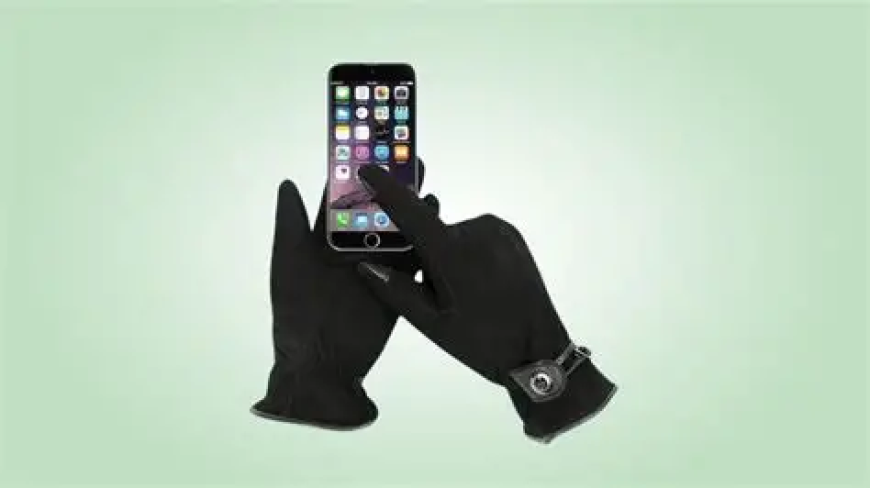
Touchscreen devices are part of everyday work and travel, which makes touchscreen friendly gear more important than ever. Touchscreen Gloves have become a key accessory in cold climates, outdoor job sites, and any environment where digital tools meet real world conditions. Yet with so many materials, construction methods, and features on the market, choosing the right pair can feel confusing. This guide cuts through the noise and helps you focus on what truly matters when selecting the best Touchscreen Gloves for global use.
Why Touchscreen Gloves Matter Today
In a world where communication and workflow depend on phones, tablets, scanners, and smart tools, gloves that keep your hands warm or protected are not enough. Tasks often switch between physical handling and touchscreen interaction. Removing gloves to answer a message or access a device slows you down, exposes your hands to the cold, and raises safety risks on industrial sites.
Touchscreen Gloves solve this by blending function with precision. They allow conductivity through the fingertips without forcing you to sacrifice comfort or performance. Good ones feel natural. Great ones disappear into your routine.
Understand the Core Technology
Touchscreen Gloves work because their fabric or coating conducts the tiny electrical signals that let devices recognize touch. While this sounds simple, the method varies by manufacturer and affects both accuracy and durability.
Conductive Thread: Many gloves use conductive fibers woven into the fingertips. This gives solid precision and flexibility. Higher quality gloves reinforce these threads so the sensitivity remains stable even after repeated wear and washing.
Conductive Coatings: Some gloves rely on a surface coating that allows touch. These can work well for light use, but coatings may wear faster than woven conductive fibers.
Full Hand Conductivity: Premium Touchscreen Gloves sometimes integrate conductive materials throughout the entire glove. This supports more natural gestures and works even when fingertips shift within the glove, an issue that often appears with thicker winter models.
When selecting a pair, choose gloves with dependable, long lasting conductivity rather than a novelty coating that fades after a few weeks.
Match the Material to the Environment
Material choice defines how the gloves will feel and perform.
Lightweight Knit: Ideal for daily commuting and indoor to outdoor transitions. Knit gloves are flexible, breathable, and comfortable. They offer moderate warmth and excellent dexterity. For global climates that hover around cool to mild, this is often the best all around pick.
Insulated or Fleece Lined: For winter conditions, choose Touchscreen Gloves built with layered insulation. Look for models that balance warmth with precision, since bulky padding can reduce touch accuracy. Products that combine fleece with thin conductive panels usually perform best in cold environments.
Leather or Synthetic Leather: These gloves provide strong durability and a polished appearance. They are ideal for professional settings or technical work where grip and abrasion resistance matter. High quality versions feature conductive leather on the fingertips or across the palm. They pair well with outdoor field inspections, driving, or industrial work.
Water Resistant Fabrics: If your tasks involve snow, rain, or damp conditions, prioritize gloves that resist moisture. Wet gloves reduce conductivity and warmth. Select gloves that seal out moisture while keeping fingertips responsive.
Fit Matters More Than You Think
Even the strongest materials fail if the gloves fit poorly. A glove that is too loose shifts on your fingertips and makes digital actions inconsistent. A glove that is too tight restricts movement.
- For precise touchscreen use:
- Make sure the fingertips align with your own.
- Test pinch, swipe, and type motions.
- Choose gloves that give a snug but comfortable fit with no excess material at the tips.
If buying for team use or varied staff sizes, look for brands that provide an accurate size chart and a wide range of fits.
Consider Grip, Safety, and Extra Features
Modern Touchscreen Gloves often include additional features that can improve workflow:
- Silicone Grip Patterns: These help secure devices and tools, especially in wet or cold conditions.
- Reinforced Palms: Useful for construction, logistics, or outdoor work.
- Windproof or Thermal Layers: Increase comfort during long periods outside.
- Cuff Design: Longer cuffs seal out cold air, while elastic cuffs ensure a stable fit.
Pick features based on how and where the gloves will be used. The goal is simple: keep your hands warm or protected without slowing down your work.
Check the Brand’s Testing Standards
Professional users should always check whether the manufacturer tests gloves for durability, conductivity life cycle, and environmental performance. The best brands publish details on abrasion resistance, cold weather ratings, and lab tested touchscreen sensitivity.
For international teams, consider whether the brand supports consistent quality across regions. This ensures repeat orders match previous performance.
Balancing Price and Performance
Touchscreen Gloves range from inexpensive convenience options to high grade professional models. Price often reflects durability, material quality, and long term conductivity.
If you need gloves for heavy use, daily work, or harsh weather, invest in better construction. If you only need them for occasional travel, a lighter and more affordable model may be enough.
Aim for a balance that fits your environment, frequency of use, and performance requirements.
Final Thoughts
Sarung tangan: Choosing the best Touchscreen Gloves comes down to understanding your needs, prioritizing materials and construction that match your environment, and selecting products with proven conductive performance. When you find a pair that fits well, stays responsive, and holds up to your routine, you work faster, stay safer, and remain connected in any climate.