The Art of Chart Selection: How to Choose the Right Graph
Stop guessing which chart to use. Master the art of chart selection, from bar graphs to heatmaps, and turn boring numbers into compelling visual stories.
 roshaan
We have all been there. You are sitting in a conference room, the air conditioner is humming a little too loudly, and a presenter is clicking through slide after slide of spreadsheets. The rows and columns blur together. You check your watch. You wonder if you left the coffee pot on at home. You are not absorbing information; you are just enduring it. This is the tragedy of bad data presentation.
Data is the gold of the modern age, but raw data is just unrefined ore.
To make it valuable, you have to refine it into something visual. This is where a proper chart selection guide becomes your best friend. Choosing the wrong chart is like trying to eat soup with a fork—it’s messy, inefficient, and everyone watching feels awkward. The right chart, however, acts like a lens. It brings fuzzy numbers into sharp focus and turns a boring report into a story that actually makes sense. You don't need a PhD in statistics to get this right. You just need to understand a few simple rules about how human brains process images.
The Foundation: Comparing Categories Without Confusion
When you need to compare different groups—like sales figures between five different regions or the population of different cities—you need something sturdy and reliable. This is where the bar chart shines. It is the workhorse of the data world.
Our eyes are incredibly good at comparing the lengths of objects. That is why bar charts are so effective. If Bar A is twice as tall as Bar B, we instantly know that Value A is double Value B without reading a single number. It is intuitive.
However, you have choices here. You can go vertical or horizontal. Vertical bars are great for time-series data or when you have a small number of categories. But if you have long category names—like "The United Kingdom of Great Britain and Northern Ireland"—a vertical chart will force your text to tilt sideways, making your readers crane their necks.
In that case, flip it. A horizontal bar chart gives your labels room to breathe. It feels more like a list, which is easy to scan. If you are ready to turn your raw numbers into a clear comparison, using a dedicated
Tracking the Flow of Time
Data often tells a story about change. Are we doing better than last month? Is the temperature rising? When you need to show continuous data over a period, bars can sometimes feel too "blocky." You want to see the flow.
The Elegance of the Line Graph
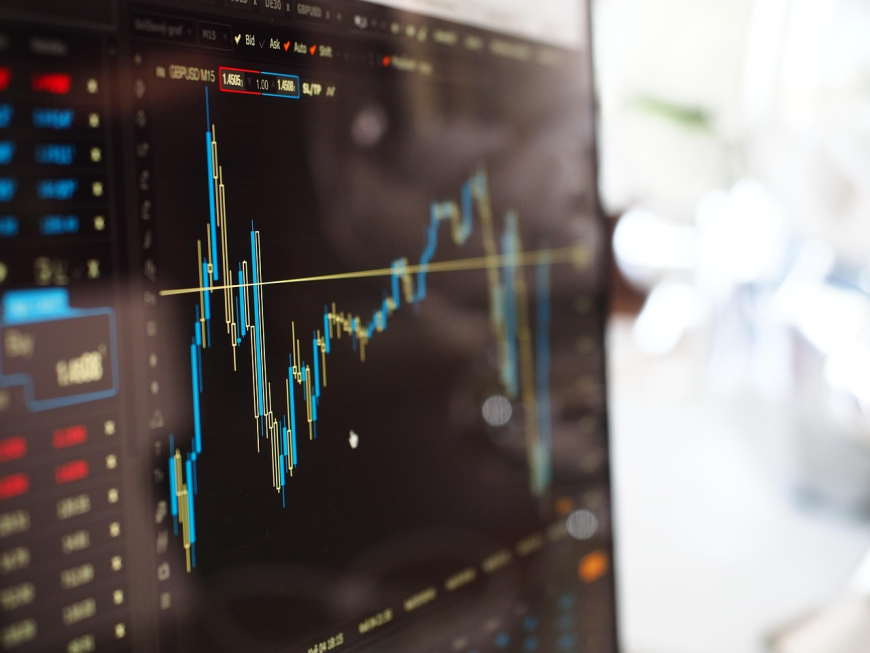
Line graphs are perfect for showing trends. The slope of the line tells you everything. A steep line up means rapid growth; a flat line means stagnation. It connects the dots for the viewer, quite literally. This is the go-to choice for financial data, stock prices, or website traffic.
The Volume of the Area Chart
Sometimes, a simple line isn't enough. You want to show not just the trend, but the magnitude or volume of that trend. This is where the Area Chart comes in. It is essentially a line chart with the area below the line filled in with color.
It creates a sense of weight. If you are showing the total accumulated revenue over a year, an area chart feels substantial. It emphasizes the "amount" rather than just the "rate" of change. Just be careful with overlapping area charts, as they can get muddy if you use too many transparent layers.
The Part-to-Whole Dilemma (Pies and Donuts)
Ah, the pie chart. The most loved and hated chart in existence. Data scientists often scoff at pie charts because humans are actually pretty bad at judging the differences between angles. If one slice is 30% and another is 35%, they look almost identical to the naked eye.
However, pie charts are excellent for one specific thing: showing that parts make up a whole. If you want to show market share, a pie chart screams "This is everything, and here is who owns what."
If you want to modernize this look, consider the Donut Chart. It is just a pie chart with a hole in the middle. That hole reduces the visual weight of the "pie" and allows you to place a key number or label right in the center. It looks cleaner and often fits better in modern business intelligence dashboards. Just remember the golden rule: never use more than five slices. If you have 20 slices, you don't have a chart; you have a colorful pinwheel.
Visualizing Relationships and Distributions
Sometimes you are not comparing categories or looking at time. You are looking for a connection. Does spending more money on ads actually lead to more sales?
The Scatter Plot
This is the detective’s tool. A scatter plot places dots on a grid based on two variables (X and Y). If the dots form a line moving up and to the right, you have a positive correlation. If they are scattered like buckshot, there is no relationship. It allows you to see outliers instantly—those weird data points that don't fit the pattern.
The Bubble Chart
Take a scatter plot and give it a third dimension. In a bubble chart, the position of the circle tells you two things, but the size of the circle tells you a third. For example, you could plot Customer Age vs. Spending, with the size of the bubble representing the number of purchases. It is a fantastic way to pack dense information into a single view without overwhelming the user.
Complex Data Needs Complex Solutions
As you dive deeper into data analysis, you will encounter datasets that are simply too big or complex for standard graphs.
The Heatmap
Imagine looking at a spreadsheet where the background color of the cell changes based on the number inside it. High numbers are hot red; low numbers are cool blue. That is a heatmap. It is incredibly useful for spotting patterns across large matrices. Website analytics use this often to show which hours of the day have the most traffic. You don't need to read the numbers; you just look for the "hot spots."
The Radar Chart
Also known as a spider chart. This is great for comparing entities on multiple variables. Think of video game stats: Speed, Strength, Agility, Intelligence. A radar chart plots these on axes starting from a central point. It creates a shape. You can overlay two shapes to see how two different products or employees compare across five or six different metrics simultaneously.
The Treemap
When you have hierarchical data—like folders on a computer or categories within categories of sales—a treemap is your friend. It uses nested rectangles. The size of the rectangle represents the value. It allows you to see the "big picture" of a whole ecosystem at a glance.
Managing Projects and Timelines
Not all data is statistical. Some of it is operational. If you are a project manager, you live and die by the schedule.
The Gantt Chart is the standard here. It visualizes time as horizontal bars, but unlike a bar chart, these bars float. They start when a task begins and end when it finishes. You can see dependencies—Task B cannot start until Task A is done. It turns a confusing list of deadlines into a clear roadmap.
Design Principles for Non-Designers
You can pick the right chart and still make it look terrible. Visual storytelling relies on clarity. Here are a few quick tips to keep your visuals clean.
First, kill the clutter. Edward Tufte, a pioneer in this field, calls it "chart junk." You do not need 3D effects. You do not need heavy grid lines. You do not need a background picture of a dollar sign. All of these distract from the data.
Second, use color wisely. Do not use random colors. Use color to highlight what is important. If you want to draw attention to a sales drop, make that bar red and the rest gray. Guide the viewer’s eye.
Tools to Make Your Life Easier
We live in a golden age of tools. Ten years ago, if you wanted a complex heatmap or an interactive bubble chart, you had to code it by hand or wrestle with expensive, clunky software. Today, the barrier to entry is almost zero.
You should not have to fight with code just to see a trend line. Using a platform like
Conclusion
The world is noisy. We are bombarded with information every second of every day. If you want your message to be heard, you cannot just dump data on people. You have to shape it.
By mastering the basics of chart selection—knowing when to use a bar vs. a line, or a heatmap vs. a table—you gain a superpower. You become a translator. You turn complexity into clarity.
So next time you have a report to write or a presentation to give, take a moment. Don't just click the first button you see in your spreadsheet software. Think about the story. Think about the user. Experiment with different types of visuals. The result will be a happier audience, a clearer message, and maybe, just maybe, fewer boring meetings.