AI Agents Workflow Automation: What It Is and How to Implement It Successfully
AI agents workflow automation helps businesses automate decisions, not just tasks. Learn how AI agents work, their benefits, and six practical implementation steps.
 worksbuddy
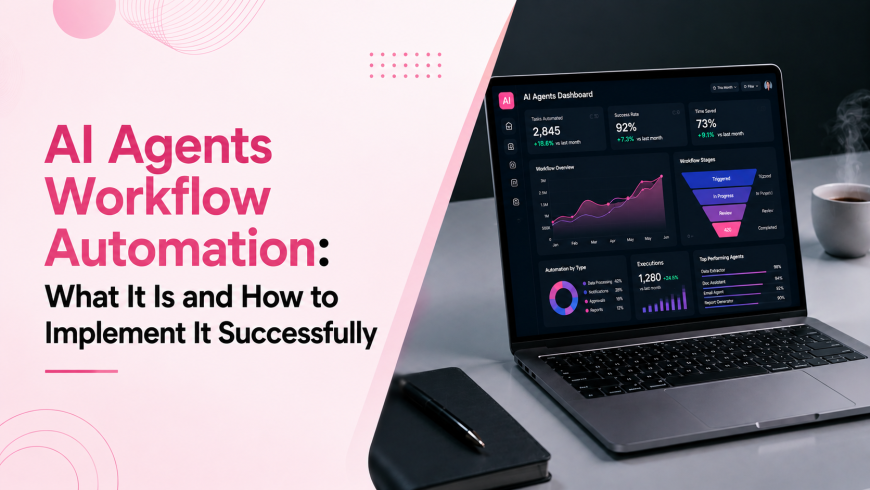
AI agents workflow automation is quickly becoming one of the most important operational shifts for modern businesses. While traditional automation tools have helped teams eliminate repetitive tasks for years, they often struggle when a process requires judgment, context, or dynamic decision-making.
Most discussions about workflow automation focus on triggers, actions, and integrations. However, the real transformation occurs when organizations introduce AI agents that can evaluate situations, choose among multiple paths, and determine when human involvement is necessary.
For IT company owners and operations leaders, understanding this distinction is critical. AI agents do not simply automate tasks; they automate decisions that previously required human attention.
Understanding AI Agents Workflow Automation
Traditional workflow automation operates on predefined rules. A trigger occurs, a condition is met, and a specific action follows. This model works effectively for predictable and repetitive processes.
However, many business workflows are not entirely predictable.
Customer support tickets vary in urgency. Sales inquiries arrive with different levels of qualification. Billing issues require context-sensitive handling. In these situations, fixed automation rules often reach their limits.
AI agents introduce an additional layer of intelligence. Rather than following a single predefined path, they analyze available information, evaluate options, and determine the most appropriate next action.
Consider a customer support workflow. A conventional automation system may route every incoming ticket to a shared support queue. An AI agent can read the message, identify urgency, assess sentiment, determine the likely issue, and then choose whether to resolve the request automatically, escalate it to a specialist, or gather additional information from the customer.
The workflow begins with the same trigger, but the outcome varies based on context.
This ability to make informed decisions is what separates AI agent automation from traditional automation systems.
Why Businesses Are Adopting AI Agents
The value of AI agents extends beyond efficiency gains. Organizations are increasingly deploying them because they address one of the biggest operational challenges: decision overload.
Every day, employees make hundreds of small decisions that consume time but create little strategic value. Routing requests, prioritizing tickets, approving routine actions, and gathering missing information all require attention that could be focused elsewhere.
AI agents reduce this burden by handling many of these decisions autonomously.
Faster Response Times
Customers increasingly expect immediate responses regardless of time zones or business hours. AI agents can evaluate requests and provide relevant actions instantly, eliminating delays caused by manual triage and handoffs.
Reduced Operational Errors
Static automation rules often fail when unexpected situations occur. AI agents analyze context and can adapt to variations that would otherwise break a workflow. This leads to fewer errors in repetitive operational processes.
Increased Productivity
By removing routine decision-making from employees' workloads, teams can focus on strategic work that genuinely requires human expertise. Even a small number of automated workflows can return significant time to individual team members each week.
Improved Process Visibility
Every decision made by an AI agent can be logged and tracked. This creates a clear audit trail that helps organizations understand where delays occur and how workflows can be improved.
Scalable Operations
As businesses grow, operational complexity increases. AI agents allow organizations to handle larger volumes of work without proportionally increasing headcount, creating a more sustainable path to growth.
AI Agents vs. Traditional Workflow Automation
Although both approaches aim to improve efficiency, their capabilities differ significantly.
| Factor | Traditional Automation | AI Agents |
|---|---|---|
| Decision Making | Fixed rules and conditions | Context-aware reasoning |
| Adaptability | Limited to predefined scenarios | Can handle exceptions and variations |
| Workflow Complexity | Best for simple processes | Effective for multi-step, dynamic processes |
| Human Intervention | Frequent when conditions change | Required only for defined escalations |
| Scalability | Becomes difficult as rules expand | Maintains flexibility as complexity grows |
Traditional automation remains highly effective for stable and repetitive tasks. However, workflows involving uncertainty, customer interactions, approvals, or variable data often benefit significantly from AI-driven decision-making.
A Six-Step Framework for Implementing AI Agents
Successful AI agent deployments rarely begin with technology. They begin with process clarity.
1. Document the Existing Workflow
Before introducing any automation, map the current process in detail.
Identify each step, determine who performs it, measure how long it takes, and note where delays or bottlenecks occur. Understanding the current state provides the foundation for meaningful automation.
2. Identify Decision Points
Most workflows contain moments where someone must evaluate information and choose a direction.
These decision points are where AI agents provide the greatest value. Document every fork in the process and determine what information influences the decision.
3. Define Escalation Boundaries
One of the most important design decisions is determining when the AI agent should stop and involve a human.
Organizations that fail to define escalation rules often experience trust issues after deployment. Clear boundaries ensure agents operate confidently while humans remain responsible for exceptional cases.
4. Select the Appropriate Platform
Different automation platforms serve different purposes.
Simple trigger-based workflows may require only lightweight automation tools. More sophisticated processes involving decision-making, conditional routing, and multi-system coordination require platforms specifically designed for AI-powered workflow automation.
The goal is to match platform capabilities to workflow complexity.
5. Test Before Deployment
AI-driven workflows should always be validated in a controlled environment before production use.
Testing should include not only expected scenarios but also edge cases such as incomplete information, conflicting data, unusual requests, and unexpected user behavior.
Comprehensive testing reduces deployment risk significantly.
6. Monitor and Optimize
Deployment is not the end of the process.
Organizations should closely monitor agent performance during the initial weeks after launch. Metrics such as completion rates, escalation frequency, error rates, and user satisfaction provide valuable insights for refinement.
Continuous improvement is essential for long-term success.
Common Implementation Mistakes
Many AI automation initiatives fail for predictable reasons.
Automating Poorly Designed Processes
Automation magnifies existing process issues. If ownership, responsibilities, or inputs are unclear, AI will simply accelerate the dysfunction.
Ignoring Escalation Logic
Every AI agent requires a defined path to human assistance. Without it, edge cases accumulate and confidence in the system declines.
Starting with Mission-Critical Workflows
Organizations often attempt to automate highly sensitive processes immediately. A better approach is to begin with lower-risk workflows and expand gradually as confidence grows.
Treating Automation as a One-Time Project
Business processes evolve continuously. AI agents must be reviewed and adjusted regularly to remain aligned with operational reality.
Technologies That Support AI Agent Automation
Successful implementations typically involve three layers of technology.
Integration Layer
Tools such as Zapier and Make connect applications and trigger workflows across systems.
Decision Layer
This is where AI agents operate. The decision layer evaluates information, determines actions, and manages escalation paths.
Platforms like Revo enable businesses to configure complex decision logic through visual workflow builders without requiring extensive development resources.
Monitoring Layer
Analytics and monitoring tools ensure workflows remain reliable and provide visibility into performance over time.
Together, these layers create a complete automation ecosystem capable of handling both operational execution and intelligent decision-making.
Getting Started
Organizations considering AI agents workflow automation should begin with a single process that occurs frequently and consumes measurable time.
Examples include lead routing, support ticket triage, invoice reminders, status reporting, or approval workflows.
Rather than attempting a company-wide transformation immediately, focus on one workflow, establish success metrics, and measure outcomes over a short evaluation period.
This approach minimizes risk while generating practical insights that can guide future automation initiatives.
Conclusion
AI agents workflow automation represents the next stage in business process optimization. Unlike traditional automation, which follows predetermined instructions, AI agents evaluate context, make decisions, and adapt to changing conditions.
The most successful implementations begin with clear process mapping, defined escalation rules, careful testing, and continuous optimization. Organizations that follow a structured implementation approach can improve efficiency, reduce operational overhead, and scale more effectively without increasing complexity.
As AI capabilities continue to mature, businesses that learn to automate not only tasks but also routine decisions will gain a significant operational advantage in the years ahead.